CV-LS Dashboard
D20980.022 Rev C CV-LS User Manual Page 69
Upgrade (ADMIN Level)
The Upgrade sections allow the user to update to the latest firmware without sending the unit in under
an RMA. Upgrading the firmware will not change any of the unit settings, or disrupt the settings stored
at the factory. If upgrading a unit causes any issues, please report the problem to technical support for
evaluation.
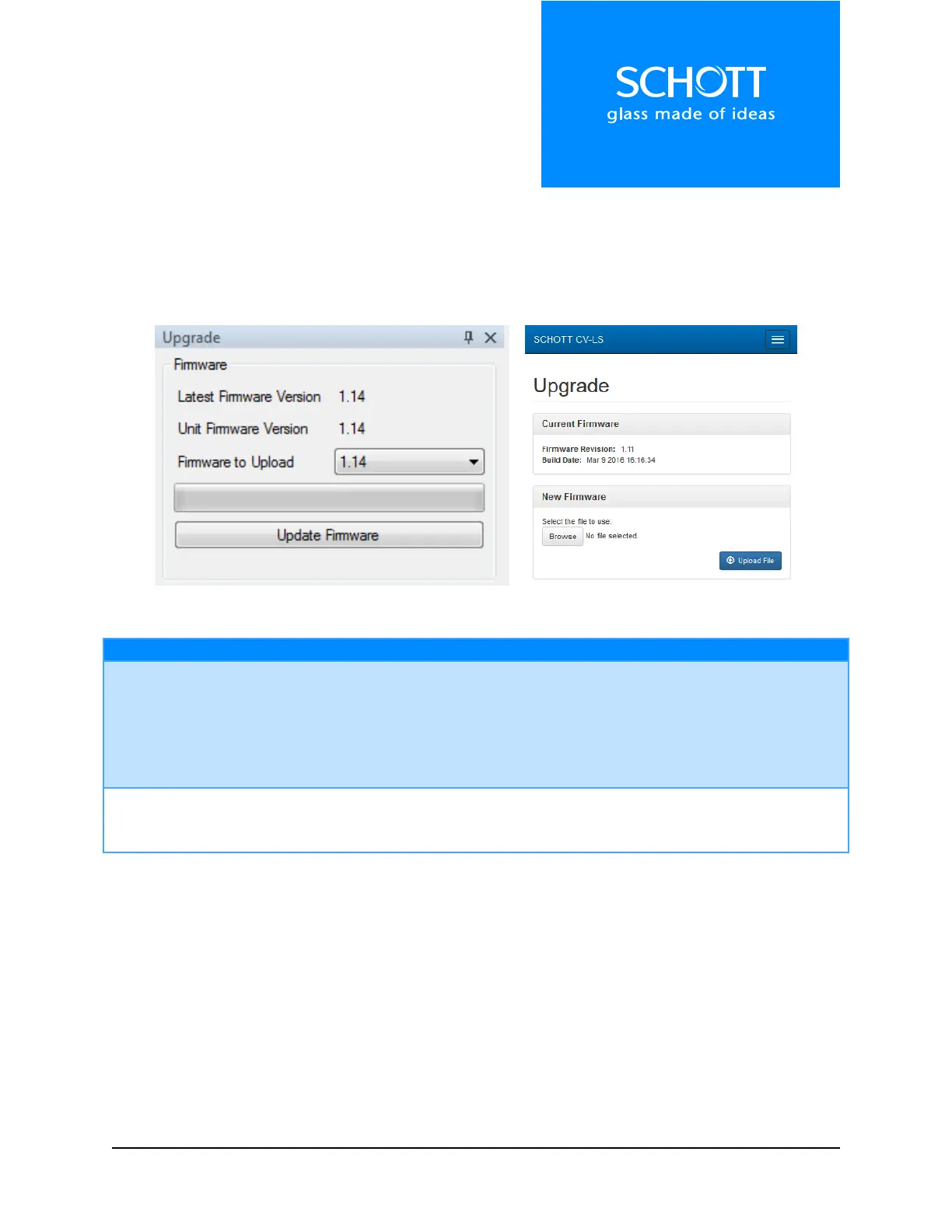
Figure 17: Upgrade (Left: Dashboard, Right: Web Interface)
The “Latest Firmware Version” is the latest firmware built into the Dashboard.
The user can select which firmware version to upload by changing the value in
the drop list “Firmware to Upload”.
The user can manually upgrade the connected unit to the selected firmware
by clicking the “Update Firmware” button.
In the Web Interface, clicking this button will open a file dialog box, allowing
the user to select a firmware .bin file to upload to the unit. This can be used
to downgrade a firmware if required.



 To Next Page