CV-LS Dashboard
D20980.022 Rev C CV-LS User Manual Page 62
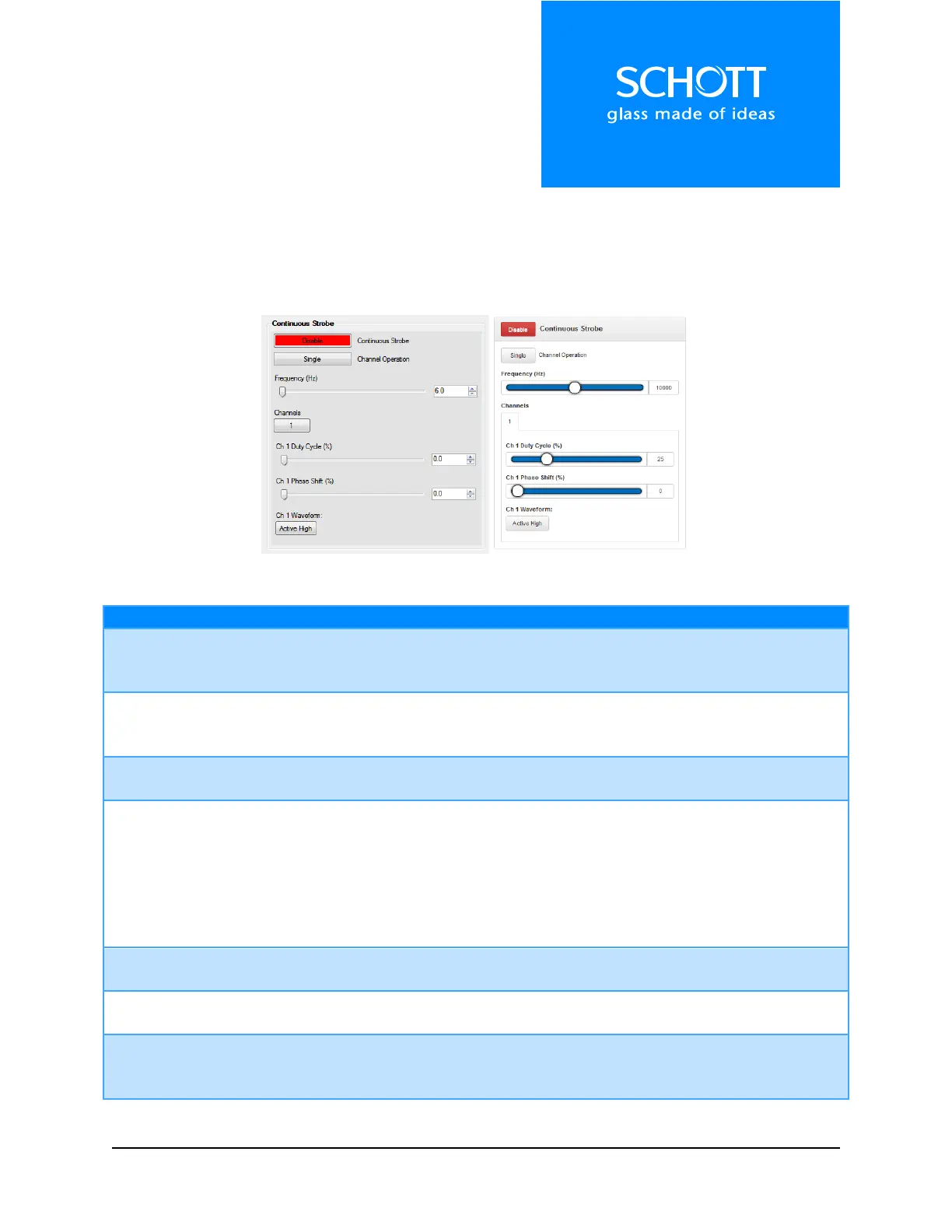
Continuous Strobe
In Continuous Strobe mode, the unit will generate a trigger source from its internal clock. This allows the
user to set up a continuous strobe train to stop motion in machine vision applications.
Note: Strobe intensity is set by the analog dimming level under the “LED Channel Settings” section.
Figure 10: Continuous Strobe (Left: Dashboard, Right: Web Interface)
Options: Enable, Disable
When this option, along with the Output Power, is enabled, the LED will
strobe at the settings listed below.
Options: Single, Quad
When in Single mode, all four channels strobe with the settings of Channel 1.
Quad mode shows settings for each channel individually.
Frequency Slider and
Numeric Up Down
Range: 6 – 20,000 Hz
Frequency of the strobe trigger.
Options: 1, 2, 3, 4, All
When in Quad mode, all options are displayed to allow the user to show
different channel settings. If ALL is selected, then all four channel settings are
displayed at once.
Note: The following settings, denoted by Ch X, are the same for all four
channels.
Range: 0-100.0
Percent of the waveform that is active.
Range: 0-100.0
Percent of the waveform the strobe will wait before becoming active.
Options: Active High, Active Low
Sets the state of the LED during the Active part of the waveform. High = LED
On, Low = LED Off.



 To Next Page