CV-LS Dashboard
D20980.022 Rev C CV-LS User Manual Page 64
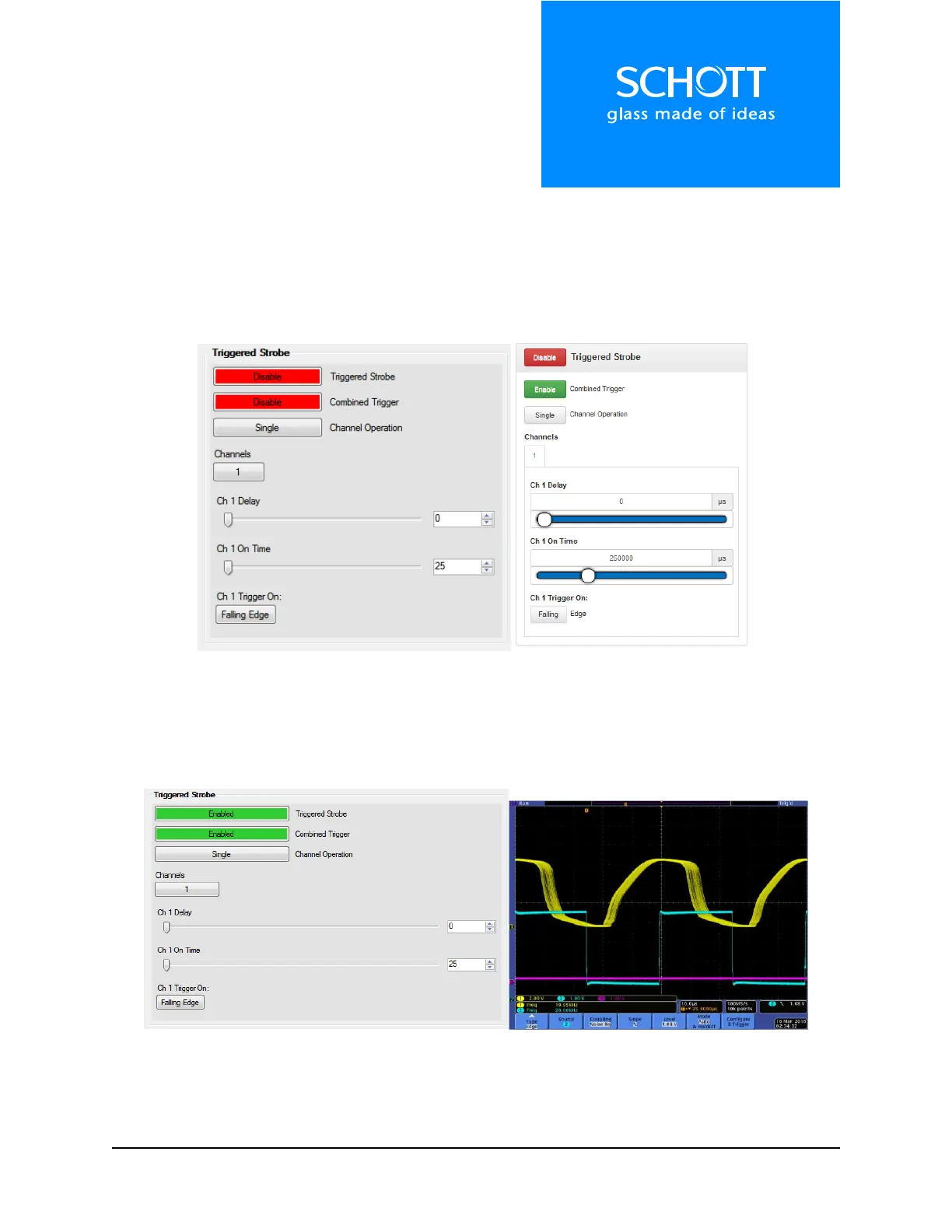
Triggered Strobe
In Triggered Strobe mode, the unit will wait for a user generated trigger signal on the digital pins of the
multiport. This allows the user to set up a strobe train, synced with an external trigger source, to stop
motion in machine vision applications.
Note: Strobe intensity is set by the analog dimming level set under “LED Channel Settings” section.
Figure 13: Triggered Strobe (Left: Dashboard, Right: Web Interface)
Below is a sample strobe train. The input is a 20 KHz, 0V Low, 3.3V High signal. The output is detected on
a reverse biased photodiode. The spread on the output pulse train is caused by the input signal falling at
different times during the 5µs tick of the internal clock used to control the LED.
Figure 14: Triggered Strobe Train (Left: Strobe Settings, Right: Oscilloscope trace, Bottom 20 KHz input, Top Light Output
measured with Photodiode)



 To Next Page