Legacy Socket
D20980.022 Rev C CV-LS User Manual Page 79
Legacy Socket
Socket Connection
The Legacy Socket can be connected to with any telnet type application. TeraTerm is one such
application. Once the IP address of the unit is known, follow the steps below to connect to the Legacy
Socket in TeraTerm.
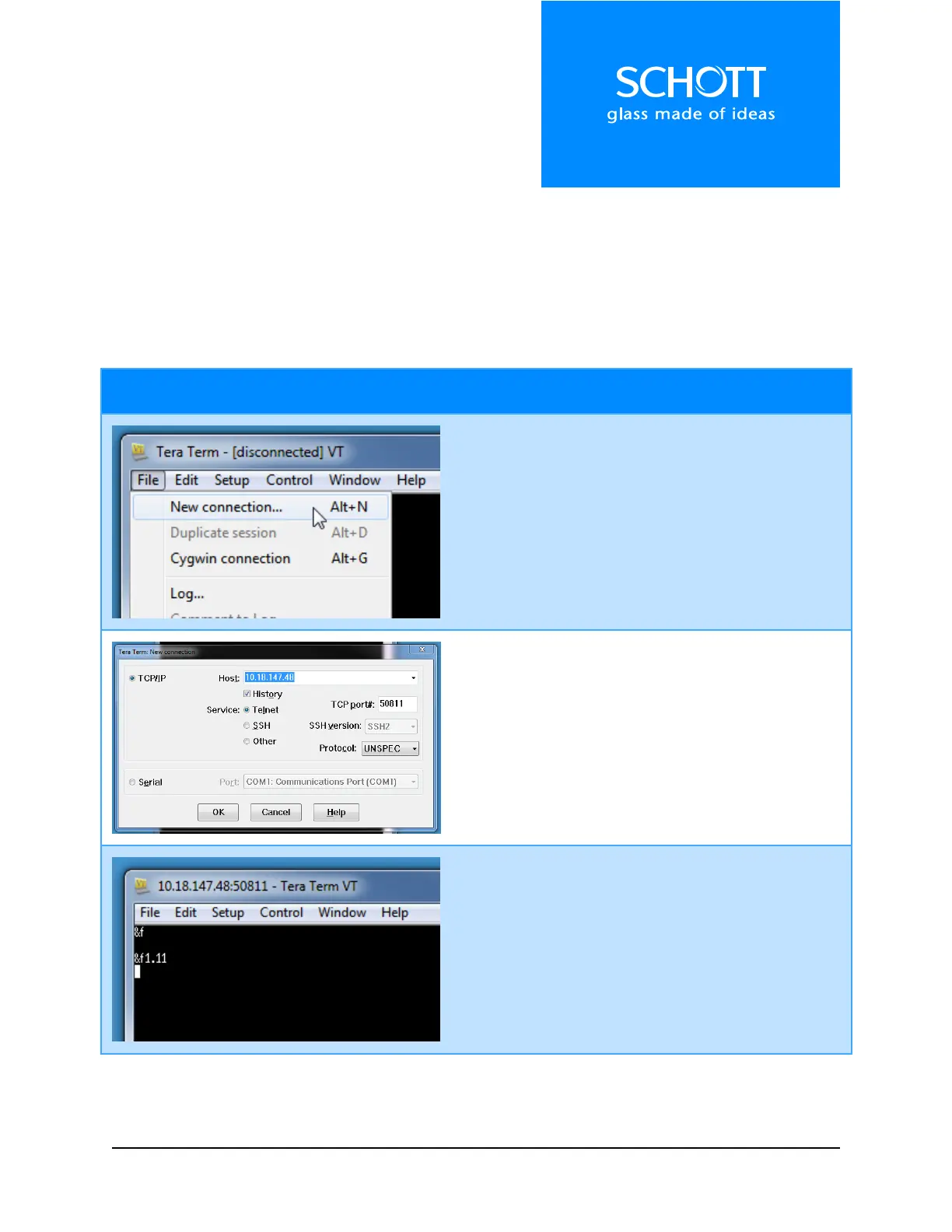
With TeraTerm open, start a “New Connection”.
1. Enter the IP address of the unit into the
“Host” field.
2. Enter the port for the Legacy Socket into the
“TCP port#” field (Default is 50811).
3. Click “OK”.
The title of the window should change to the IP
address and port number entered in the previous
step. This means TeraTerm is connected to the
socket.
Legacy commands can by typed to control the unit.
The “&f\r” command is shown here to retrieve the
firmware version number (V1.11 in this case).



 To Next Page