18 CHAPTER 3: CONFIGURATION AND SETUP
087-0065 REV B SCOTT SAFETY
Monitor Setup on PGD
Application Software
The user can set up User Options Menu via PGD Application software. Figure 9 lists
the functions that can be enabled or disabled through the software.
Perform the following steps to set the monitor parameters.
1 Install the PGD Application software.
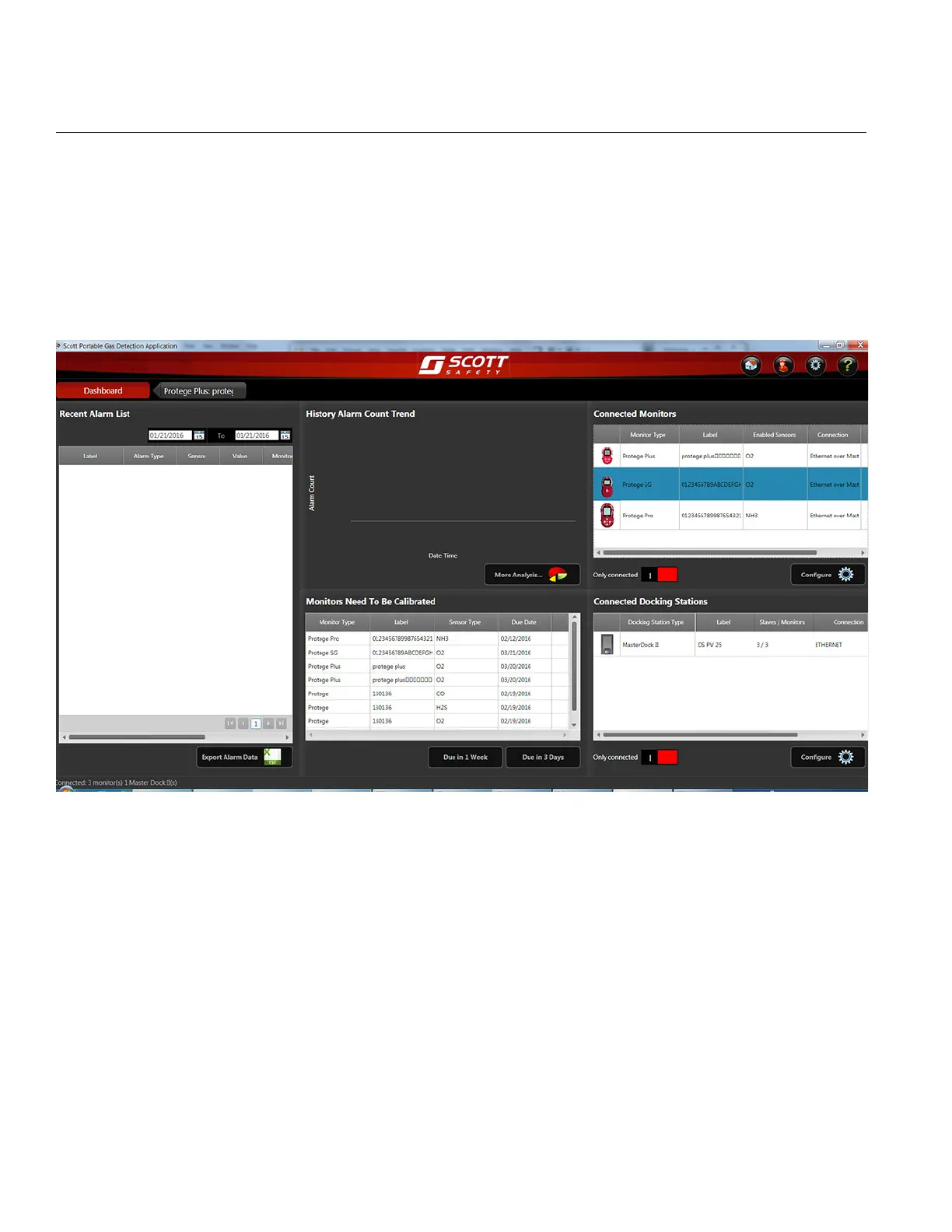
2 Click on the software icon on the desktop, and the software dashboard appears.
Figure 9 PGD Application Software Dashboard
3 To view and set the monitor parameter, select the monitor that need to be
configured and double click. Or click the Configure button to display the
configuration window.


 To Next Page