Monitor Setup on PGD Application Software 19
SCOTT SAFETY 087-0065 REV B
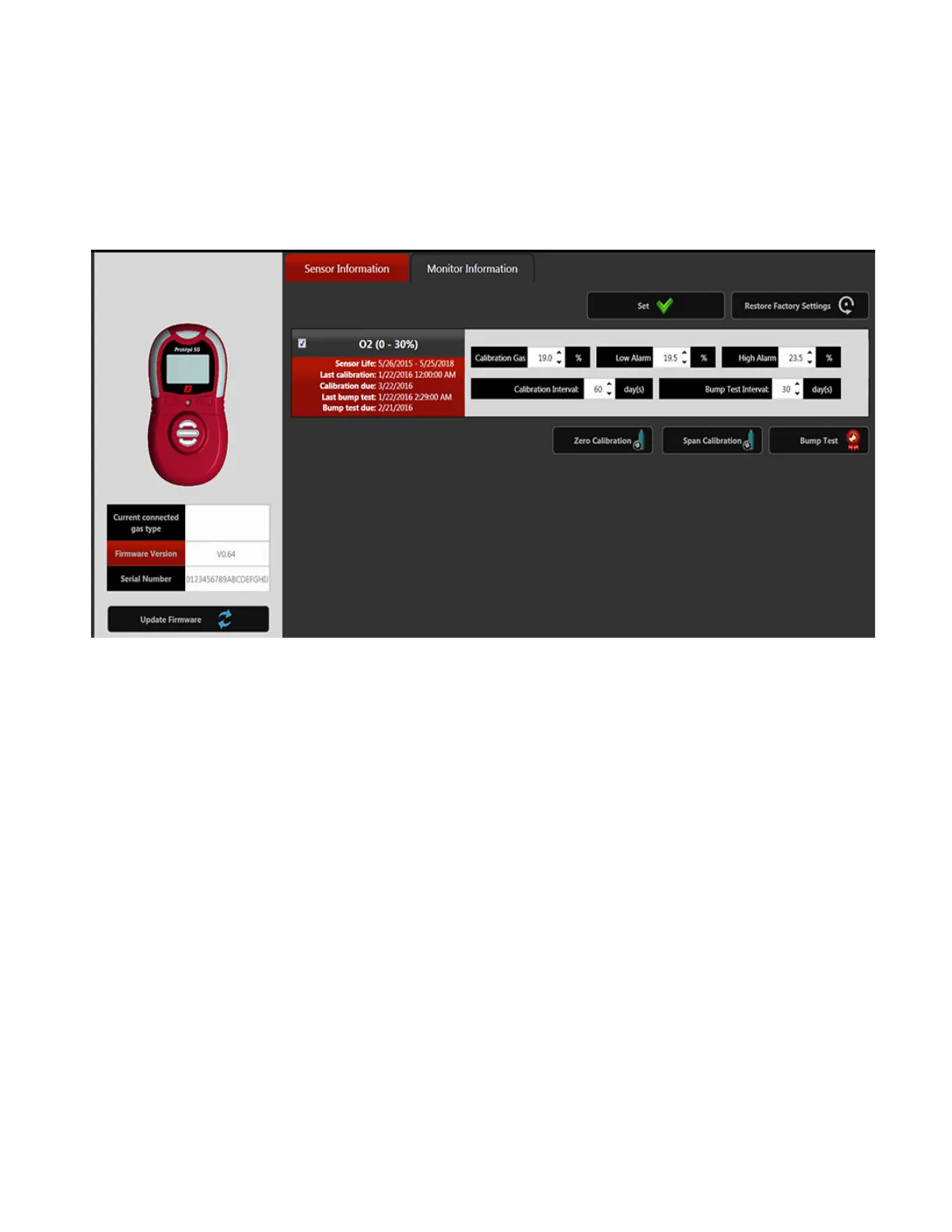
Sensor Information Perform the following steps to set the alarm setpoint.
1 The monitor setting window displays in Figure 10.
Figure 10 Sensor Information
2 Change the alarm set point.
3 After completing all the configurations, click Set button to save the settings.


 To Next Page