Testing the Monitor 31
SCOTT SAFETY 087-0065 REV B
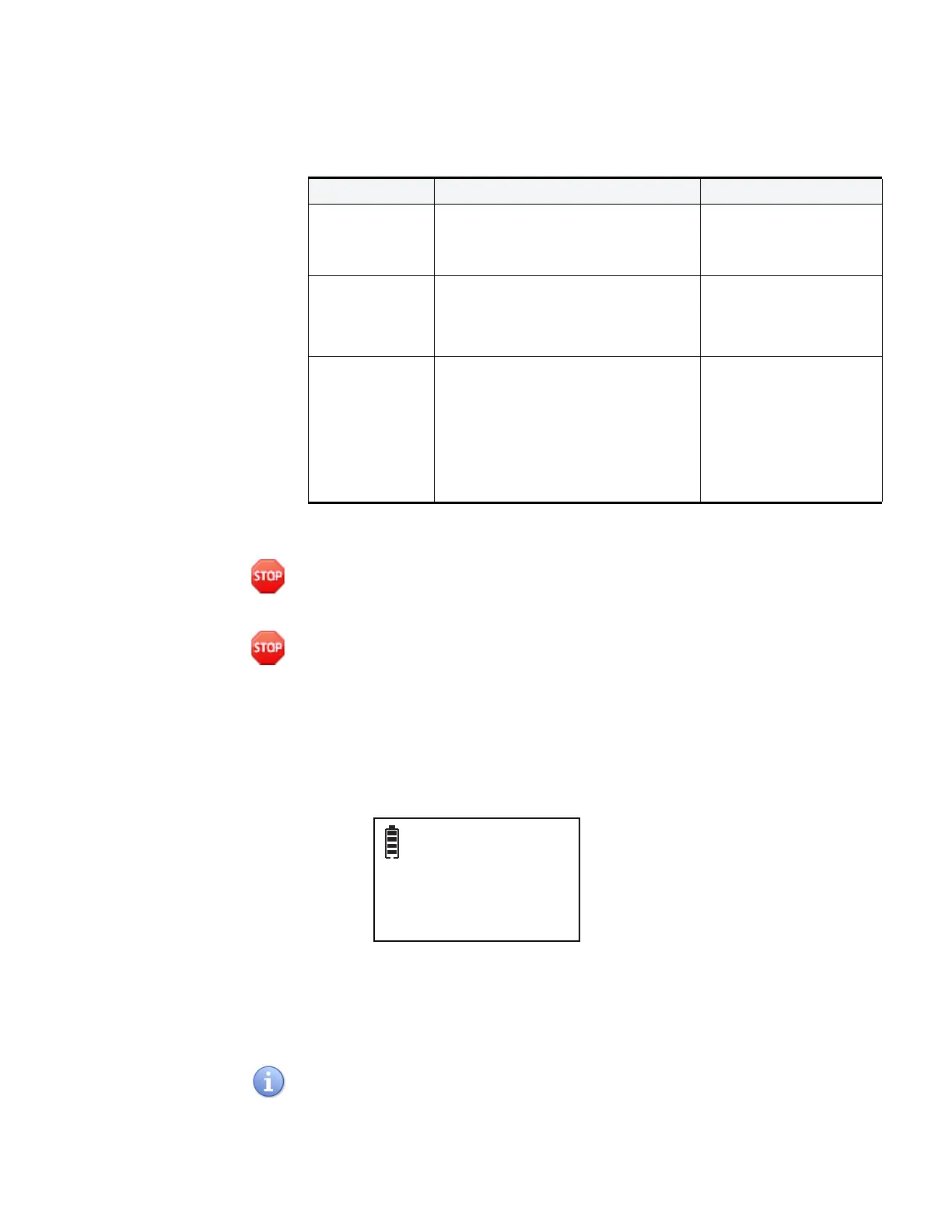
Table details the recommended calibration and test items for the device.
Zero Calibration This section describes how to perform Zero Calibration.
Warning: Only perform O
2
calibration in normal air (20.9% Oxygen) that is free of
hazardous gases. During the Zero Calibration, any installed oxygen sensor will be
spanned to 20.9% O
2
.
Warning: Do not perform a zero calibration anywhere from 5 minutes to
1
/
2
hour after
the start up to ensure accuracy. Failure to follow these instructions may also result in
serious injury or death.
1 Verify ambient air is free of toxic or combustible gases. If air is not free or cannot
be verified free, obtain a Zero Air gas cylinder.
2 Press and hold the right button, a screen appears stating Zero Calibration.
Figure 13 Zero Calibration Screens
3 Press the left button, the device displays AIR CLN (Is air clean?). If yes, press the
left button to acknowledge the zero calibration and it will countdown.
4 If the air is not clean, press the right button to cancel the zero calibration.
The user has 60 seconds to acknowledge the alert, if the alert is not acknowledged
within 60 seconds, the device goes to the span calibration.
Table 15 Recommended Calibration and Test Matrix
ITEM FREQUENCY DETAILS
Zero Calibration • When baseline readings are incorrect
or suspect
• Prior to a Span Calibration
See “Zero Calibration”
on page 31
Span Calibration • CAL EXPIRED is displayed
• After installing new sensors
• When a Bump Test fails
See “Span Calibration”
on page 33
Bump Test • Daily
• When a sensor is exposed to a high
concentration of gas
• When submerged in water
• When exposed to mechanical shock,
such as being dropped
See “Bump Test” on
page 35


 To Next Page