Testing the Monitor 33
SCOTT SAFETY 087-0065 REV B
Connecting the Gas
Cylinder to Monitor
Required Items (Refer to Table 22 on page 54):
• Calibration gas – Verify concentration level exceeds set points of monitor and
expiration date of cylinder has not passed.
• Tygon tubing – 2 feet of 3/16" ID
• Regulator – Set to provide flow at 0.5LPM
• Calibration Adapter – Shipped with monitor
Perform the following steps to install the calibration kit prior to initiating calibration.
Caution: Gas must be applied at a flow rate of 0.5LPM to perform Span Calibration.
Failure to apply gas at the proper flow rate results in failed or inaccurate calibration.
Ensure the Calibration gas has not passed its expiration date.
Only use the Tyco-ap
p
roved gas to calibrate the monitor.
1 Verify the concentration level of the target gas in the cylinder exceeds alarm
settings of the monitor. See “Factory Default Alarm Setpoint” on page 17. If
needed.
2 Attach the Regulator to the gas cylinder and verify cylinder pressure.
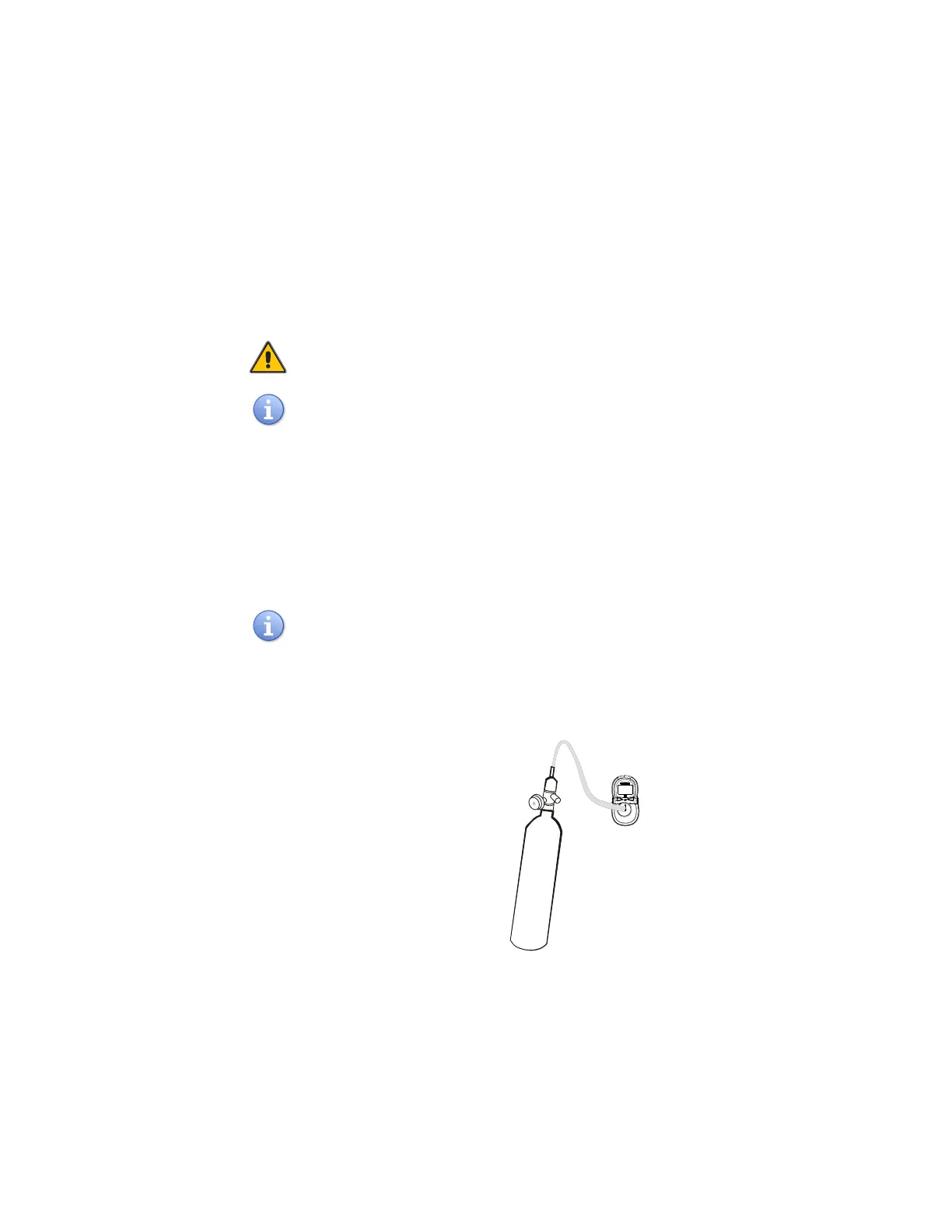
3 Connect the tubing to both the 0.5LPM regulator on the gas cylinder and the
calibration adapter (Figure 14).
Ensure the Calibration Adapter is fitted onto the monitor with the Arrow Head
pointing upward.
4 Refer to “Span Calibration” on page 33 and “Bump Test” on page 35 for the test
procedures. Do not attach the adapter to the monitor until instructed to apply gas.
Figure 14 Span Calibration- Calibration Adapter Attached
Span Calibration This section describes how to perform Span Calibration.


 To Next Page