20 CHAPTER 3: CONFIGURATION AND SETUP
087-0065 REV B SCOTT SAFETY
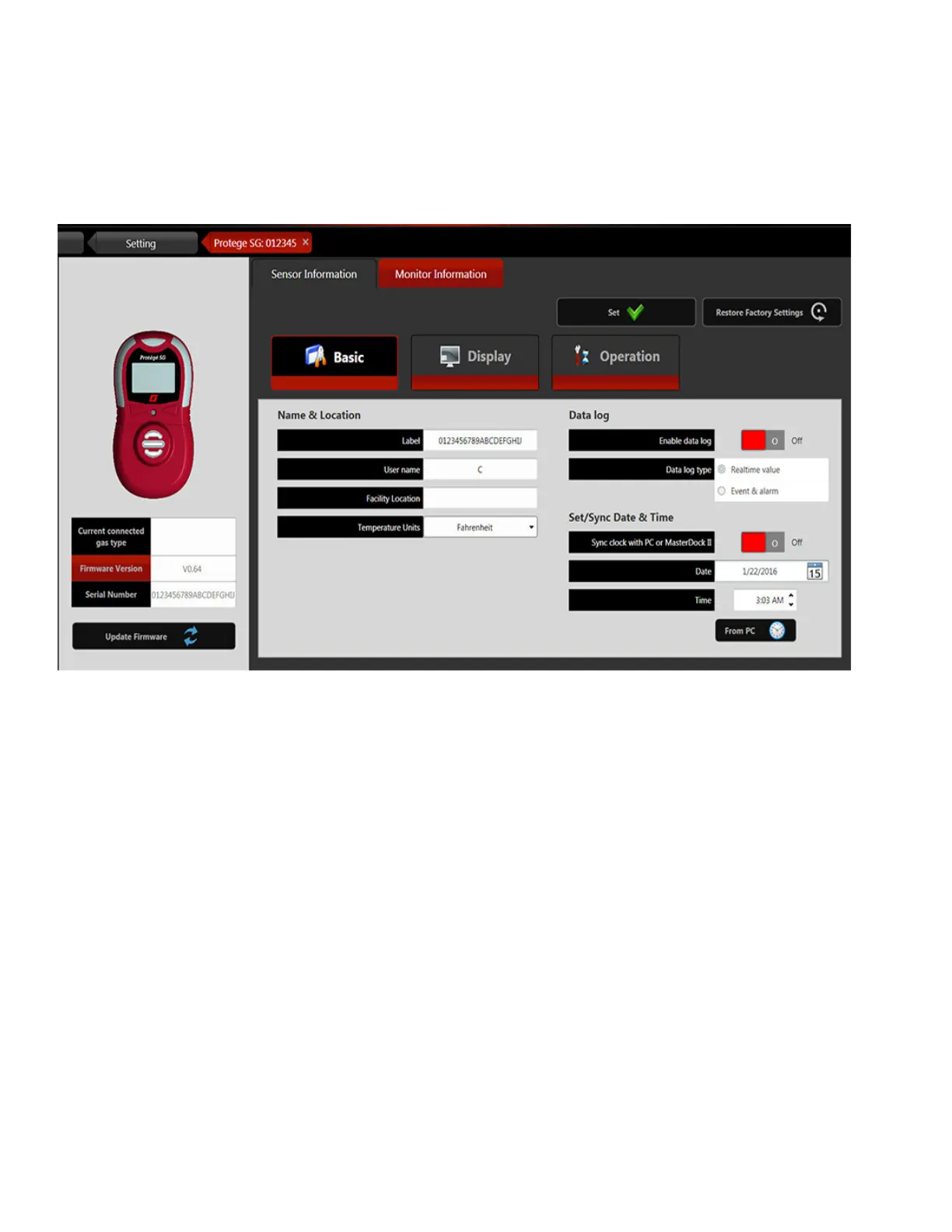
Monitor Configuration In Figure 11, click the Monitor Information panel to view and configure the monitor
parameters. When completing the configurations, click Set button to save the settings.
For more information, please refer to the PGD Application Software User Guide.
Figure 11 Monitor Configuration
)


 To Next Page