Operating the Monitor 25
SCOTT SAFETY 087-0065 REV B
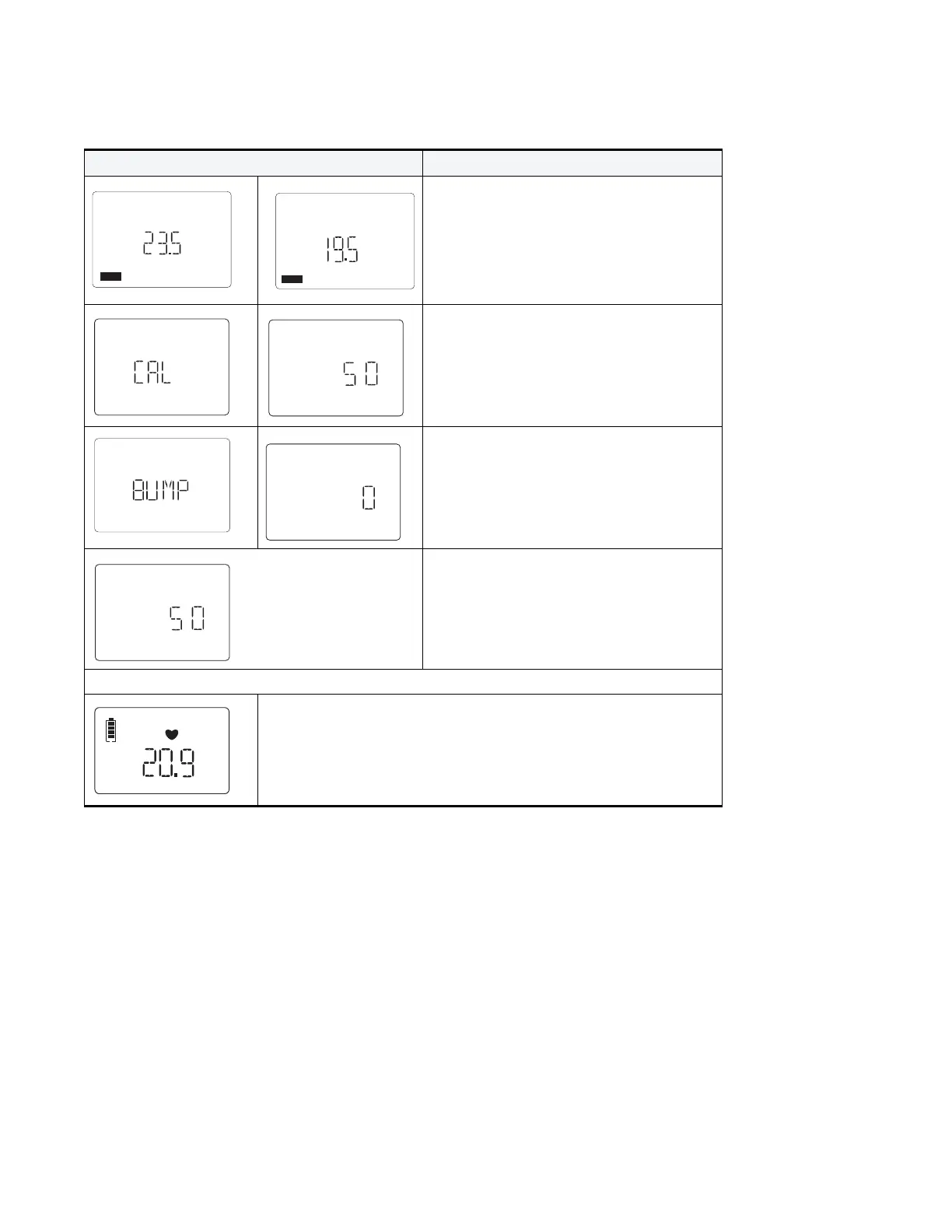
The Alarm Settings screen(s) appear.
Note: The number of Alarm Settings screens
vary depending on the number and type of
sensors installed in the device.
The Calibration Due Days screen appears.
The Bump Test Due Days screen appears.
The sensor warm up count down screen
appears.
Note: If the Auto zero calibration is enabled, the zero calibration will be performed automatically.
When a self-test is successful the monitor turns to the gas
monitoring mode.
The LCD display battery icon, heart beat, sensor type, gas reading and
etc.
Table 13 Monitor Power-Up Sequence (continued)
RESULTS DESCRIPTION


 To Next Page