Protégé Portable Gas Monitor
Instruction Manual
20 of 61
P/N 087-0038 Rev. J 02/10
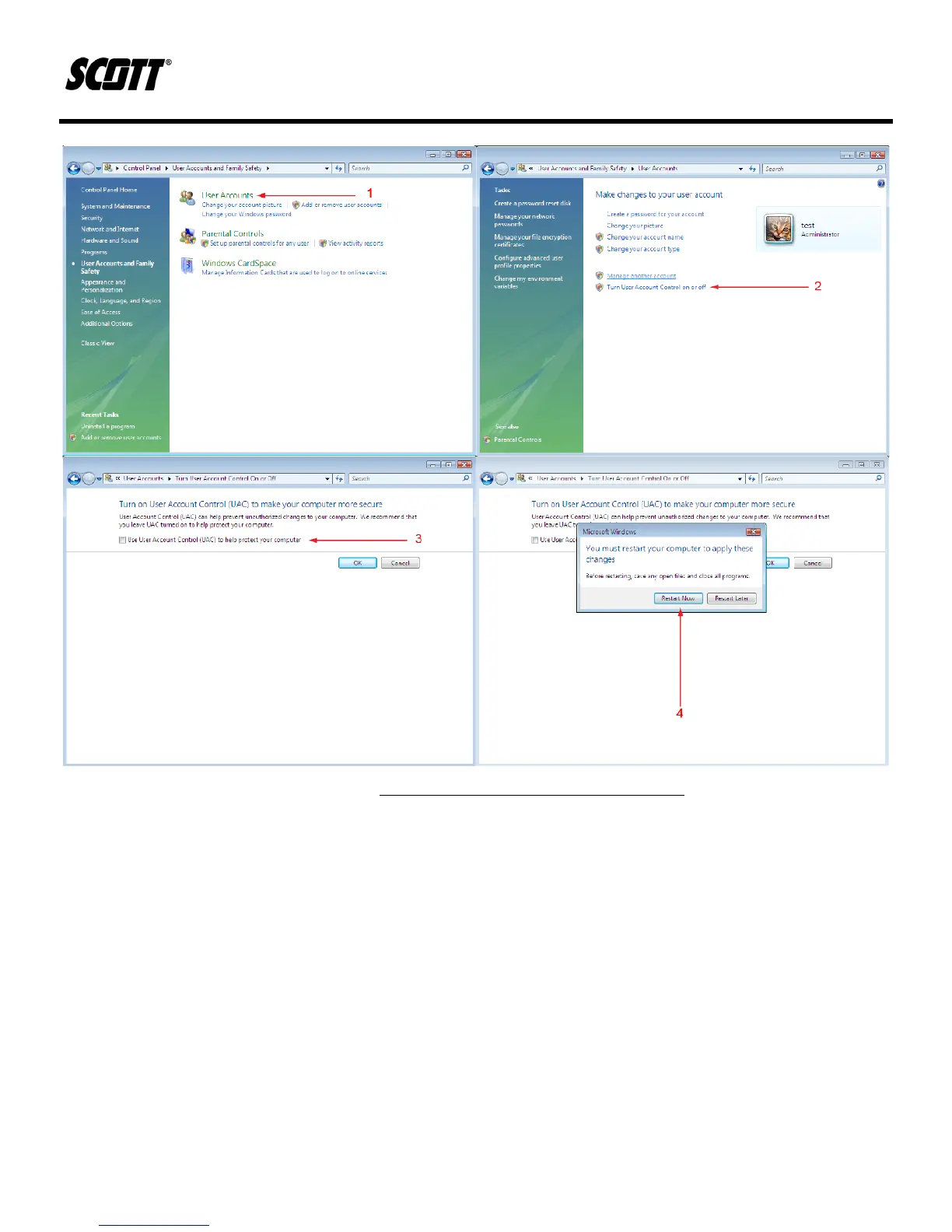
Figure 3-2. Windows Vista User Account Control
2) Insert the CD-ROM that came with the Protégé unit into the PC’s CD-ROM device.
3) If the PC has the auto run enabled, the install program will begin. If the CD-ROM auto run
feature is disabled, navigate to the “gasmon.msi” file on the CD-ROM and double click it to
begin the installation procedure.
4) When prompted, click NEXT to proceed with installation.


 To Next Page