Protégé Portable Gas Monitor
Instruction Manual
24 of 61
P/N 087-0038 Rev. J 02/10
3.2.2. JAVA Software Installation
JAVA software must be installed to use the Scott Gas Monitor Software. The installation software is
available on the same CD-ROM provided with the Protégé as the Gas Monitor software.
Advanced users with internet access may choose to download and install JAVA runtime from the
application website at www.java.com.
To install JAVA from the CD-ROM, perform the following.
1) Navigate to the Java folder and select the JAVA installation file for the appropriate operating
system of the PC.
2) Double click the file to begin the installation process:
3) Observe the Java Runtime Environment (JRE) installation begins. Installation files may be
unpacked during an automated process.
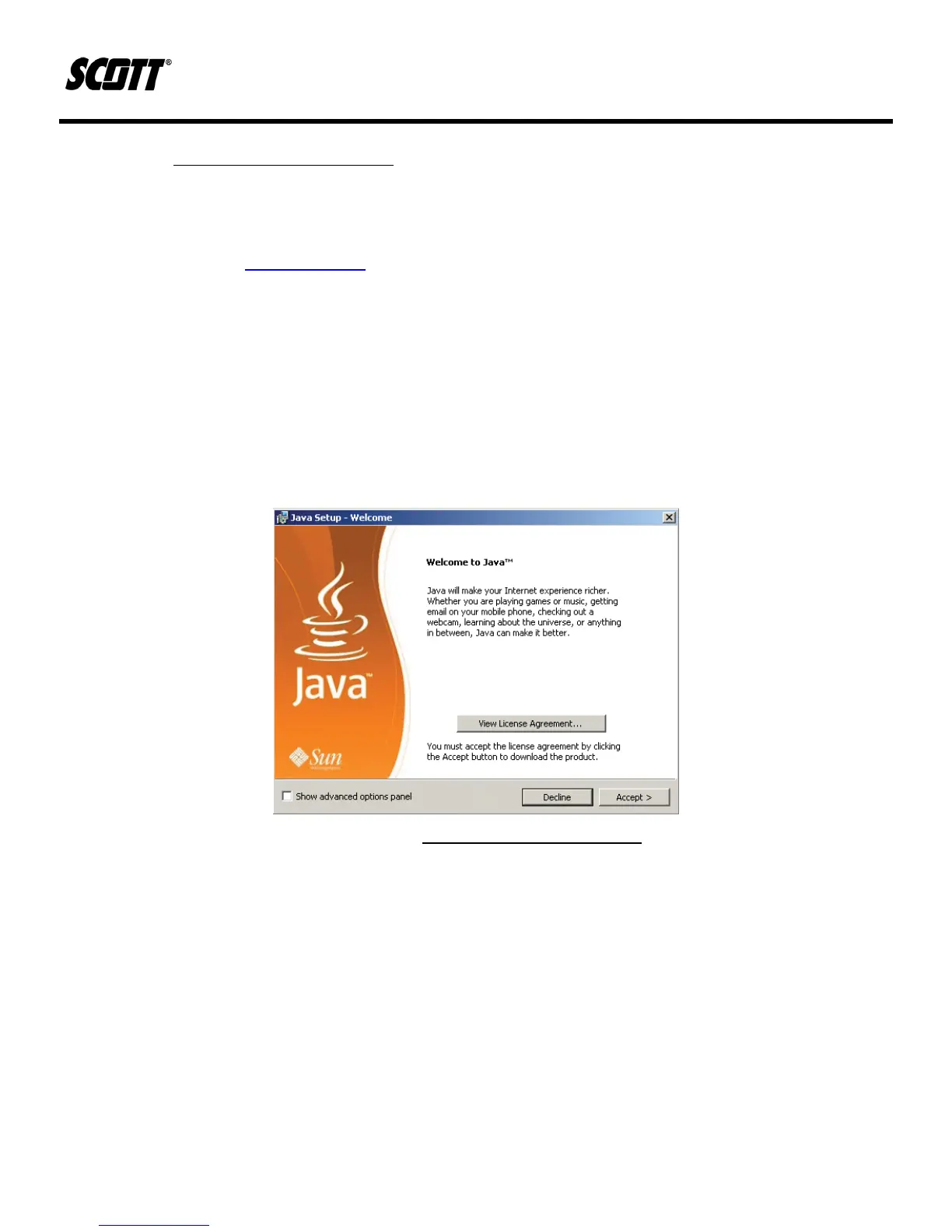
4) When prompted, select ACCEPT to agree to the User License Agreement and proceed with
the installation.
Figure 3-8. JAVA Software Installation
5) When prompted, either select or uncheck any of the third party software applications, such as
Google Toolbar, that Sun Microsystems provides bundled with the JAVA software installation.
NOTE
ONLY JAVA SOFTWARE IS REQUIRED TO RUN THE SCOTT GAS MONITOR SOFTWARE. INSTALLING OR NOT
INSTALLING ANY OPTIONAL SOFTWARE ON THIS SCREEN WILL NOT AFFECT OPERATION OF THE
SCOTT GAS
MONITOR.



 To Next Page