- 10 -
1.5. Controller
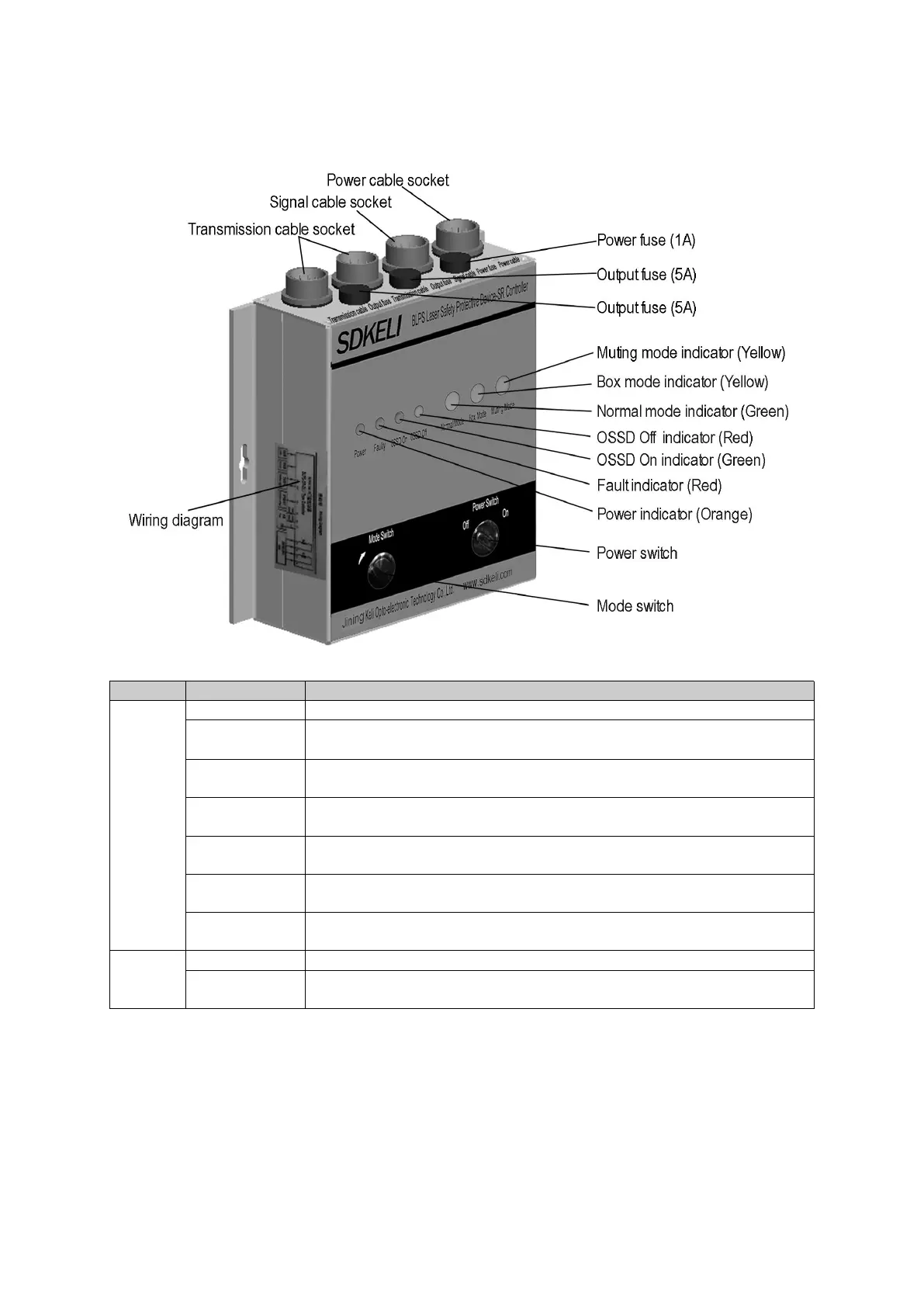
1.5.1 Appearance
Fig.1.6 Appearance of SR/SP controller
Yellow indicator light, when the power is turned on, the light is on.
Red indicator light, when the system detects a fault, the light is on.
Green indicator light, when the system output relay contact is on, the light
is on.
Red indicator light, when the system output relay contact is disconnected,
the light is on.
Green indicator light, when the controller is working in normal mode, the
light is on.
Yellow indicator light, when the controller is working in box folding mode,
the light is onf.
Yellow indicator light, when the controller is working in inhibit mode, the
light is on.
System power control switch.
Rotate the key according to the indicated direction, and switch in turn in
normal mode-box folding mode-suppression mode-normal mode.


 To Next Page