15.1.4 Adding a message to the Measurement
From the selecting Measurement screen, you are able to add a message to the Measurement by pressing F3 Button.
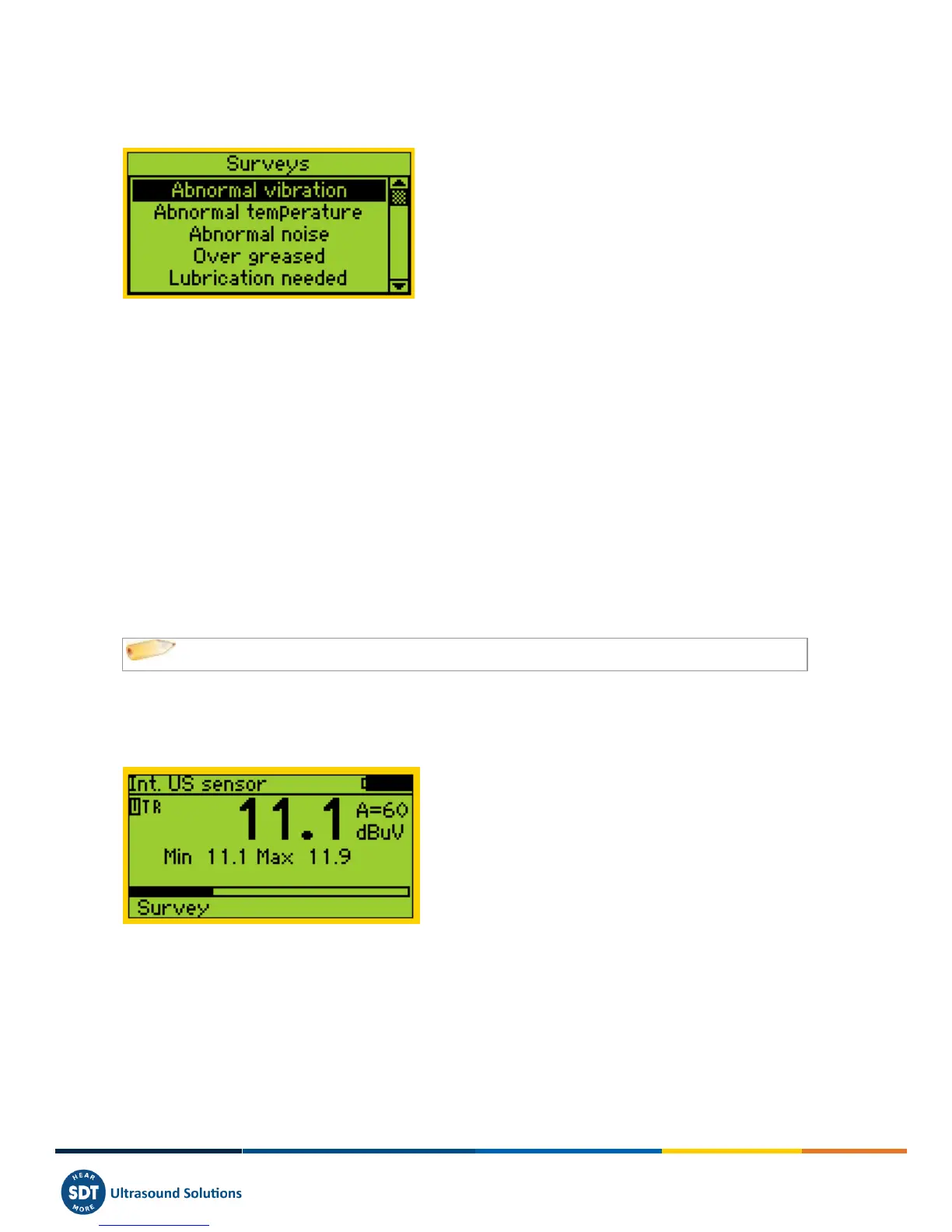
Then the following screen appears:
The predefined list of message is:
Abnormal vibration
Abnormal temperature
Abnormal noise
Over greased
Lubrication needed
Electrical defect
Fixation defect
Belt wear
Coupling wear
Oil level
Defective operation
Leakage
Air leak
Steam leak
Vacuum leak.
Use Up or Down arrows to highlight the appropriate message text and then press Enter Button.
The messages are transferred in Ultranalysis as events.
15.1.5 Setting up the SDT270
The following measurement screen appears, if the right sensor is connected:
15.1.5.1 Adjust Amplification (US sensors)
Using the Up and Down arrows, adjust the amplification until the up and down adjustment amplification indicators
disappear. This one could be set between 0 to 90 dB.
The Status LED acts as a clipping indicator and will flash red if the amplification level is too high.
15.1.5.2 Adjust headphone volume (ultrasound sensors and accelerometers)
Increase or decrease the headphone volume using the Right and Left arrows until reaching a level of signal which is
comfortable for you.



 To Next Page