第 45 页
enter and leave, when the moving object meet preset warning area rules, alarm will be triggered.
Rules click setting,enter rule setting page, right click mouse, choose add, use mouse to fix two or
more point, and then connect them to form a line or a irregular region, after that a box of prohibited
direction options will come out, choose one of them, right click mouse, click Yes, return to previous
page, click Yes, alarm rules setting is finished.
Pic 4.13 rules setting - cordon
Items care:
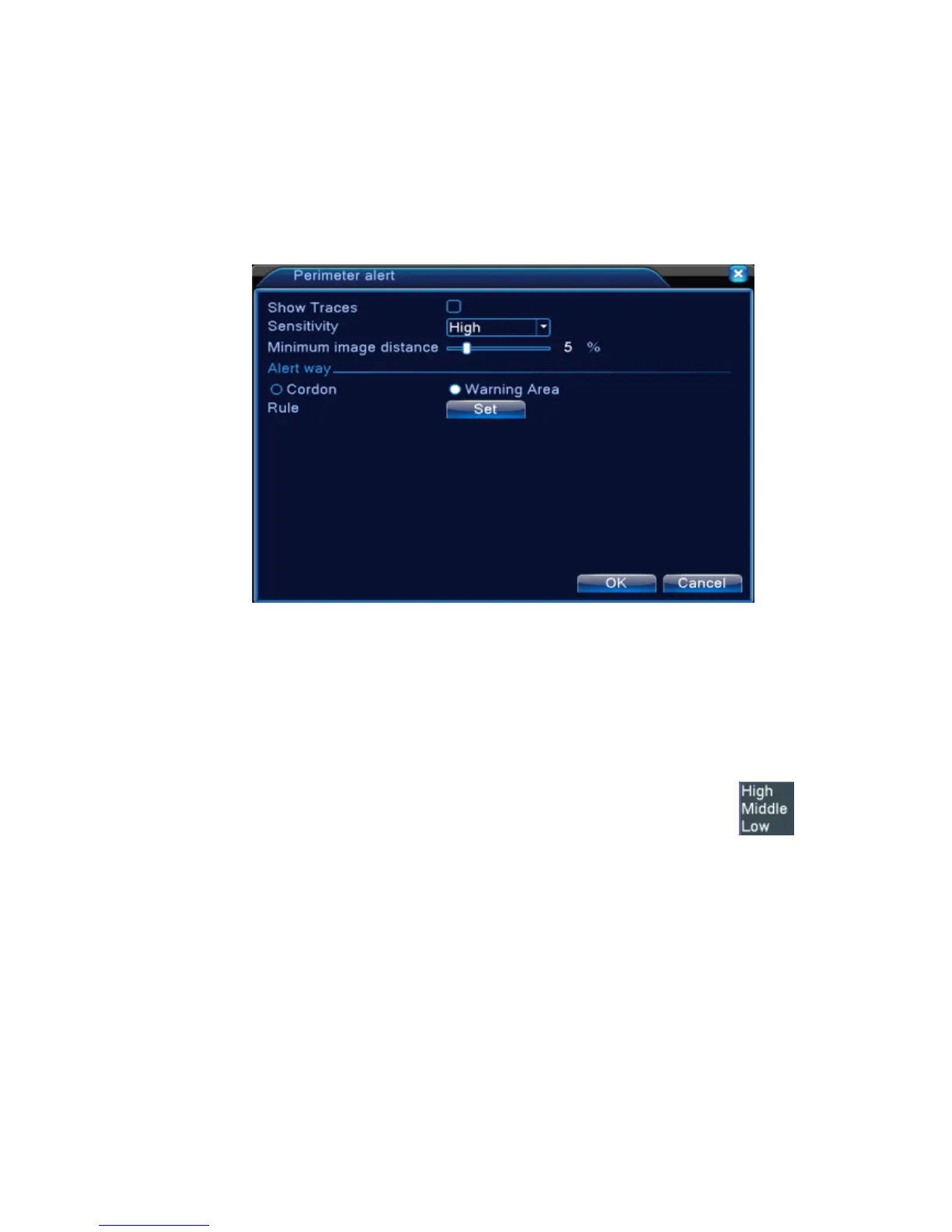
Show traces tick it to enable, when this function is triggered, there will be read box shows around
the moving object
Sensitivity , base on different requirement, there are 3 options in the drop-down box
Minimum image distance range between 0~30 %,the more flexible the less image distance.
Alert way: three modes: Items stranded、Items stolen、Illegal parking.Items stranded:object appears
within warning area, and the size of object meet the rules of minimum image distance, alarm will be
triggered. Items stolen:object disappears within warning area, and the size of object meet the rules
of minimum image distance, alarm will be triggered;Illegal parking:this way is similar with Items
stranded.
Rules click setting,enter the setting page of rule, right click mouse, choose add, use mouse to fix
several points and then connect them to form a irregular region, right click mouse, click Yes, return



 To Next Page