第 56 页
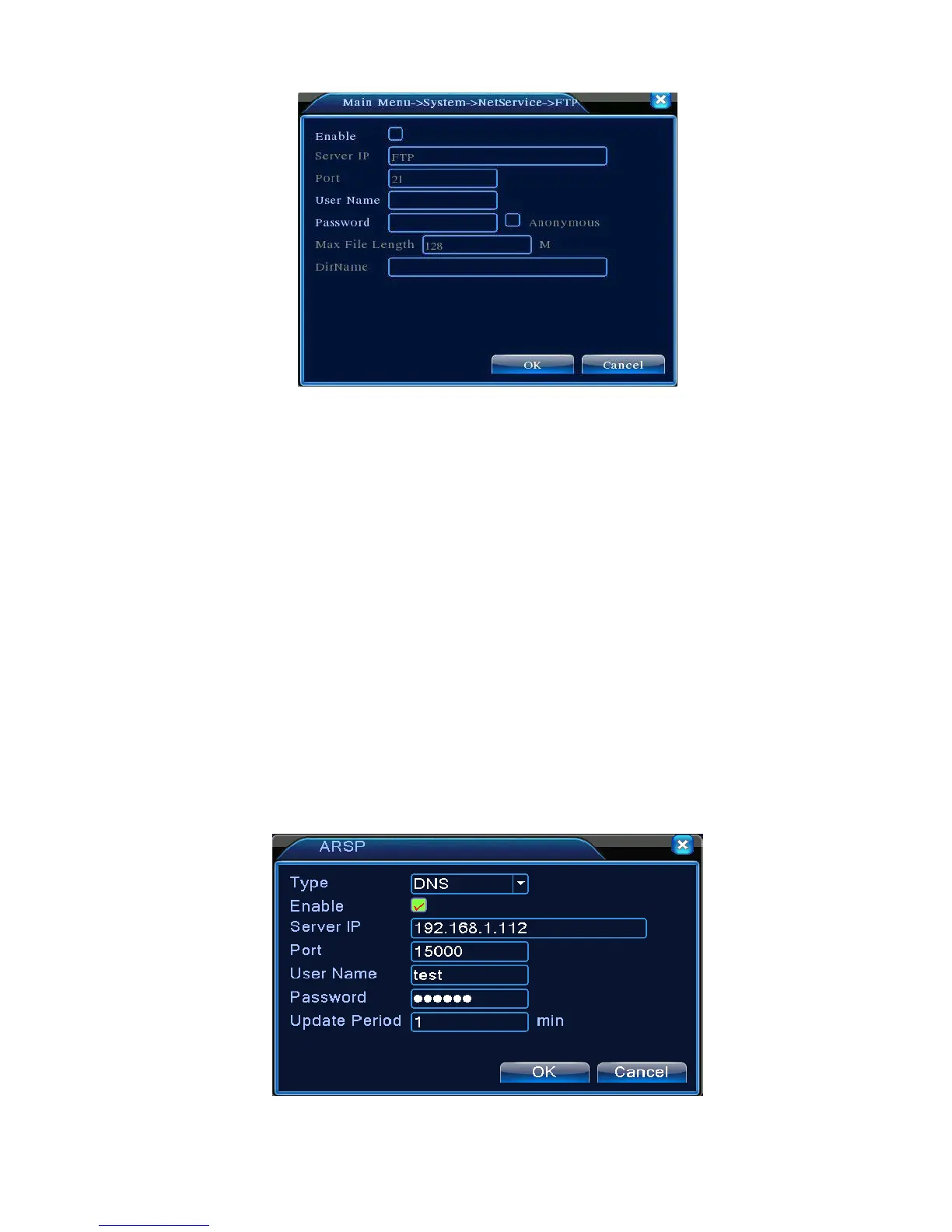
Picture 4.28 FTP setup
【Enable】Click Enable,then all settings will be available
【Server IP】IP address for FTP server
【Port】Domain Port of FTP,default 21
【User Name】User name of FTP
【Password】Password of user
【Anonymous】: enable anonymous,no need setting user name and password
【Max File Length】Max length for upload files at every packed,default 128M
【Dir Name】: The directory of upload file.
Note: The user should be with authority to upload files.
【ARSP】
Startup DDNS server to add devices and manage it in the DDNS server
Picture 4.29 ARSP



 To Next Page