“Connection Type”
This item sets the communication speed
between t h e IP Camera and the
Network. The IP Camera
will reboot after “Connection Type” is changed.
v. Dynamic
DNS
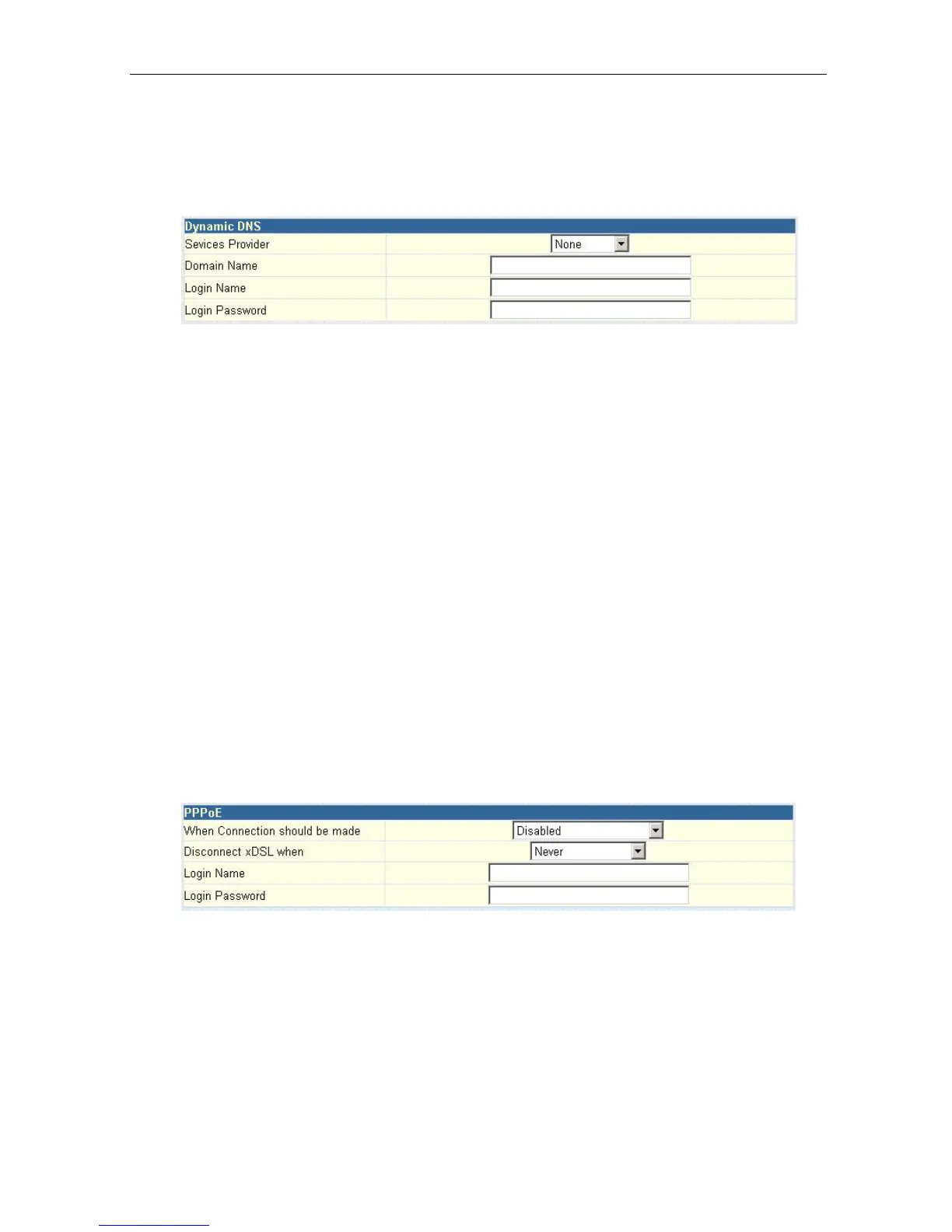
Fig.25 IP Camera Dynamic DNS Settings
“Service Provider”
The IP Camera can be configured to register the current IP to a dynamic DNS
provider. This will enable you to locate
the
IP Camera’s IP address every time
the dynamically assigned IP address changes. Before you use this function,
you
will have to register with either one of these four
service providers;
• None (Select this to disable the DDNS function)
• 3322.org
• dhs.org
• dyndns.org
• myddns.com
“Domain Name” :Enter the Domain Name you have created from one of the
four websites.
“Login Name” : Enter your login name for the above domain name. You
only have to configure once.
“Login Password”: Enter your password. You only have to configure once.
vi. PPPoE
Use this option to allow
the
IP Camera to directly dial-up using
your xDSL
modem
and connect to
the Internet. Once set-up, the IP Camera will be able to stream
video images directly to the Internet without going thru an IP router.
Fig.26 IP Camera PPPoE setting
“When Connection should be made”
You have a choice of:
Disabled
:
Default setting. IP Camera does not dial in
Connect always
:
IP Camera
will automatically dial in.
“Login Name”
Enter your login name
IP Camera Manual 25



 To Next Page