Enable Motion Detect:
Click the
checkbox to enable Motion Detection.
Note:
This function requires the Camera Window be active. Click
“Monitor” to activate the
Window.
Sensitivity:
Choose from 0% to 100% (very sensitive)
Image Recording
Click Start Recording when Motion Detected to enable this feature. Click the “Details” button
for the following option;
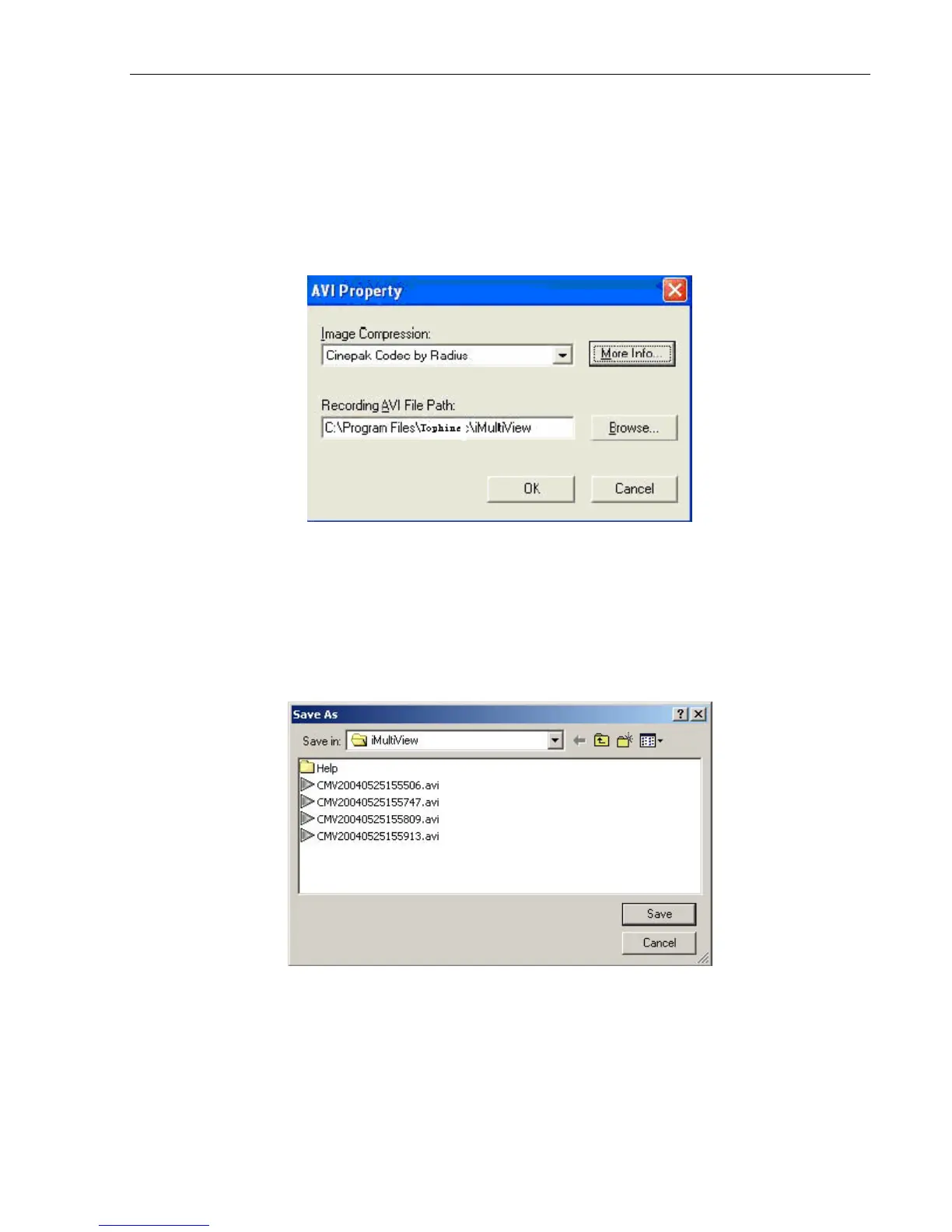
Image Compression:
Choose from the list of
available compressions.
Note:
This
list
is
dependent
on
the
Codec
that
is
available
/
installed on
the local PC.
Location where the file will be recorded to.
Recording
AVI
File
Path
Click “Browse” to change the file location.
Recorded files are saved using the following file extension;
CMV[year][month][date][hour][minute][seconds]. The time here denotes the record start time.
Note:
Use the “Detail View” to check the record stop time.
You can change the display view or
add a new folder here.
Stop after idle for:
Set the value between 1 to 100 seconds
IP Camera Manual 41



 To Next Page