48
AS interface installation
Type 024.16.720
When the power supply is applied, the positioner is operating.
→ Make the required basic settings and actuate the automatic adjustment of the positioner, as described in
the chapter entitled “13. Start-Up”.
12.5.3. Connection with multi-pole cable and ribbon cable terminal
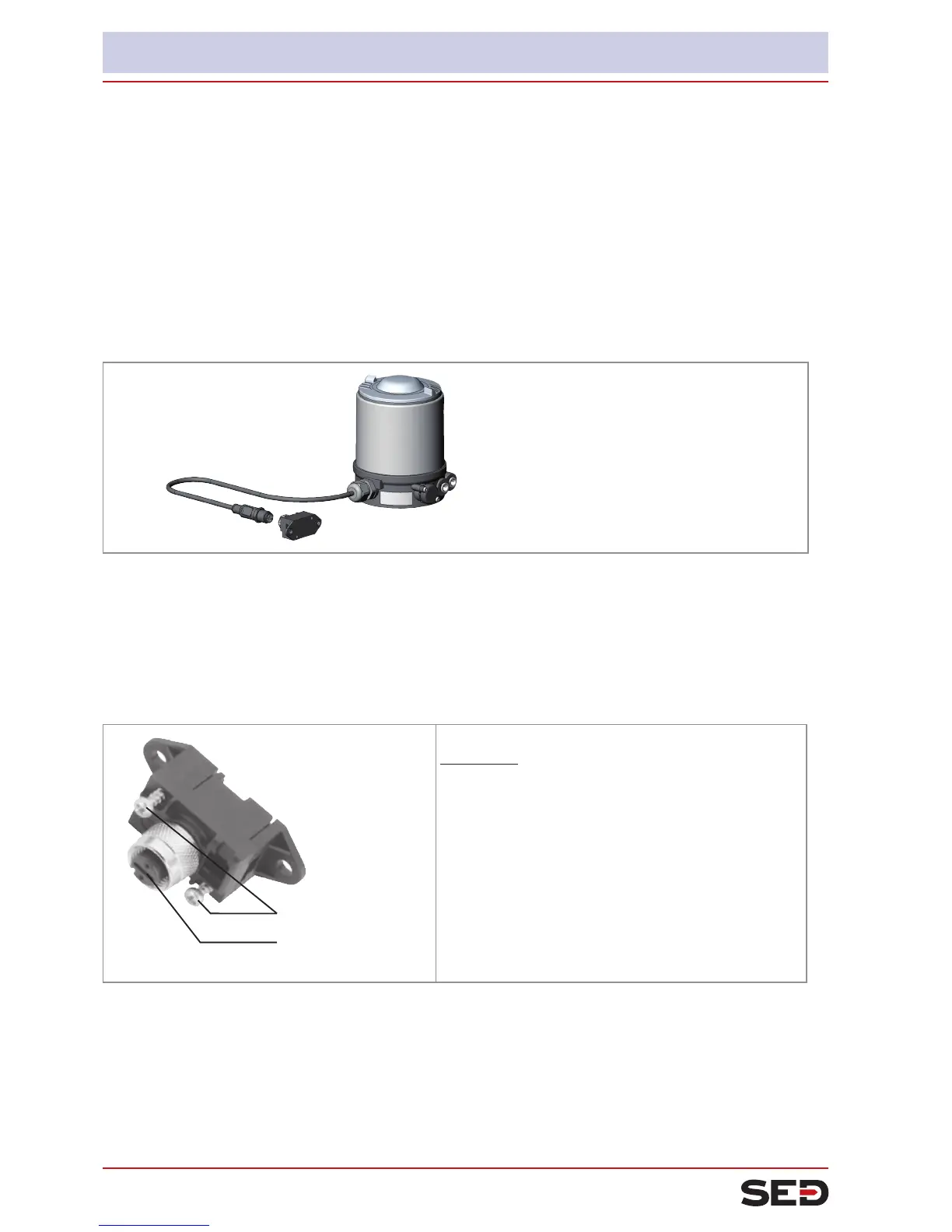
As an alternative to the bus connection model with 4-pole circular plug, there is the positioner with multi-pole
cable (M12 circular plug) and ribbon cable terminal. The wiring diagram of the circular plug corresponds to the
bus connection of the M12 4-pole circular plug (see “Fig. 29: ” and “Fig. 30: ”) and can easily be connected
to the ribbon cable terminal (see “Fig. 32: ”).
Fig. 31: Positioner Type 024.16.720 with multi-pole cable and ribbon cable terminal
Handling the ribbon cable terminal
The multi-pole cable features a ribbon cable terminal - with M12 plug-in connector branch circuit - for AS
interface cable harness. The ribbon cable terminal contacts the AS interface cable harness by means of pen-
etration technology which allows installation by "clipping in" the AS interface cable harness without cutting
and without removing insulation.
Screws
M12 plug-in con-
nector branch circuit
Work steps:
Open the ribbon cable terminal
→
(loosen screws and remove cover)
Insert cable harness conclusively
→
Close ribbon cable terminal again →
Tighten screws →
Slightly undo thread-forming screws
(approx. 3/4 turn to the left) and position them on
the existing tapped bore and screw in.
Fig. 32: Ribbon cable terminal
When the power supply is applied, the positioner is operating.
→ Make the required basic settings and actuate the automatic adjustment of the positioner, as described in
the chapter entitled “13. Start-Up”.


 To Next Page