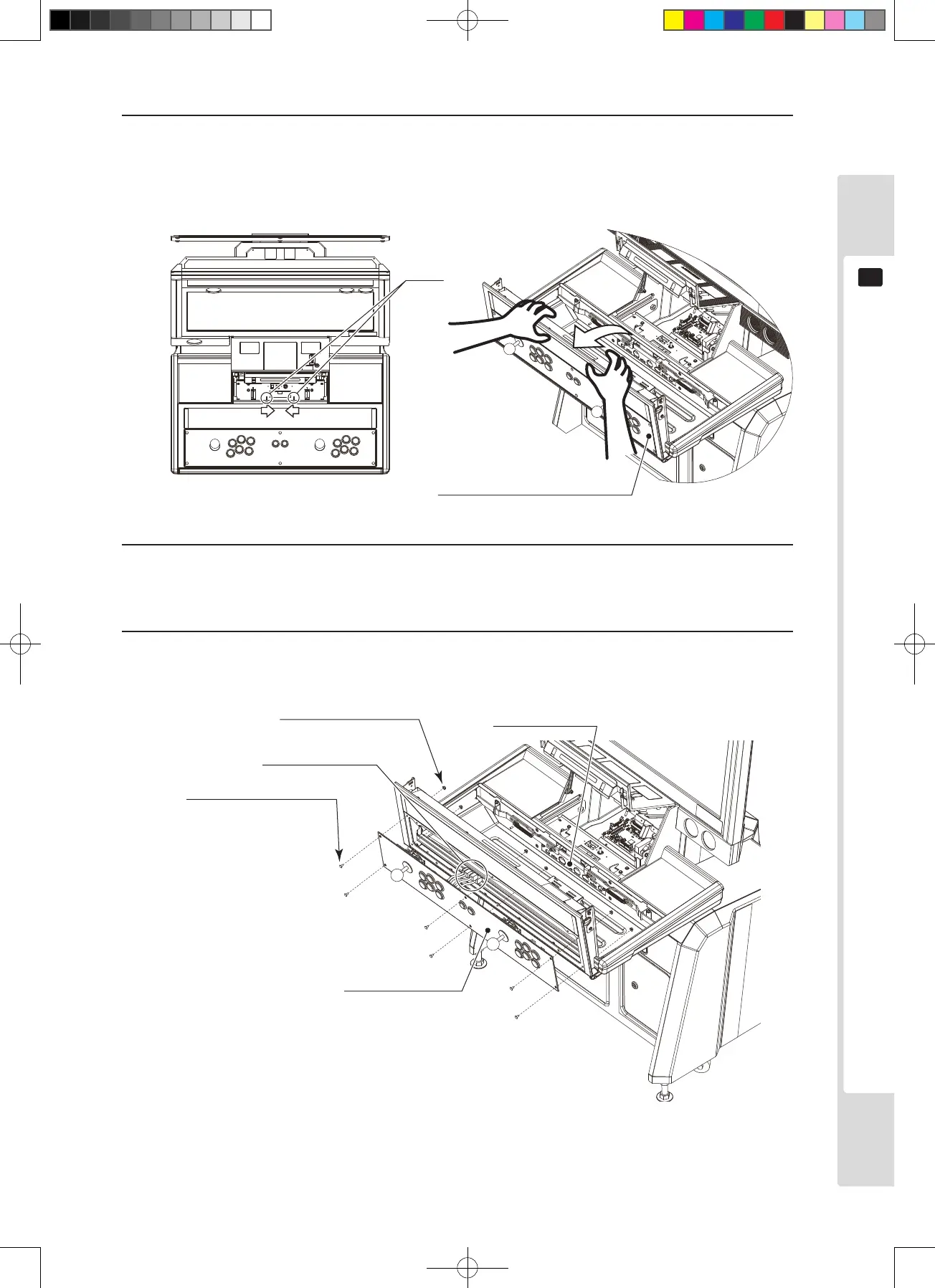
For mounting the control panel
21
9
3
Press the tabs together and open the control box upper cover.
* The control box upper cover can close unexpectedly under its own weight, potentially trapping ngers.
Secure the control box upper cover in the raised position before proceeding with the operation described
below.
Figure 9.1b
4
There are nine connectors on the connector panel inside the control box. Disconnect all nine connectors.
In some cases, some of the connectors may already be disconnected, depending on the game used.
5
Remove six pairs of carriage bolts and ange nuts, then remove the control panel. Take care not to damage
the wiring at this stage.
Figure 9.1c












 To Next Page