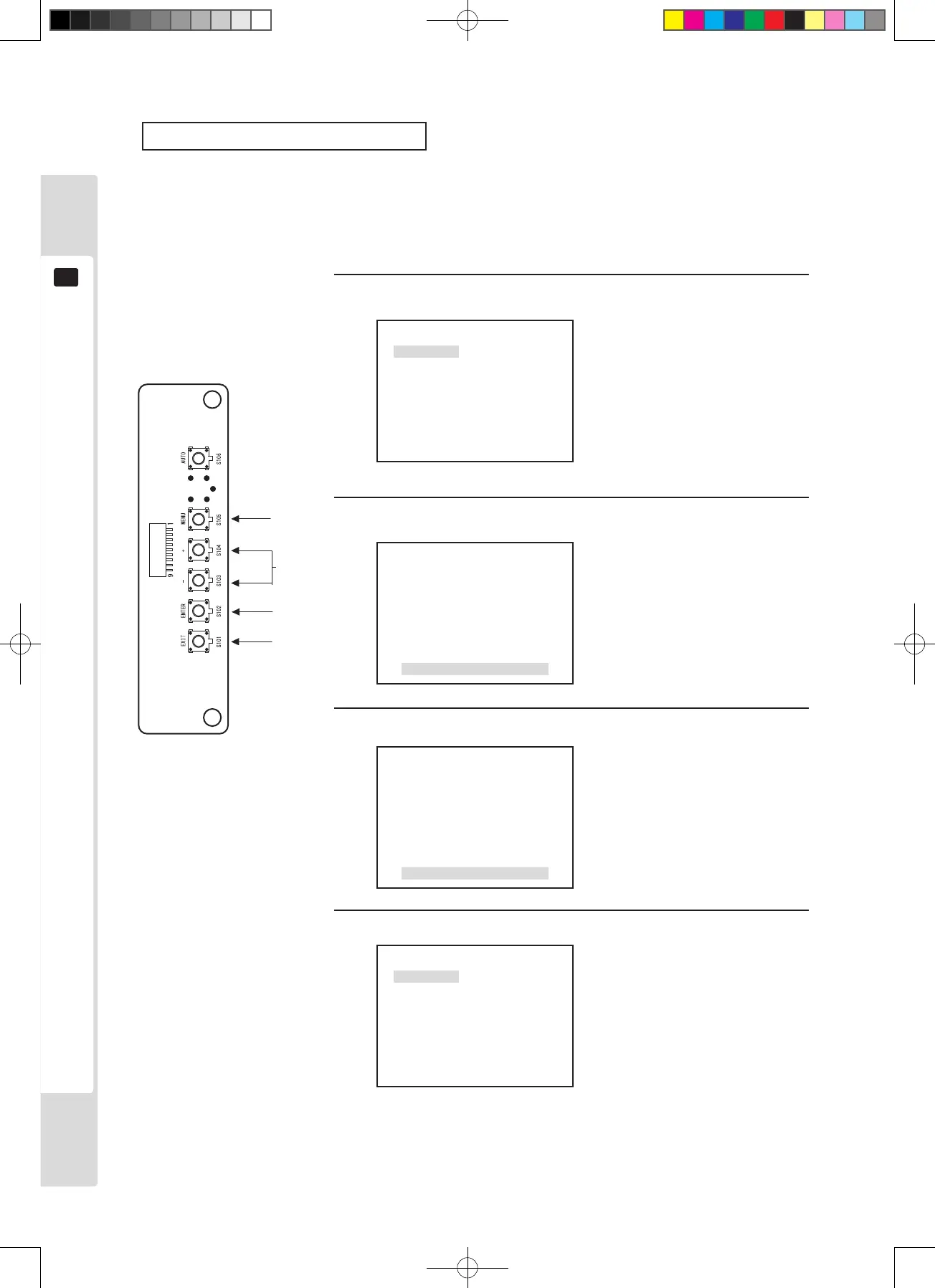
Black level adjustment (BRIGHT)
Black level adjustment (BRIGHT) is performed in the factory to a standard condition, but it can be adjusted for
preference. Changing the brightness of the screen changes the prominence of black areas of the screen.
However, incorrect adjustment of the black level dramatically reduces screen image quality, so the user is advised to
keep the standard settings.
1
3
1
P1
W/B
BRIGHT
CONTRAST
SHARPNESS
POSI
CLOCK
PHASE
2
Press the [MENU] key.
The cursor is at the [BRIGHT] position, so press the [ENTER] key
to display the adjustment and setting item menu.
The MENU screen is displayed.
BRIGHT
0
The adjustment and setting item
menu is displayed.
3
Use the [+] and [-] keys to adjust.
BRIGHT
+1
Adjusted data values change.
Adjust the screen contrast
(CONTRAST) to the desired state.
4
Press the [ENTER] key. (Store and close)
The adjusted data is stored and the
display returns to the Menu screen.
*If there is no need to store,
press the [EXIT] key to return to
the Menu screen without storing.
P1
W/B
BRIGHT
CONTRAST
SHARPNESS
POSI
CLOCK
PHASE
2, 4
*4












 To Next Page