EasyManua.ls Logo

Sega Lindbergh Universal - On-screen display (OSD); Input signal identification (WIDE;MAC); Reset (RESET)

Sega Lindbergh Universal
88 pages
Print Icon
To Next Page IconTo Next Page
To Previous Page IconTo Previous Page
Loading...
The monitor (LCD display)
41
11
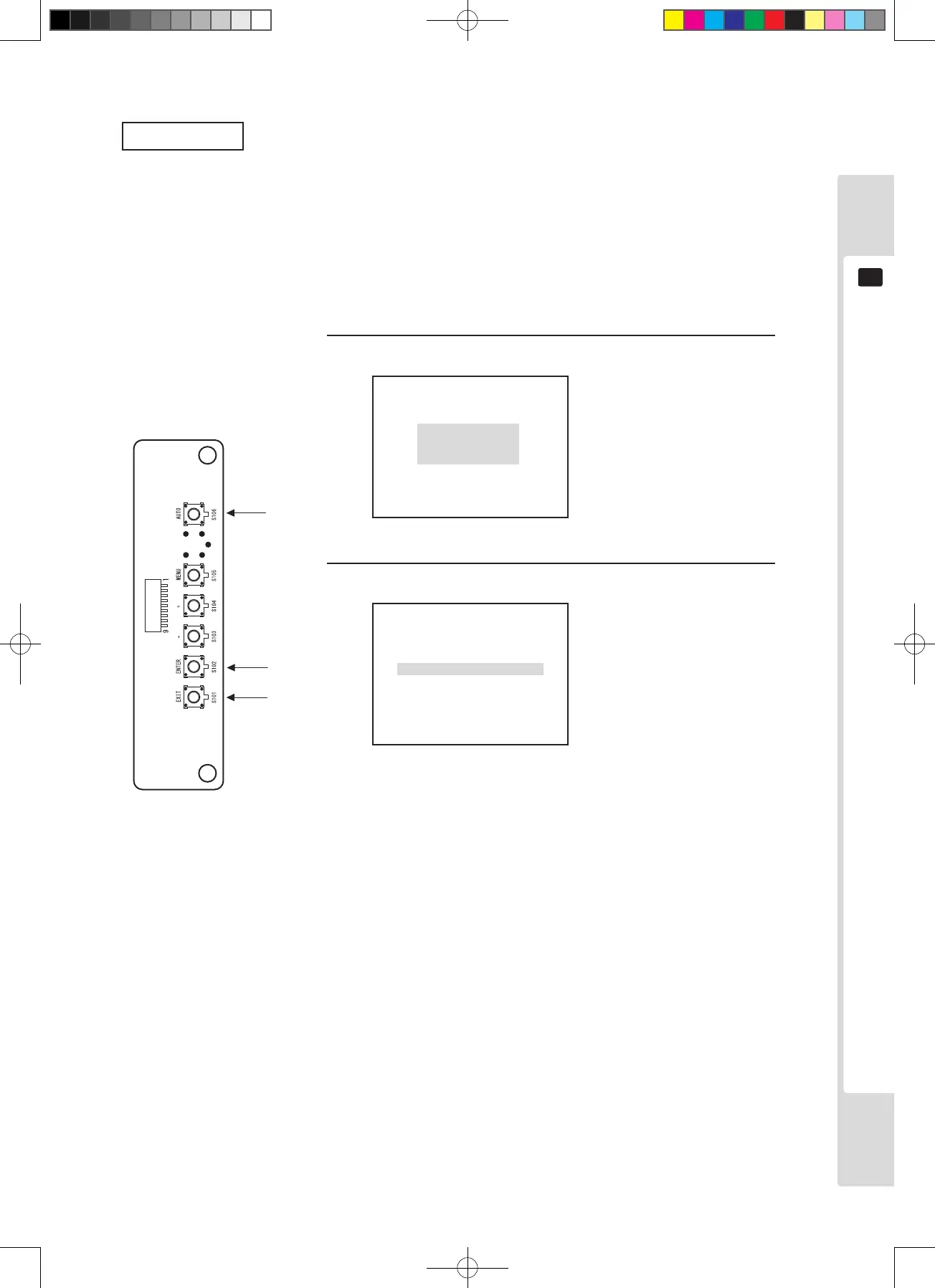
Auto setup
When auto setup is performed, signal timing is identified automatically, and the items below are automatically
adjusted to their optimum values/stored.
• Sampling frequency/phase • Horizontal/vertical display position
Memory can hold up to 136 settings in the user area, so once the number of settings exceeds 136, they will be
overwritten sequentially.

1
STRAT:ENTERKEY
QUIT:EXITKEY
2
Press the [AUTO] key.
Press the [ENTER] key.
The setting screen is displayed.
Auto setup is performed.
*Press the [EXIT] key to avoid
executing.
2
*2
AUTOINPROGRESS
Lindburg.indb 41 2/16/2007 19:12:27

Table of Contents

Related product manuals