The monitor (LCD display)
29
11
The various adjustment values are adjusted accurately in the factory
before shipping, so do not change them needlessly, or adjust them
other than as specified in this manual. The machine might stop
displaying properly.
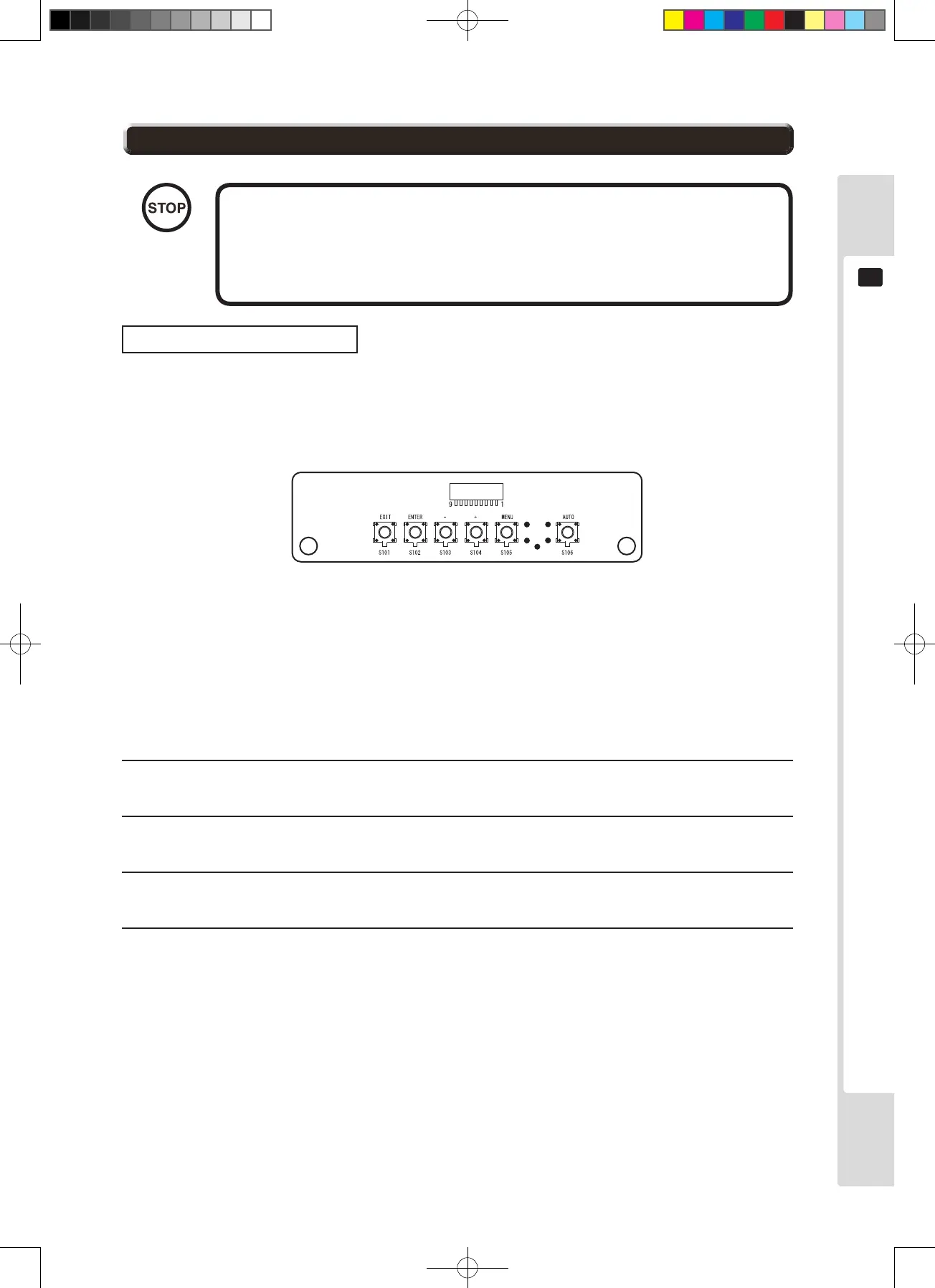
AUTO : Auto setup (automatic adjustment)
MENU : Turn on the Menu display and switch between pages.
+ : Shift the selected menu display/ increase adjustment
values or setting values.
- : Shift the selected menu display/ decrease adjustment
values or setting values.
ENTER : Set the selected menu display/ save adjustment values or
setting values.
EXIT : Close the menu/ cancel adjustment values or setting values.
Operation and adjustment
The basic operation method for using the key switches to make adjustments is explained below.
The monitor adjustment board is visible when the entry lid is open. (See Chapter 8)
1
To make adjustmentssettings, rst press “MENU” to display the MENU.
2
Next, use the [+] [−] keys to move to the item to adjust/set, then press “ENTER”.
3
Once the item to adjust/set is displayed at the bottom of the screen, use the [+] [−] keys to adjust/set it.
4
Once adjustment/setting is complete, press [ENTER] to store the adjustment/setting values and close.
* To revert to the original values without storing the adjusted/set data, do not press the [ENTER] key, but
press the [EXIT] key to return to the MENU screen.












 To Next Page