EasyManua.ls Logo

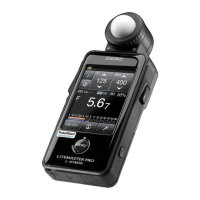
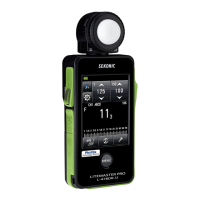
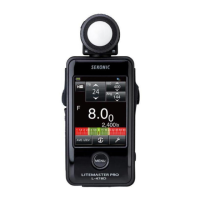
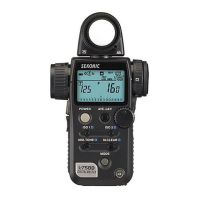
Sekonic LITEMASTER PRO - User Manual

Sekonic LITEMASTER PRO
46 pages
Print Icon
To Next Page IconTo Next Page
Loading...
I108-L478-002
LIGHT METER
LITEMASTER PRO
L-478D/L-478DR
SERVICE MANUAL

Questions and Answers

  • K
    Kathleen OliverAug 14, 2025
    What to do if measurement is not possible when light measuring button is pressed on Sekonic LITEMASTER PRO?
    • A
      Angela LandryAug 14, 2025
      If you cannot take a measurement when pressing the light measuring button, the button may be catching, the measurement button might be damaged, or there could be an electronic circuit defect. Try repairing the button. If that doesn't resolve the issue, consider replacing the PCB / 2 Assy or PCB / 1 Assy.
  • C
    Christian CardenasAug 17, 2025
    Why is there no LCD display on my Sekonic LITEMASTER PRO Measuring Instruments?
    • R
      Rodney OconnellAug 17, 2025
      The LCD display might not be working due to several reasons: the battery might not be inserted, the battery poles could be reversed, the battery capacity might be low, there could be poor electrode spring contact, the electrode spring solder might have sheared off, the LCD might be damaged, the connector position might have slipped, there might be poor wire harness contact, or there could be an electronic circuit defect. Here are some things you can try: * Insert the battery correctly. * Replace the battery. * Reconnect the wire harness.
  • R
    Robert JohnsonAug 20, 2025
    What to do if the touch panel does not function on Sekonic Measuring Instruments?
    • G
      grantalexanderAug 20, 2025
      If the touch panel isn't working, it could be due to LCD damage, connector position slippage, or an electronic circuit defect. Try reconnecting the connector. If that doesn't work, the LCD or PCB / 1 Assy may need to be replaced.
  • M
    Michael BarrAug 25, 2025
    Why is flash not triggered on my Sekonic Measuring Instruments?
    • D
      Dr. Kristine GeorgeAug 25, 2025
      The flash might not be triggering due to a broken connection in the pulse transformer, an electronic circuit defect, a defective synchro terminal assembly contact, a broken synchro terminal assembly lead wire connection, or defective soldering of the synchro terminal assembly lead wire. You can try re-soldering the synchro terminal assembly lead wire. If that doesn't work, you may need to replace the PCB / 1 Assy, the synchro terminal assembly, or the lead wire.
  • M
    Melissa BarreraAug 27, 2025
    What to do if other switches / buttons do not function on Sekonic LITEMASTER PRO?
    • M
      mwilliamsAug 27, 2025
      If other switches or buttons are not functioning, it could be due to switch/button damage or an electronic circuit defect. Try replacing the switch or button. If the issue persists, the PCB / 1 Assy, PCB / 2 Assy, or PCB / 3 Assy may need to be replaced.
  • N
    Nancy HobbsAug 30, 2025
    What to do if flash is not triggered in flash radio triggering mode on Sekonic Measuring Instruments?
    • L
      lmillerAug 30, 2025
      If the flash is not triggered in flash radio triggering mode, the PCB / 4 might be damaged, there could be defective soldering of the PCB / 4 terminal, or there may be an electronic circuit defect. Try re-soldering the PCB / 4 terminal. If that doesn't work, the PCB / 4, PCB / 1 Assy, or PCB / 2 Assy may need to be replaced.
  • G
    Gary JordanSep 3, 2025
    What to do if display values are erratic when using optional accessories for light receiving section on Sekonic LITEMASTER PRO?
    • R
      Ricky KennedySep 3, 2025
      If you're seeing erratic display values when using optional accessories, it could be due to defective light receiving section contact, a broken Optics Main Frame Assy lead wire connection, or an electronic circuit defect. You might need to replace the light receiving section option or the Optics Main Frame Assy. If the issue persists, consider replacing the PCB / 1 Assy.
  • J
    Jasmine LunaSep 6, 2025
    Why reacted with a position pressing the touch panel shifted position on Sekonic Measuring Instruments?
    • J
      Jared MurraySep 6, 2025
      If the touch panel reacts with a shifted position, it could be due to displacement by user adjustment, touch panel secular change, or touch panel damage. Try adjusting the touch panel. If the issue persists, the LCD may need to be replaced.
  • M
    Mario MejiaSep 10, 2025
    Why USB Connect Failed on Sekonic LITEMASTER PRO Measuring Instruments?
    • J
      Jennifer Mccarthy DDSSep 10, 2025
      If the USB connection is failing, the USB cable might be damaged, or there could be an electronic circuit defect. Try replacing the USB cable. If that doesn't work, the PCB / 1 Assy may need to be replaced.

Summary

Equipment, Tools, and Materials for Repair

Malfunction Repair Procedures

Disassembly and Assembly Guide

Step-by-step guide for disassembling and reassembling the device.

L-478 Maintenance Tool Usage

Firmware Update Instructions

Instructions for updating the device's firmware using the maintenance tool.

Device Calibration Procedures

Battery Calibration Process

Step-by-step guide for calibrating the device's battery.

Incident Light Calibration Procedure

Procedure for calibrating incident light measurement accuracy.

Touch Panel Calibration Process

Steps to calibrate the device's touch panel interface.

Setting Device Destination

Error Messages Reference

Electronic Circuit Repair and Adjustment

Troubleshooting Guide

Sekonic LITEMASTER PRO Specifications

General IconGeneral
BrandSekonic
ModelLITEMASTER PRO
CategoryMeasuring Instruments
LanguageEnglish

Related product manuals