Setting the accurate time
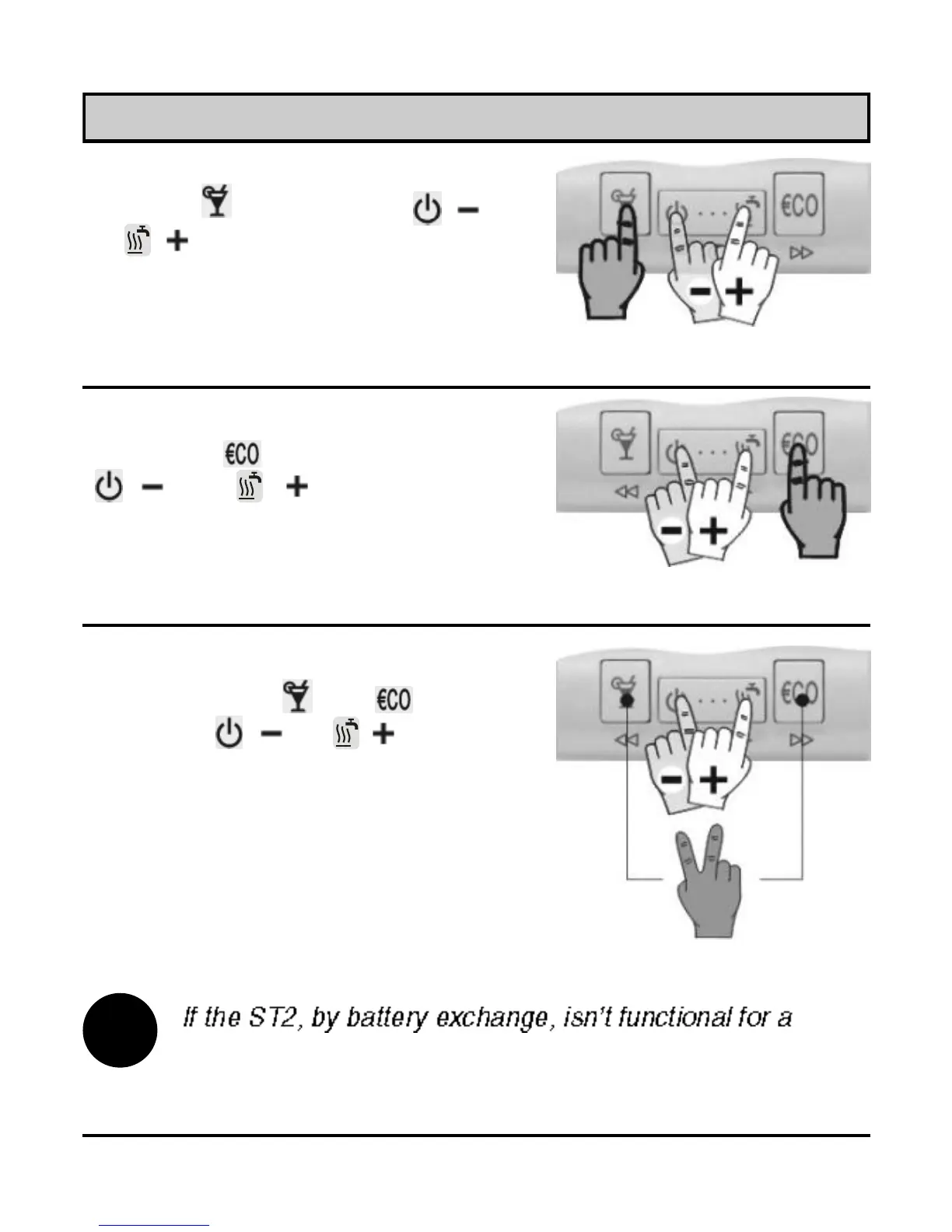
Hours
Hold key and press key ( )
or ( ) to set the hours (Picture
7).
Picture 7
Picture 8
i
Picture 9
Minutes
Hold key and press key
( ) or ( ) to set the
minutes (Picture 8).
Day
Hold both keys and , then
press key ( ) or ( ) to set
the day (Picture 9). The days are
marked from 1 to 7. Monday is
marked as 1 and Sunday as 7.
while, the time is set to Monday, 20:00.
11
USER MANUAL



 To Next Page