SETTING MANUAL
28
Check if your receiver has the same radio channel number as set-
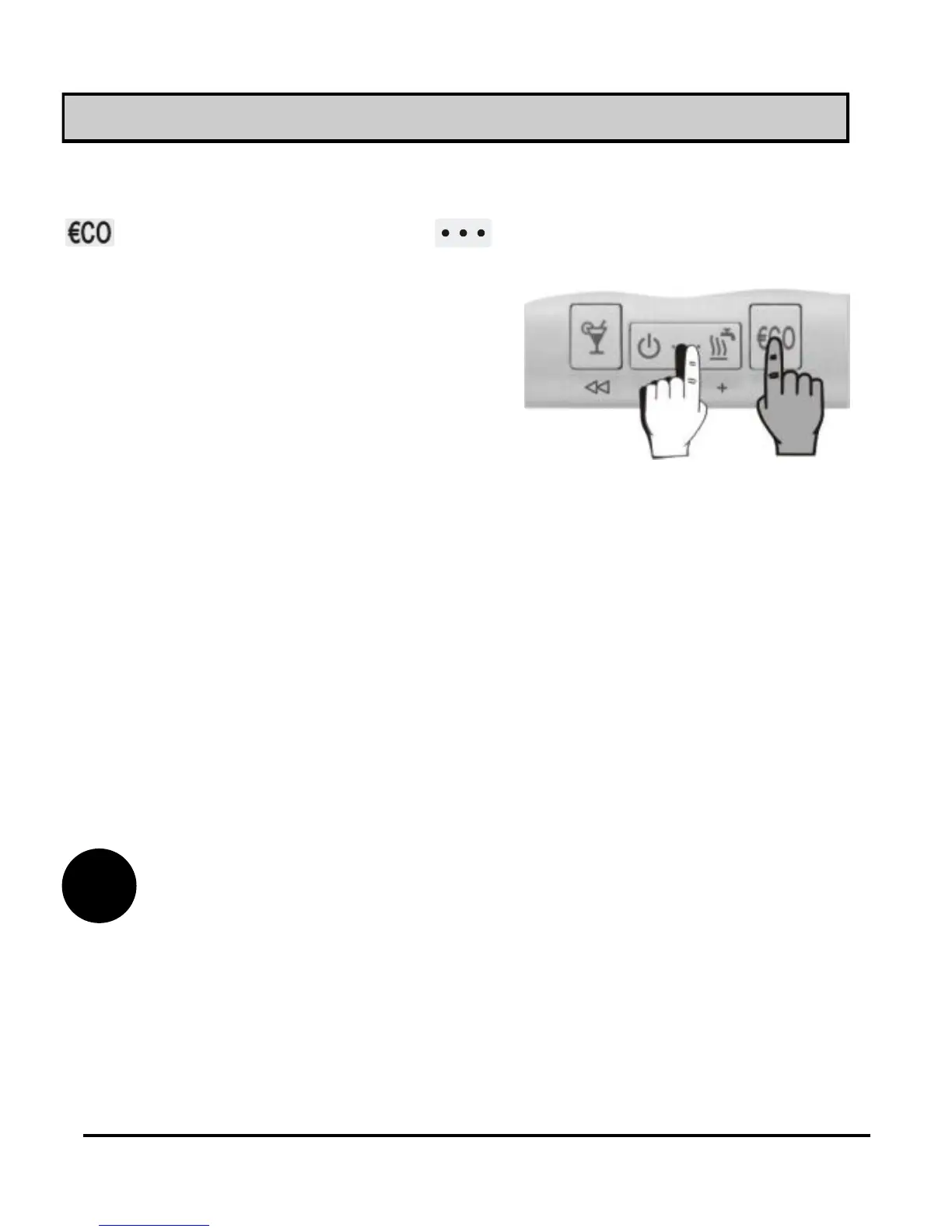
ted in parameter S2.8 on ST2TX. Now activate test mode. Hold key
and pres and hold key for 5 seconds (picture 25).
Release the keys after you hear a beep.
Radio connection - test mode for ST2TX
Picture 25
Signal power indication by receivers RX2x, versions up to V1.9
If the radio connection is established, R1 is activated and deacti-
vated every 2 seconds. Receiver every 10 seconds lowers the re-
ception intension, what is signalised with the light R2. Radio con-
nection will operate without interceptions, if R1 is activated and
deactivated also by lowered signal intensity.
Signal power indication by receivers RX2x, version V2.0 or higher
If the radio connection is established, R1 is activated and deacti-
vated every 2 seconds. Signal light R2 indicates the signal intensity
with flashing. Signal intensity is indicated with 1 to 5 flashes. Radio
connection will operate without interruptions if the light R2 flashes
at least 2 times.
Test mode automatically expires after 5 minutes. You can also end it by using the
command ''Escape''.
i



 To Next Page