INSTALLATION MANUAL
If auxiliary relay module (DR), remote control device or
wireless module (TX) are installed, connection of auxiliary
i
54
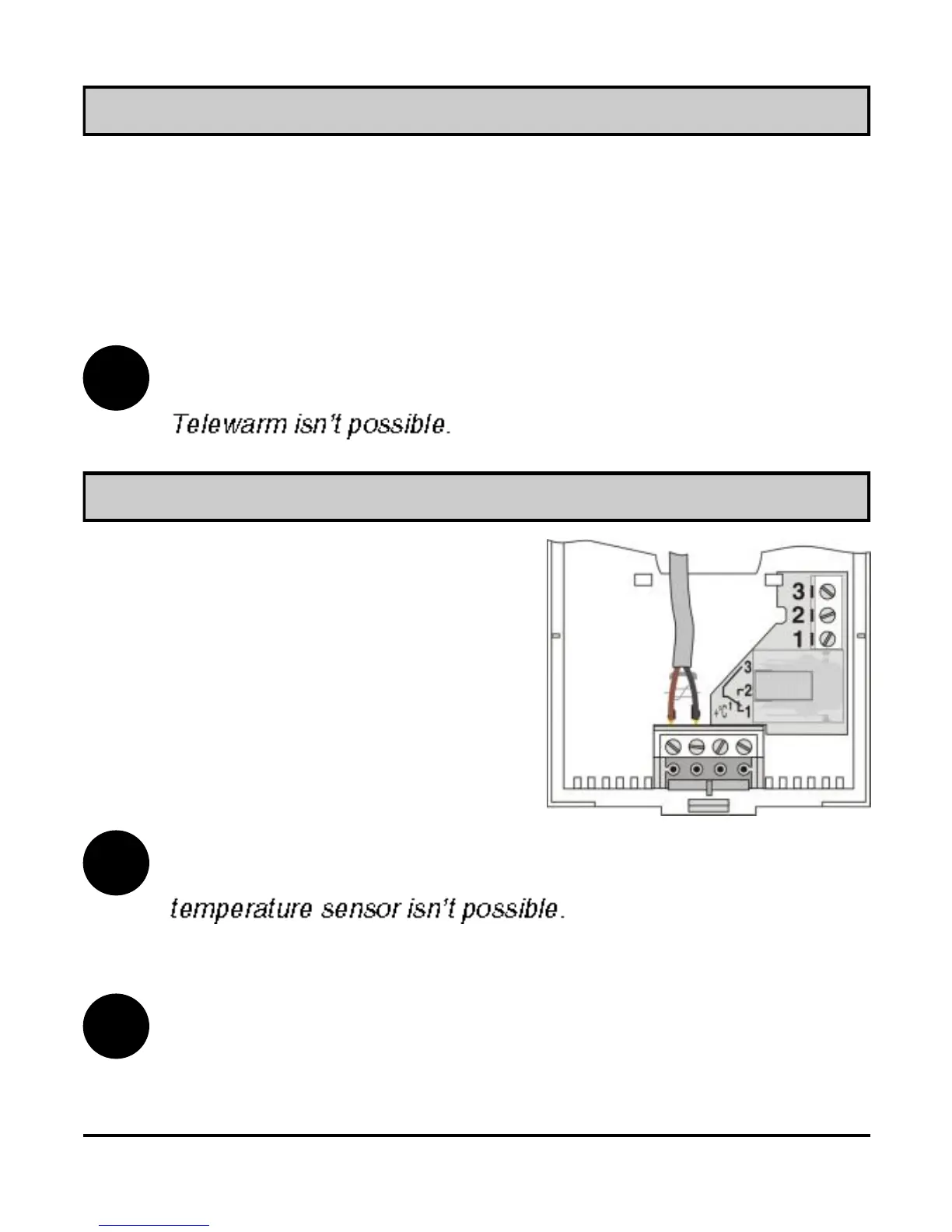
Picture 45
Always connect the auxiliary tem-
perature sensor into the connector
terminals a and b on wall ST2 plate
(Picture 45). Set the parameters for
this sensor in service group S1.
Connecting the auxiliary temperature sensor
Connecting the Telewarm
Connect Telewarm G1-D or Telewarm G44 into the terminals a
and b on the ST2 wall plate (picture 45). Before connecting into
terminals a and b, remove the blank plastic bridge. To learn more
about connecting the Telewarm on electric and telephone network
see User manual for Telewarm.
If auxiliary relay module (DR), wireless module (TX) or
auxiliary temperature sensor are installed, connection of
i
i
By room thermostat ST2RDR the additional sensor is con-
nected in connectors 7 and 8.



 To Next Page