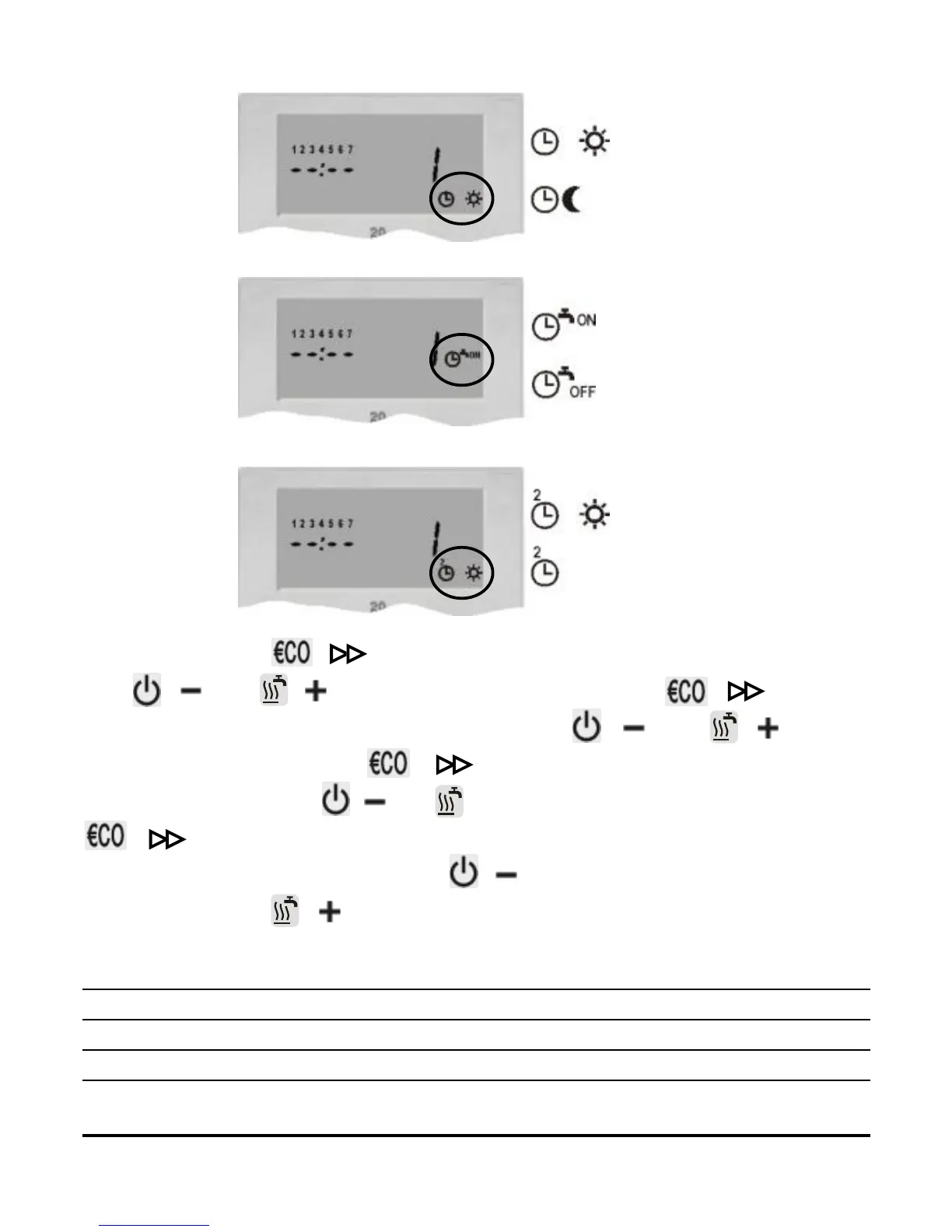
Picture 12
- day temperature
- night temperature
Picture 13
Picture 14
- active domestic hot
water warming
- inactive domestic hot
water warming
- active comfort temperature
- inactive comfort temperature
CH1
CH2
CH3
Now press key ( ). On the display starts to flash day. Press
key ( ) or ( ) to set day, then press key ( ). On the
display starts to flash hours. Press key ( ) or ( ) to set
hours, then press key ( ). On the display starts to flash
minutes. Press key ( ) or ( ) to set minutes, then press key
( ). The display stops flashing. Now is possible to move to
the next program space. Press ( ) to move to the next program
space or press ( ) to move to the previous program space.
Every channel in program timer (CH1, CH2 and CH3) has 32 pro-
gram spaces. Time commands for day and night temperature
mode, time commands for active and inactive d. h. w. warming and
time commands for active and inactive comfort temp. mode are
13
USER MANUAL



 To Next Page