SETTING MANUAL
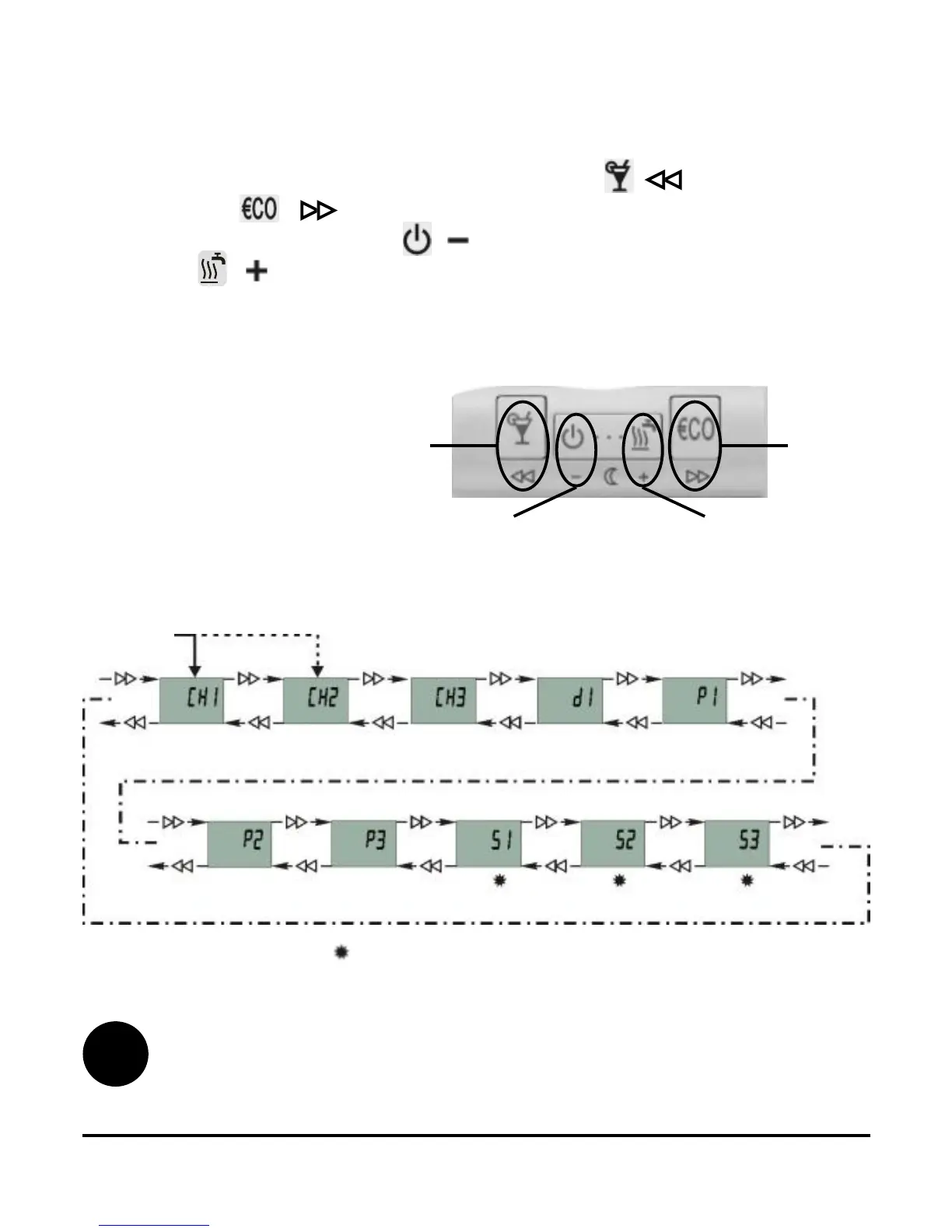
Picture 22
Groups
S
are by default (factory) settings locked.
Menu navigation
In menu, keys have new meaning, marked bellow them (Picture
21). To move between the groups press key ( ) to move to the
left and key ( ) to move to the right (Picture 22). To move
within the group press key ( ) to move down between the lines
and key ( ) to move up between the lines. For your better
understanding all the lines are marked. First two symbols mark the
group and the third symbol successive number of the line in group
(Picture 23).
Entrance
Group locking is setted in Service group S3 (page 25).
21
Picture 21
i
Move to
the left
Move to
the right
Move up or
increase
Move down or
decrease



 To Next Page