10U
27
English
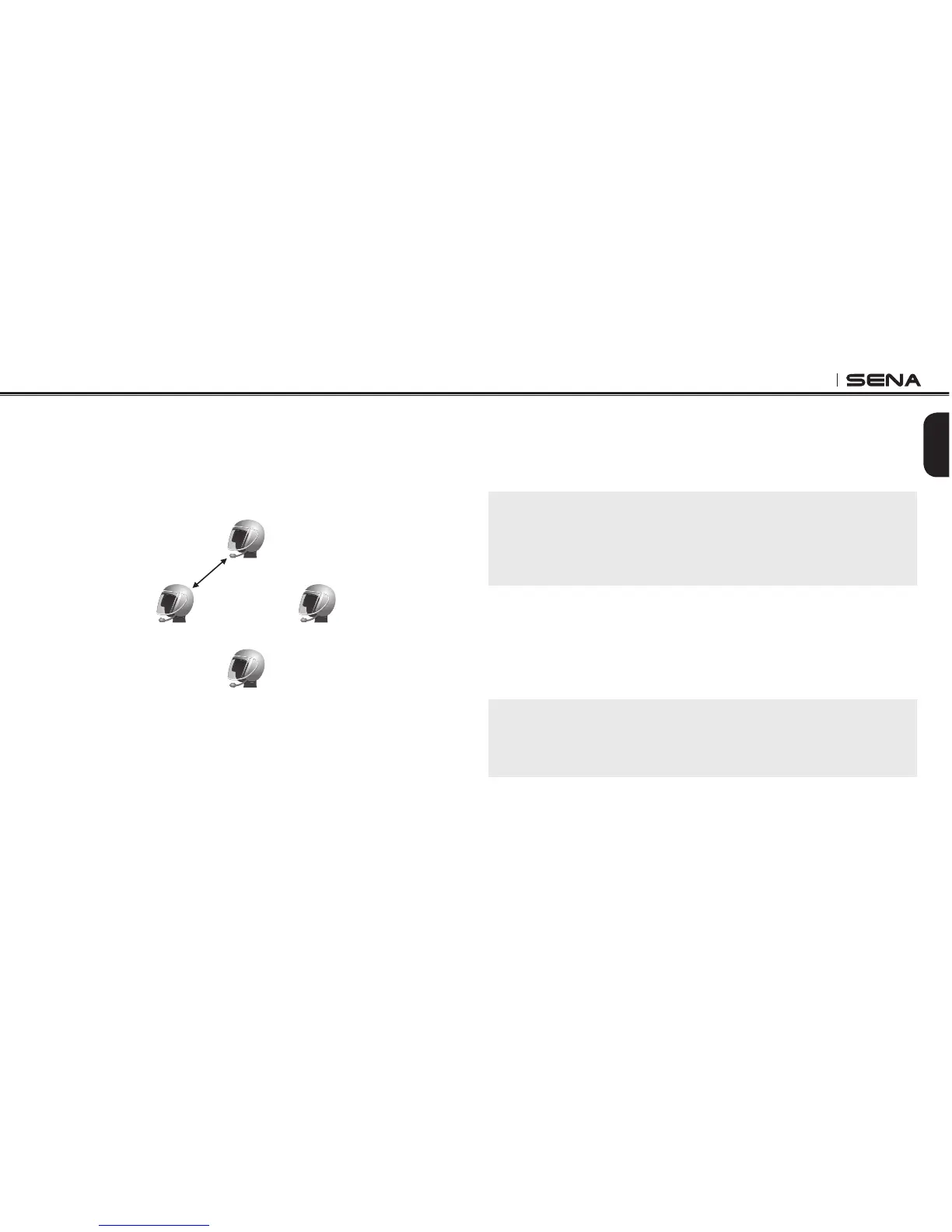
3. Tap the Front Button on any one of the two headsets A and B, and wait
unit the LEDs of both headsets turn to blue and intercom connection is
automatically established. The two 10U headsets A and B are paired
with each other for intercom conversation. If the pairing process is not
completed within one minute, the 10U will return to stand-by mode.
Pairing A & B
A
C
B D
4. You can make other pairing between headsets A and C, and between
headsets A and D by following the same procedure as above.
5. The intercom pairing queue is ‘Last-Come, First-Served’. If a headset
has multiple paired headsets for intercom conversations, the last
paired headset is set as rst intercom friend. The previous intercom
friend becomes second intercom friend, and third intercom friend.
Note:
For example, after the pairing procedures listed above, headset D is the
rst intercom friend of headset A. Headset C is the second intercom
friend of headset A, and headset B is the third intercom friend of headset
A.
5.4.2 Pairing with Other Sena Headset Models for Intercom
Conversation
The 10U can be paired with all other Sena headset models such as the
20S, SMH10 and the SMH5 for intercom conversation. Please follow the
same procedure as above to pair with these headset models.
Note:
The SMH5 cannot participate in three-way or four-way conference intercom
with the 10U. The SMH5 has a limited capability of having two-way intercom
with other Sena headsets.



 To Next Page