10U
32
8 INTERCOM
Please make sure your intercom devices are paired as described in
section 5.4, “Intercom Pairing”.
8.1 Two-way Intercom
8.1.1 Starting Two-way Intercom
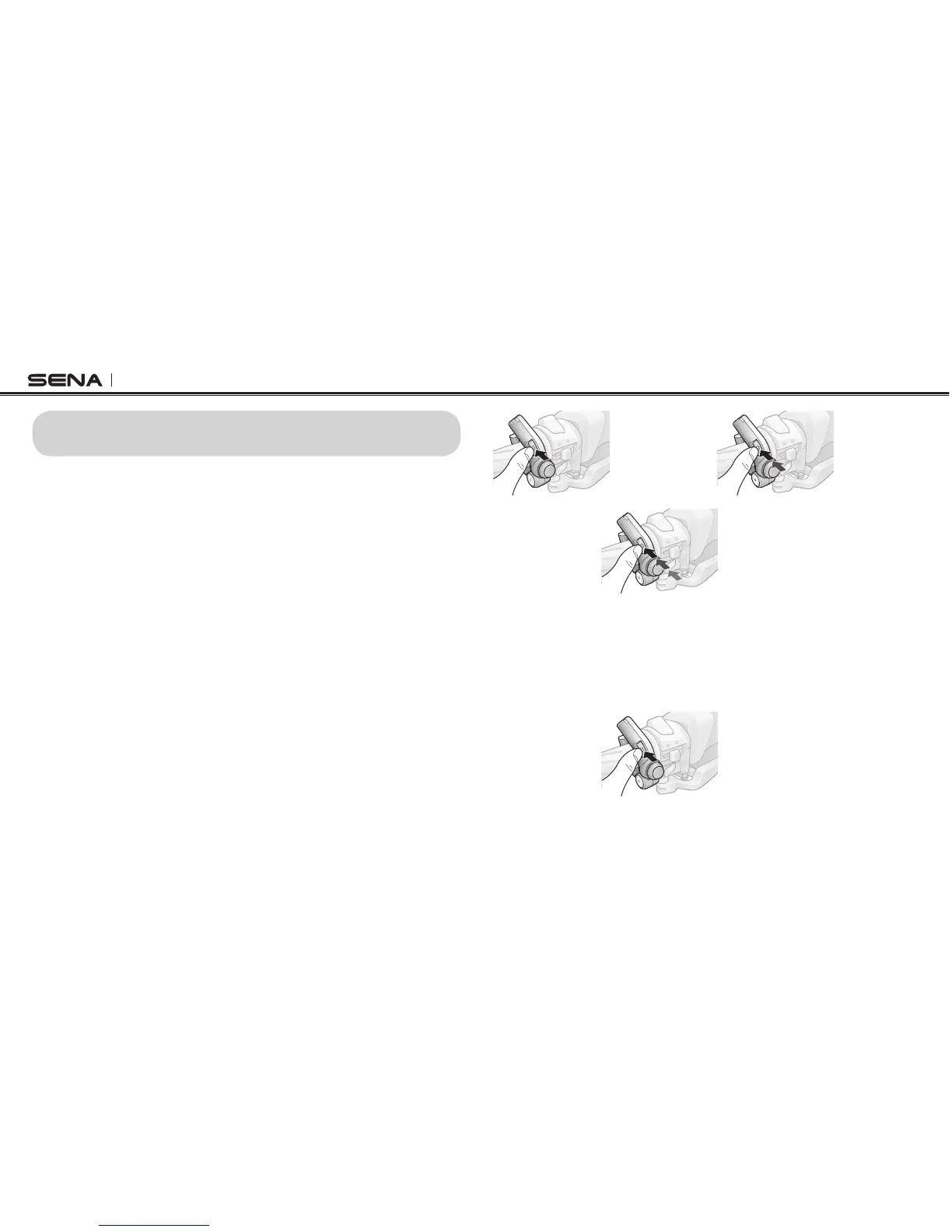
You can start an intercom conversation with one of any intercom friends
by tapping the Front Button: Tap the Front Button once to intercom with
the rst intercom friend, tap the Front Button twice to intercom with the
second intercom friend, and tap the Front Button three times to intercom
with the third intercom friend.
Start Two-way Intercom Conversation
3
rd
Intercom
Friend
2
nd
Intercom
Friend
1
st
Intercom
Friend
8.1.2 Ending Two-way Intercom
To terminate an intercom conversation, tap the Front Button. Any intercom
connection with any intercom friend will be terminated by a single tap. A
double or triple tap will do nothing in this case.
Terminate
End Two-way Intercom Conversation



 To Next Page