10U
44
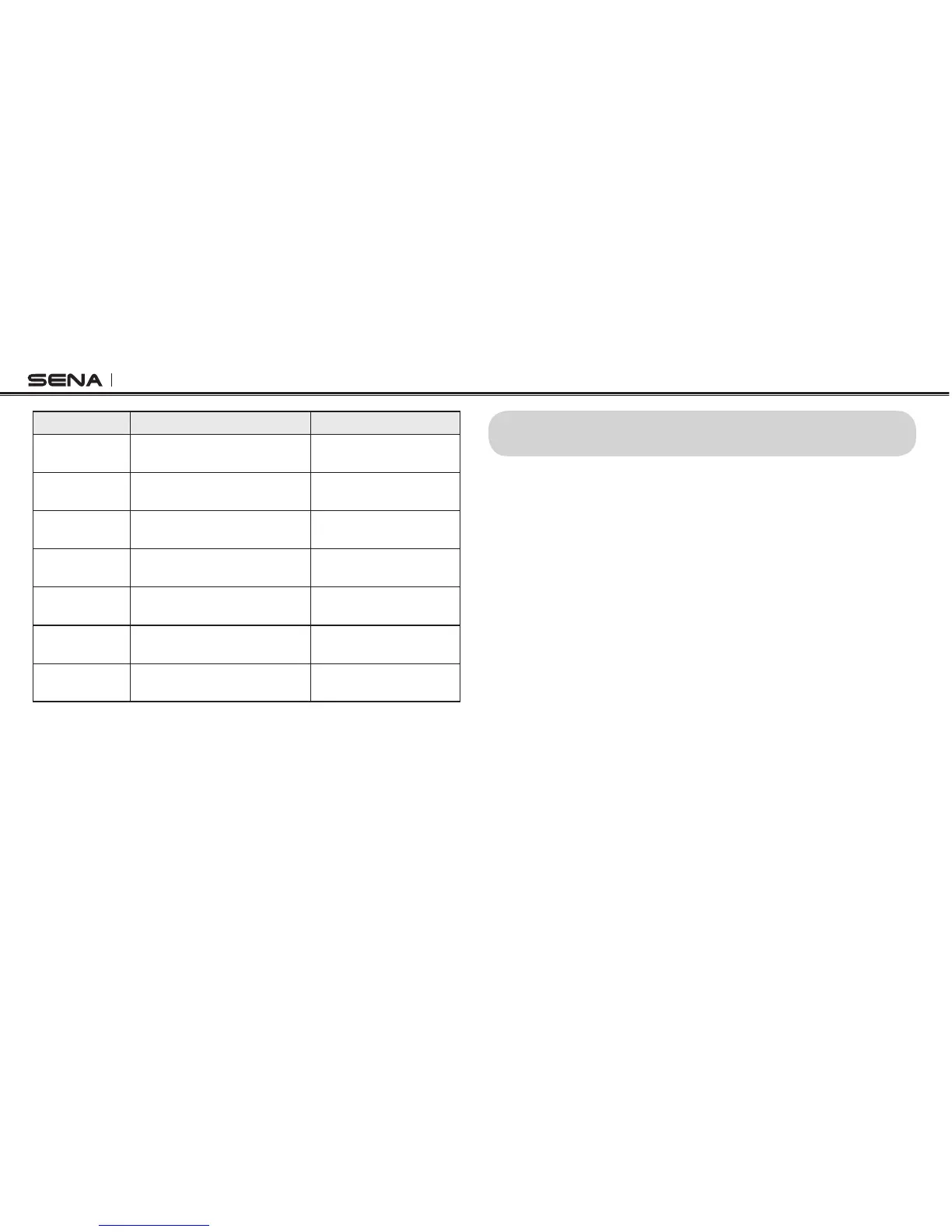
Function Handlebar Remote Headset
FM radio on/off
Press the Rear Button for
1 second
Press the (+) Button for
5 seconds
Select preset Tap the Rear Button
Press the (+) Button for
1 second
Seek stations
Move the Joystick left or right
for 1 second
Press the (+) Button for
3 seconds
Scan up FM
band
Double tap the Rear Button
Press the (–) Button for
5 seconds
Stop scanning Double tap the Rear Button
Press the (–) Button for
5 seconds
Save preset
while scanning
Tap the Rear Button
Press the (+) Button for
1 second
Temporary
Preset
Triple tap the Rear Button
Press the (–) Button for
2 seconds
Button Operation Table for FM Radio
12 FUNCTION PRIORITY
The 10U operates in the following order of priority:
(highest) Mobile phone
Intercom
Music sharing by Bluetooth Stereo music
FM Radio
(lowest) Bluetooth stereo music
A lower priority function is always interrupted by a higher priority function.
For example, stereo music is interrupted by intercom call, and an intercom
conversation is interrupted by an incoming mobile phone call.



 To Next Page