OmniHub CMP201– User Manual
Page 22 of 103
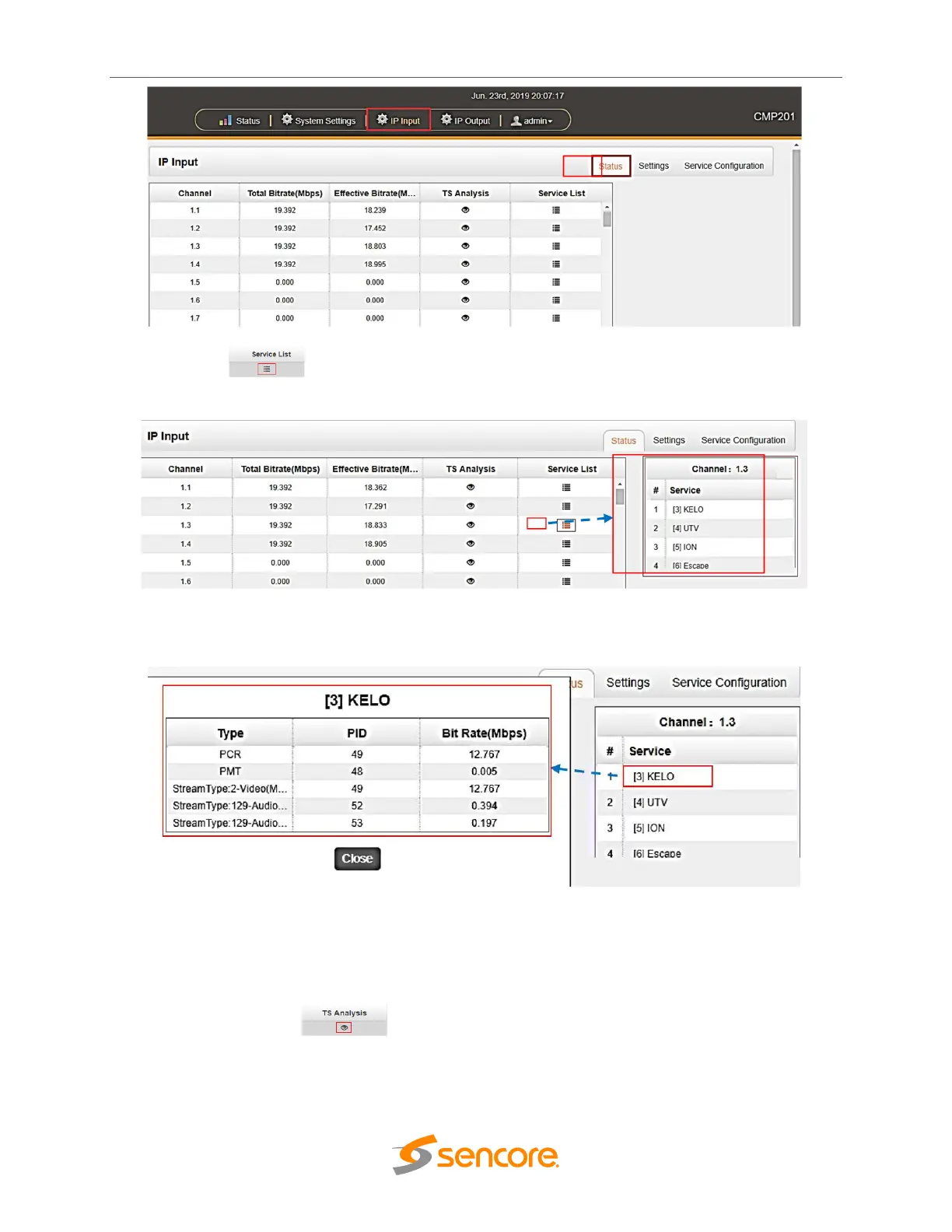
Clicking on the icon button under Service List will display information on the services
included in the transport stream.
Click the service name to check the detail info of the service.
Clicking on the eye icon under the TS Analysis button to display the information on
the structure of the transport stream.



 To Next Page