OmniHub CMP201– User Manual
Page 23 of 103
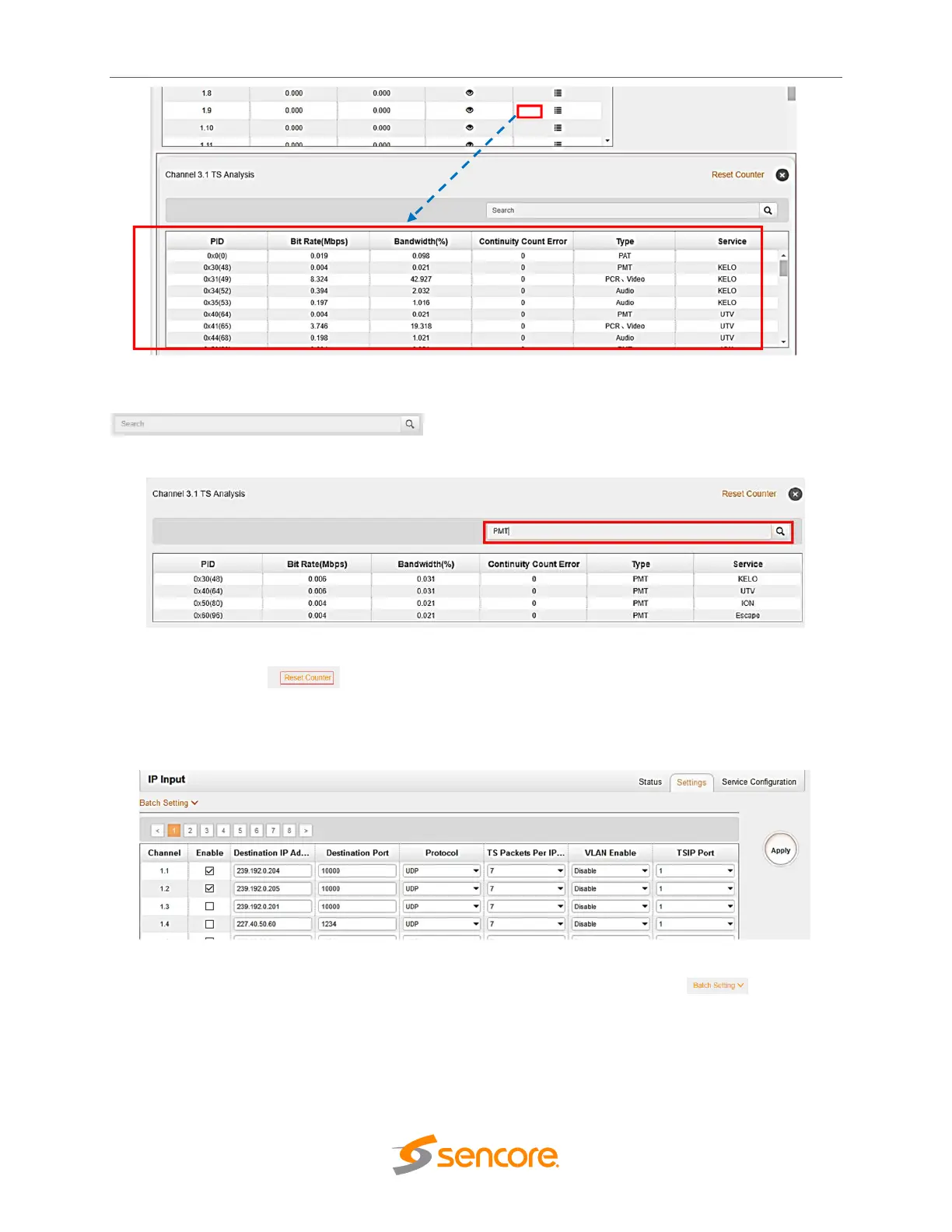
Fill the key words of PID, Bit rate, bandwidth, table type or service name using the search box
to check the info you want to find.
Click Reset Counter button to clear continuity count error and restart counting.
Settings tab is used to make the configuration of the input streams. Enter the destination IP
address and destination port, choose protocol (UDP/RTP).
In order to create or edit a larger number of IP inputs, use the Batch Setting button.



 To Next Page