OmniHub CMP201– User Manual
Page 21 of 103
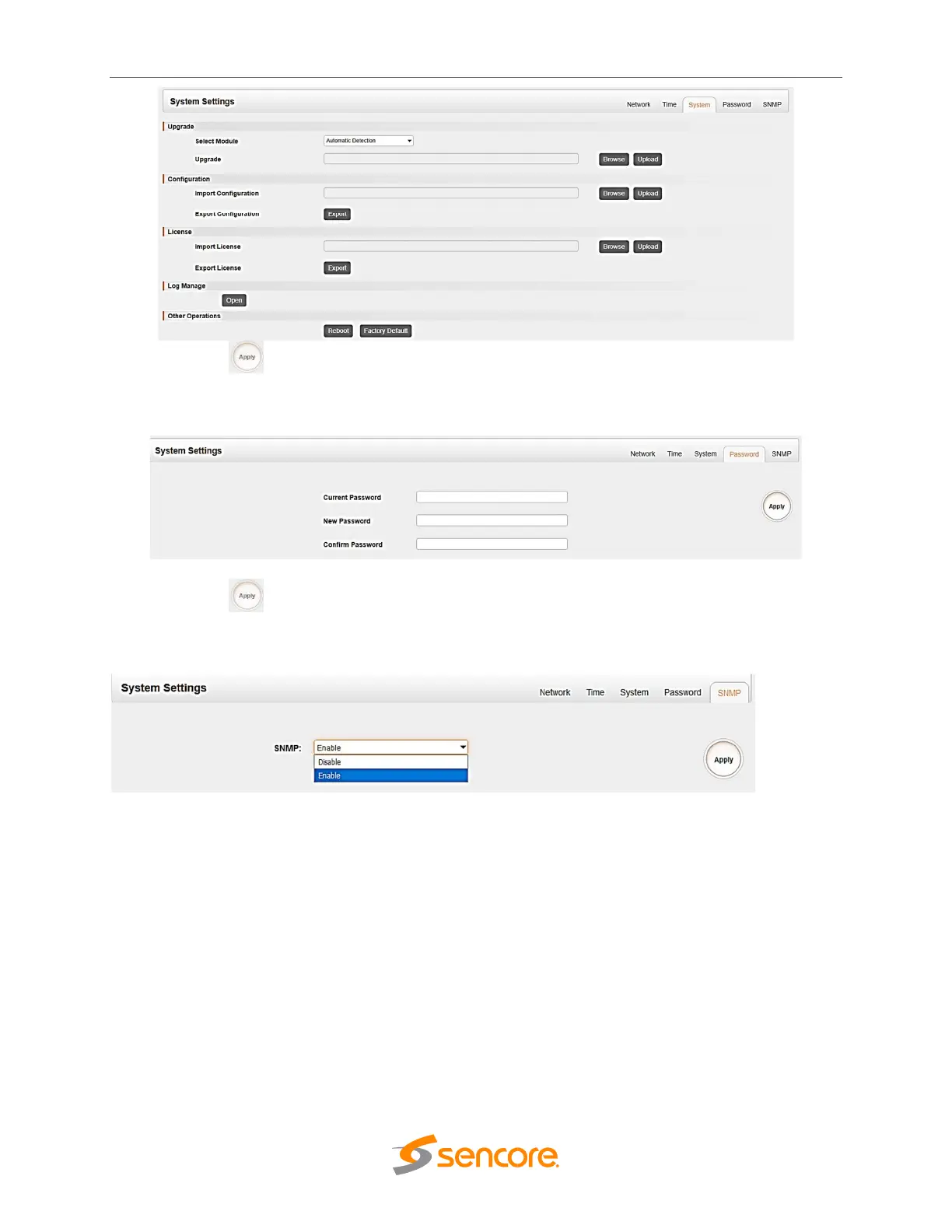
Click the Apply button on the right side to make the change takes effect.
Password page user can reset login password.
Click the Apply button on the right side to make the change takes effect
SNMP page is for user to Disable or enable the SNMP function.
3.2.3 IP Input
This menu allows the user to configure and access the IP input:
• Status
• Settings
• Service Configuration
Clicking on the “IP Input” gear allows to go into page where user can access Status, Setting,
Batch Setting and Service Configuration tabs. There are total of 120 Channel input on the
CMP201 Baseboard
Status tab shows Total Bitrate, Effective Bitrate, TS Analysis and Service List for each IP input
stream.



 To Next Page