OmniHub CMP203– User Manual
Page 20 of 109
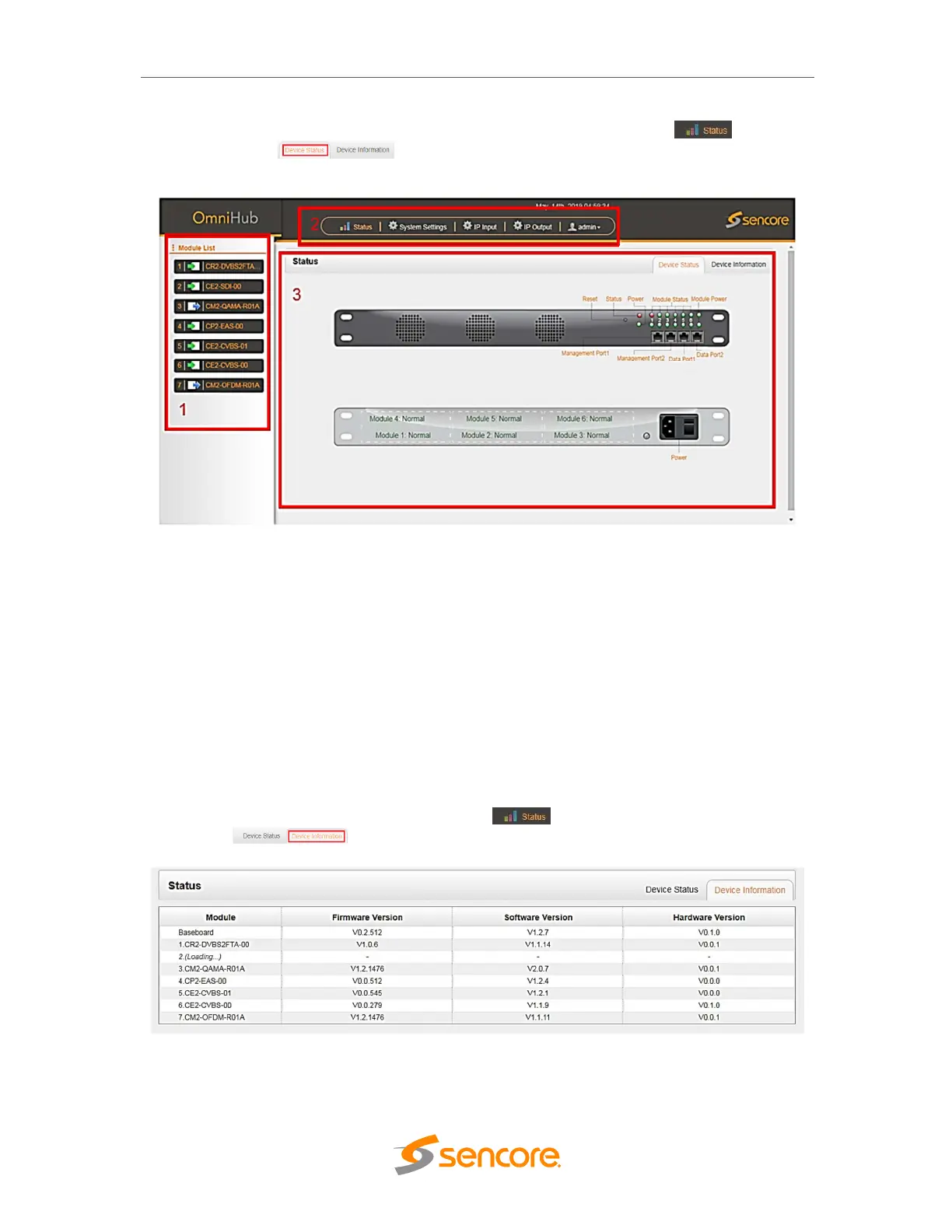
At any time, the user can return to the welcome screen by clicking the Status button and
then Device Status button. Below is the picture displaying Status View for
CMP203 front and rear view.
3.2.1 Status
This Menu allow the user to access the following:
• Device Status
• Device Information
Device Status will show once you login on the CMP203 management GUI as shown in
the picture above. It also shows the front and rear-view image of CMP203 with friendly
label that show the status of each module connected in the 6 slots.
Device Information page shows the firmware version, software version, and hardware
version of baseboard and every module physically installed. User can access Device
Information status page by clicking the Status button and then Device
information button.



 To Next Page