OmniHub CMP203– User Manual
Page 90 of 109
SNMP Simple Network Management Protocol
SNR Signal Noise Ration
SPTS Single Program Transport Stream
TDT Time and Date Table
TS Transport Stream
VBR Variable Bitrate
APPENDIX B - A Monroe OneNetSE Configuration and Testing
For development and testing purposes, the Monroe OneNetSE will be used to
supply the SCTE18 messages and the EAS substitution audio and video. The
Monroe box will need to be configured in a very specific way in order to work with
the proposed CMP203 EAS features.
External Configuration
1. The first step is to connect an Ethernet cable to the unit and supply power. Turn
on the unit using the switch on the back. The unit is configured for DHCP on the
management port. If a static IP needs to be assigned, this will need to be done
according to the Monroe manual.
2. Connect the CVBS video and analog-unbalanced audio to an encoder module.
These outputs will be where the video and audio that needs to be used for
substitution will come out.
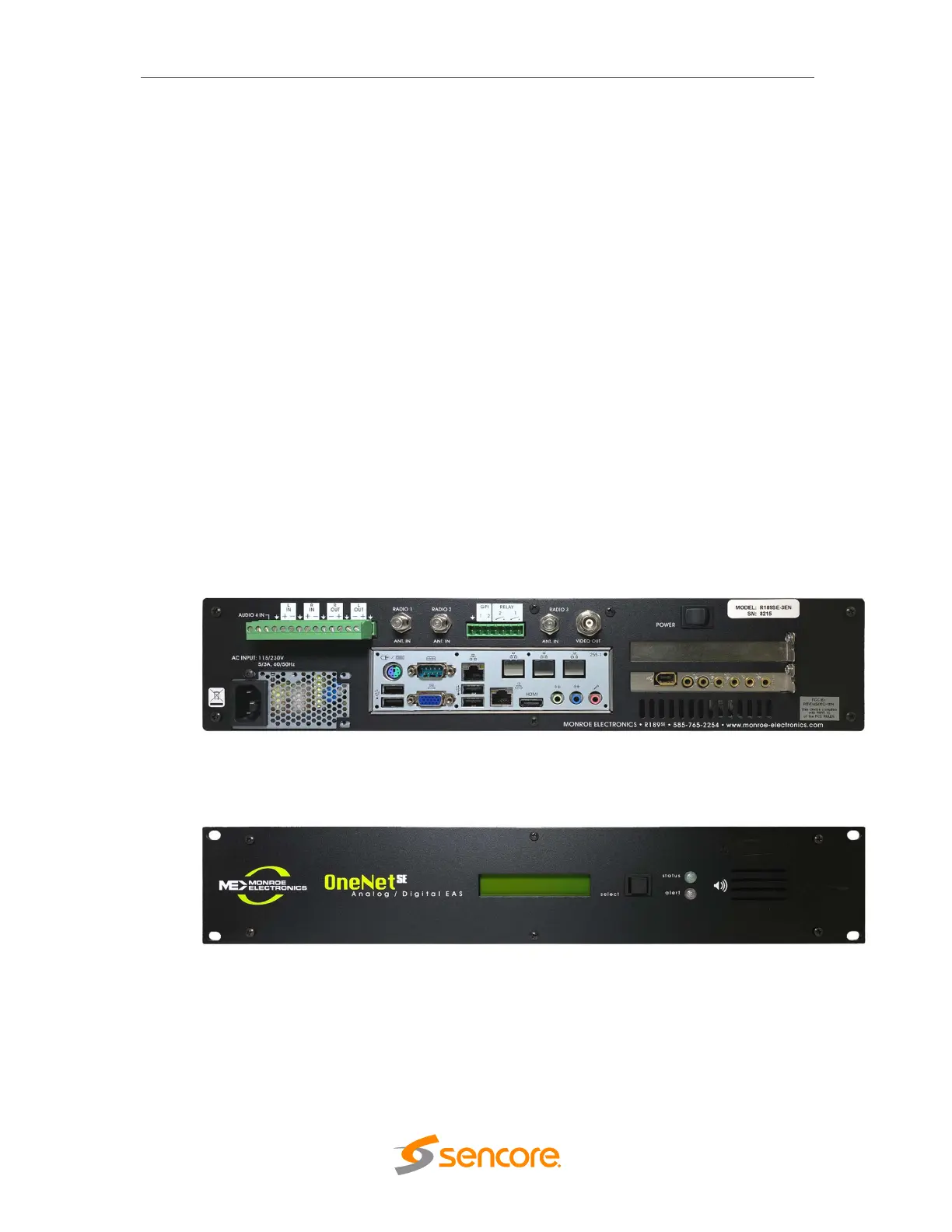
Chassis Rear View: Monroe R189SE
3. Once the unit boots, the front panel display will show the DHCP IP address of
the Monroe box. Use this IP address to access the unit using a web browser.
Front Panel Monroe R189SE



 To Next Page