OmniHub CMP203– User Manual
Page 39 of 109
3.3.5.1 Module Status
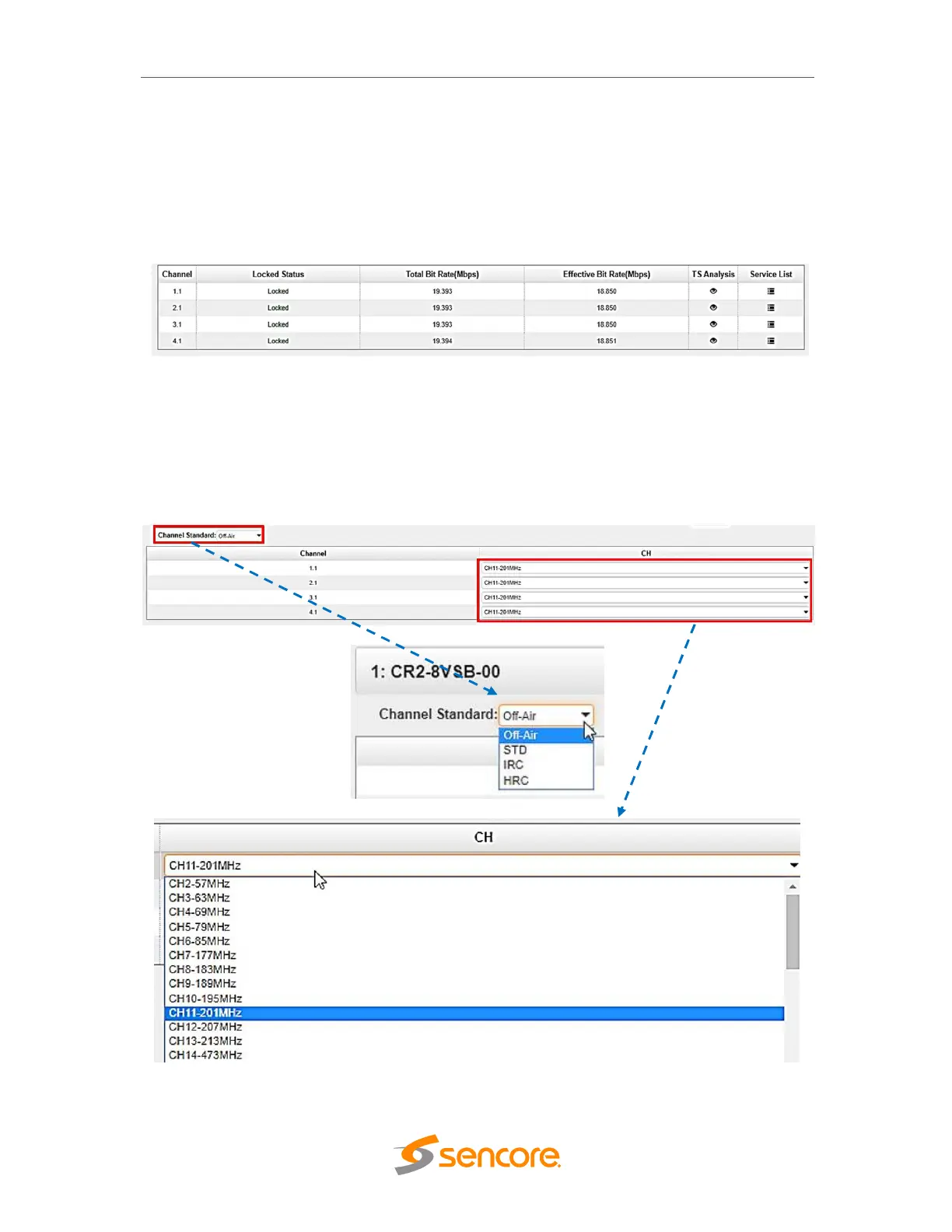
To display the status of the 8VSB receiver, select the module of interest from the list of
modules on the left. Then click on the Status button visible in the top bar of the 8VSB
navigation buttons. Status tab shows Locked Status, Total Bit Rate, Effect Bit Rate, TS
Analysis and Service List for each 8VSB input stream.
3.3.5.2 Module Settings
To make configuration changes in the context of the channel plan and the receiving
frequency of the specific RF input, select the appropriate receiving module and then
click on the Settings tab. The channel plan and frequency of a specific receiver are
selected using drop-down lists.
Table below presents supported channel plans.



 To Next Page