OmniHub CMP203– User Manual
Page 76 of 109
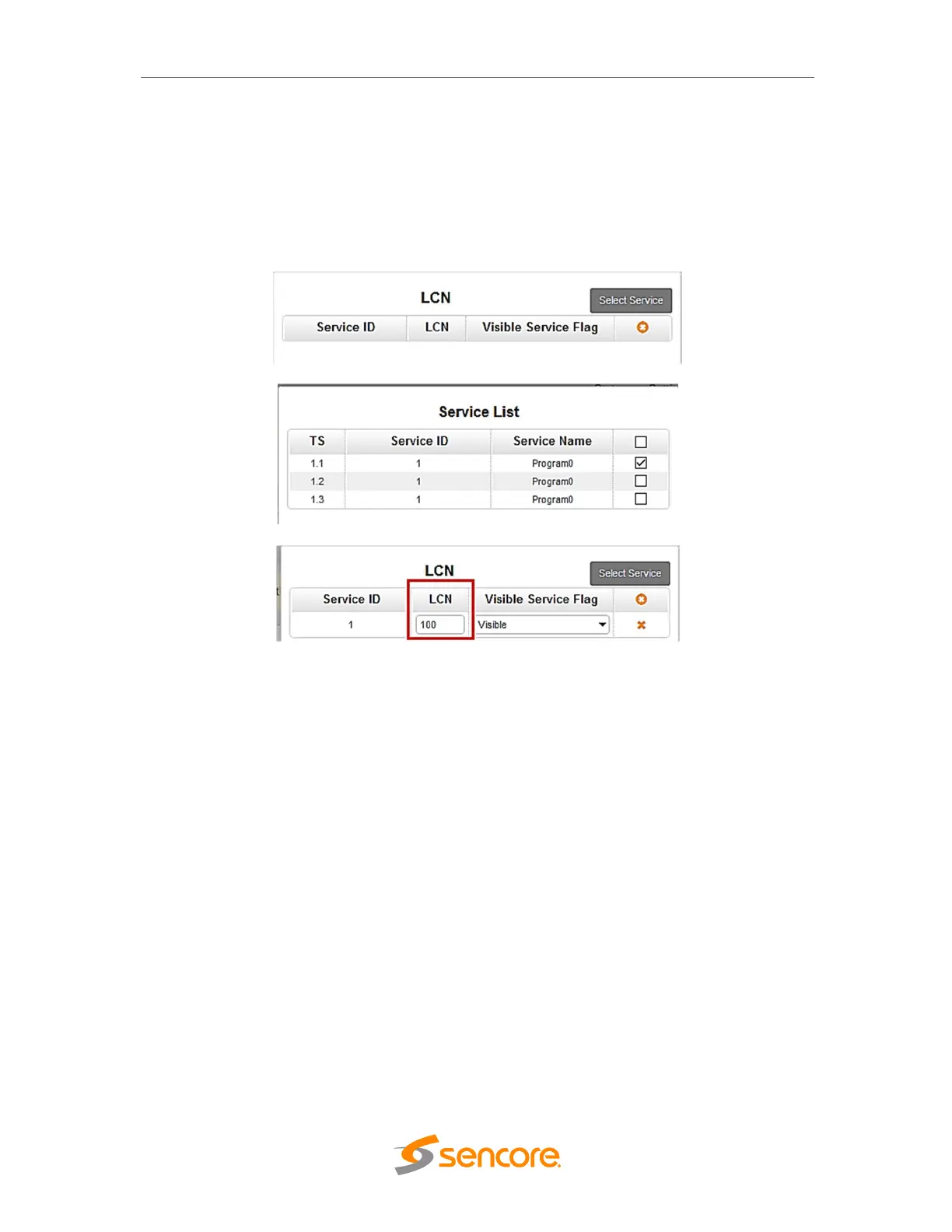
In adding the LCN, click LCN Descriptor. A small window will appear, click the select
service on the upper right corner and select the program name. Make sure that the
name is on the correct TS where you are adding the LCN. Lastly, input the Channel
number you want that program to appear. Note that the STB sorting settings should be
also in LCN. STB have other sorting settings like By Name, By Frequency, By Service
ID, By LCN.
3.3.14 CM2-QAMA-R01/R01A
CM2-QAMA-R01 and CM2-QAMA-R01A are 4 channel and 8 channel modulators
respectively. The module shares the same hardware but different software. For the
Status, Settings, Service Configuration and System Operation. Please refer to previous
module CM2-QAMA-00/R00



 To Next Page