OmniHub CMP203– User Manual
Page 46 of 109
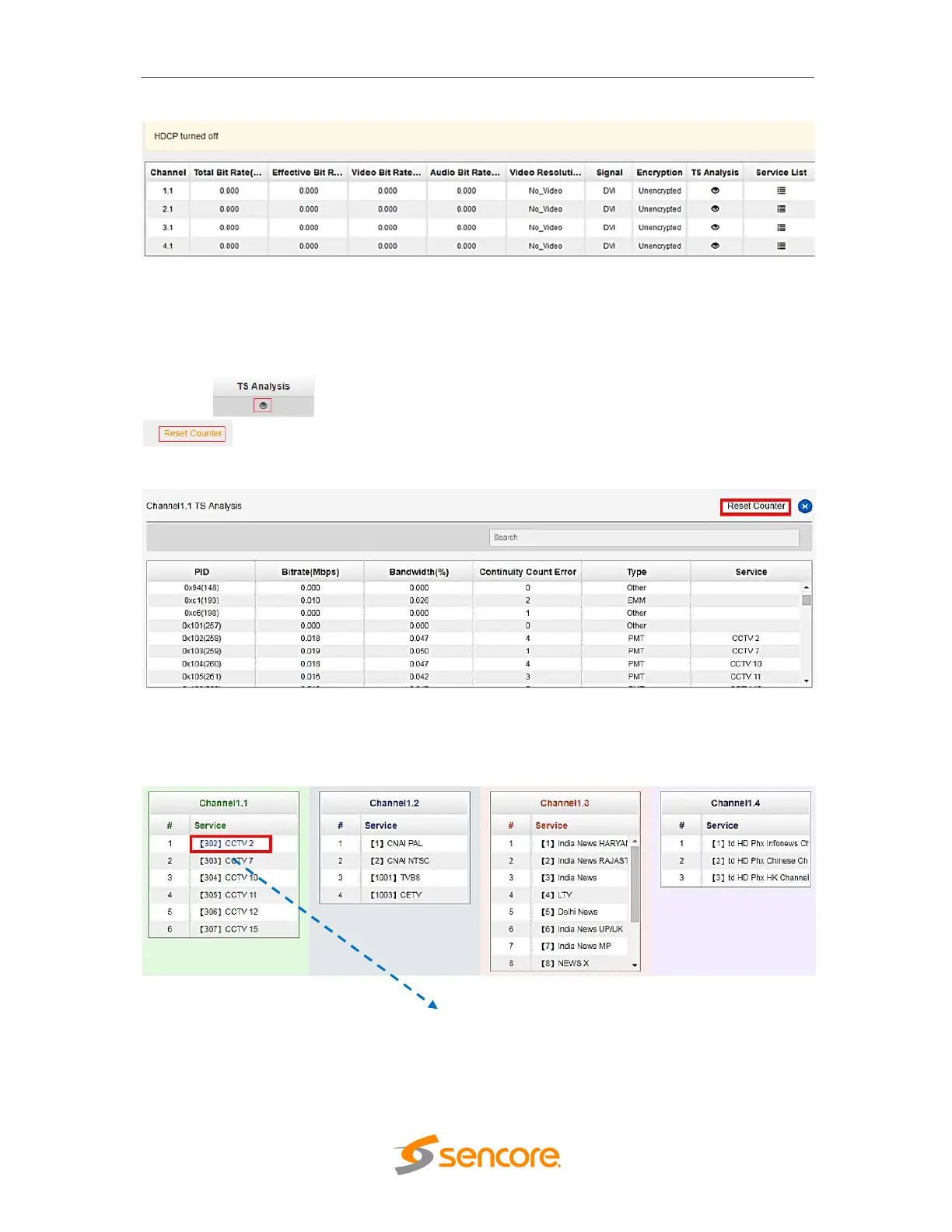
The TS Analysis is same for Baseboard IP input Status and All modules Status. This
can show you the details like PID, of the received channel, and last is Service List that
show the list of services on the received Channel.
Here, you can check the PID and other details on the channel under TS Analysis. You
can click of each channel, you can see TS Bit rate Analysis. Click
to reset the Continuity Count Error counter. In Search bar, you can input key
words or numbers for a quickly finding such as PIDs, Type or Service.
You can check the service details in each channel under Service info by clicking the
icon under Service List to check the service information of all the inputs. You can also
check program details by clicking the Service Name.



 To Next Page