SP395 SoundPro Audio Integrator Form7492 Operation Manual
96
4. Horizontal Scale: Select the desired horizontal (time) scale using this field. The time
scale has 8 divisions from the left to the right of the scale. The time selections range from
.1 to 10 mS. This is the time for one of the scale divisions.
5. Gain Sets the gain to add to the input signal, in increments of 6dB. This is useful to see a
very low input or noise signal on the scope. The range is 0 to 96 dB. The gain scale
reflects the scale of the digital 16-bit input stage. If you see what looks like clipping on
the maximum vertical scale as the signal runs into the top of the display, then you are
over-driving the inputs
. Select a lower gain setting.
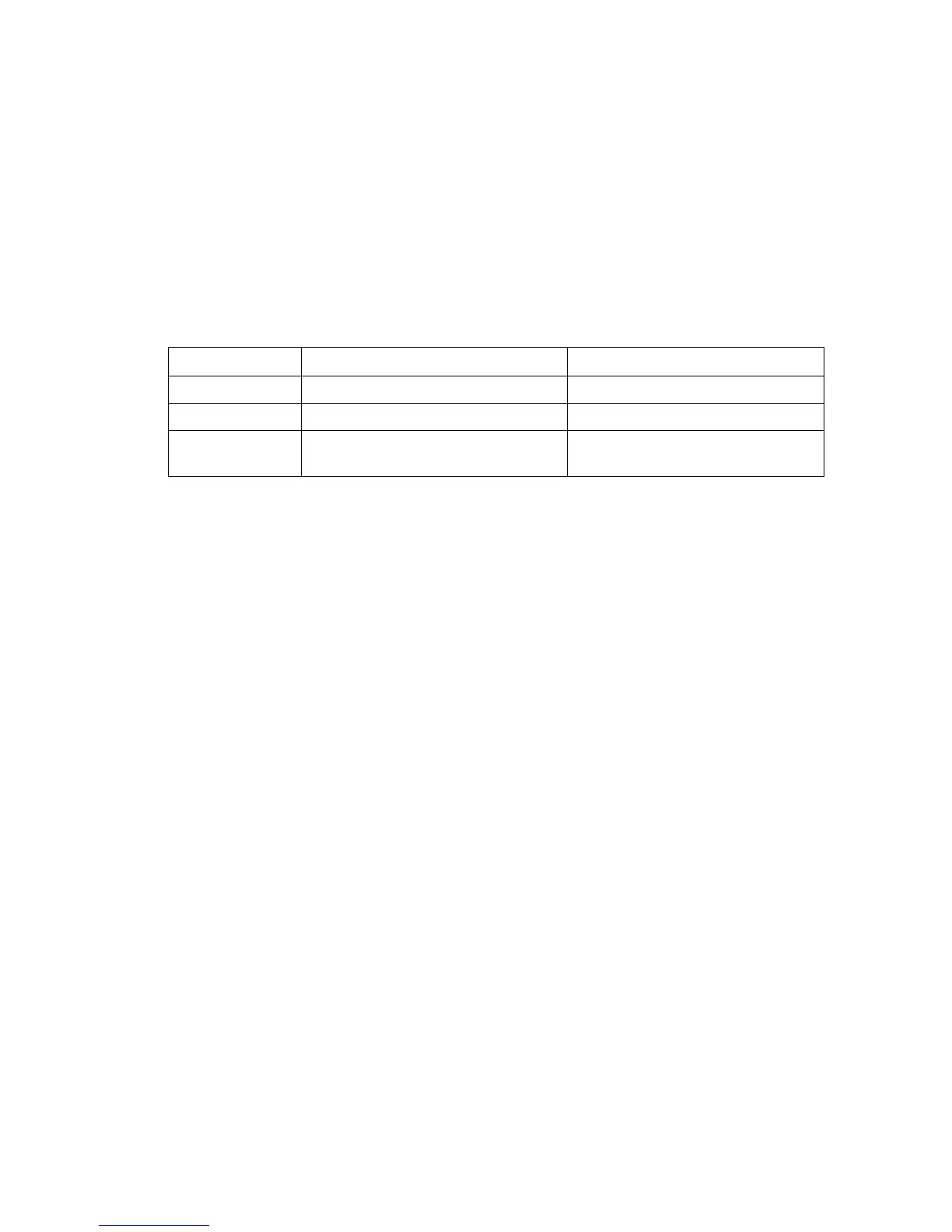
6. Display Mode: Selects the display to show the right, left or sum of both the left and right
input waveforms. The table below lists the input modes and shows the resultant display on
the scope screen and the bar graph level meter
Input Mode Scope Signal Displayed Bar Graph Level Meter
L Left Line Input Left input signal, dBu
R Right Line Input Right input signal, dBu
L&R Both inputs, overlaid, triggered on
the left input
Sum of left and right signals,
dBu
7. Scope Run/Hold - Click this field to turn the Audio Scope on and off. Turning the scope
off freezes the waveform that is currently displayed. (Changing the time/div or
amplitude/div while the display is in "Hld" will not change the display).
How to Setup the Audio Scope- Waveform Viewing
1. Connect the input signal. Plug the audio source(s) into the L or R inputs on the right side
of the SP395. If NOT using microphones turn off the phantom power by changing the
48V to 0V in the top Tool Bar phantom voltage field.
2. Select the Utilities function of the main menu. Move the cursor to Utilities and click the
knob. Select the Audio Scope function. Move the cursor to highlight Audio Scope and
click the knob.
3. Select the mode. Select the scope mode or L +R mode.
4. Select the input: Select Left (Lin) or Right (Rin) to select the input.
5. Select RUN: Be sure Run/Hold selection is in the RUN (I I) mode.
6. Adjust the display amplitude for a display that has sufficient height, but is not clipped.
Selecting a Gain setting that is too low causes the waveform display to be clipped.
7. Select an mS/Div setting: Select a time setting to see 1-2 waveforms.
8. View the input signal. (Selecting “Hold” freezes the display)



 To Next Page