SP395 SoundPro Audio Integrator Form7492 Operation Manual
15
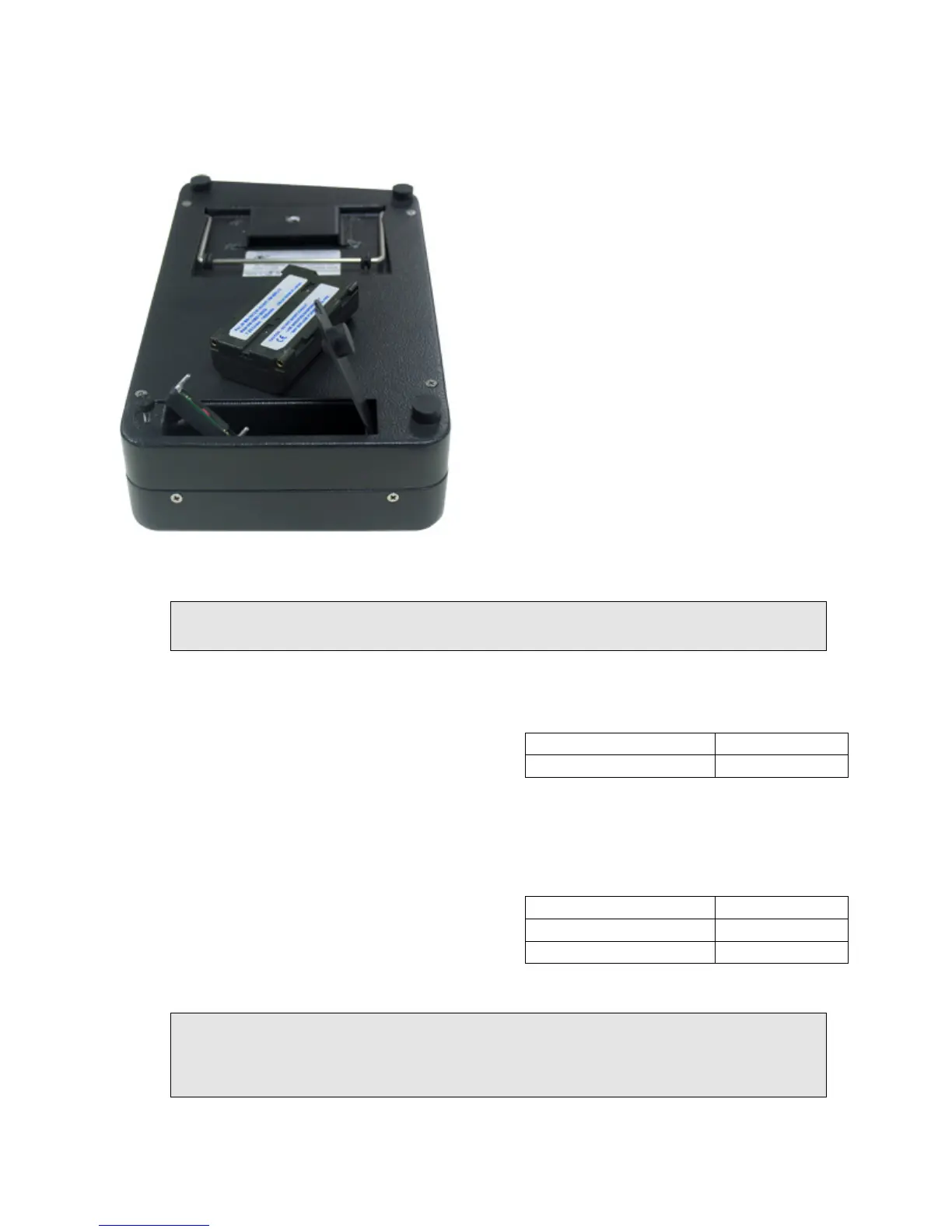
Installing / Removing Battery
The battery can be removed for replacement. The battery is installed in a small compartment in
the bottom rear of the Audio Integrator. To remove the battery you must open the battery door or
cover plate. Unscrew the thumb screw holding
the plate to the instrument case. The door
contains a cutout so if you push the door away
from the screw the door can be hinged open. Use
the nylon strap that surrounds the battery to lift
it up and out of the compartment. The battery
terminals plug into the small circuit board lining
the top side of the battery. Gently pull the circuit
board away from the battery to disconnect the
battery from the circuit board.
To install a battery, reverse the removal process.
The battery is polarized and needs to be installed
correctly. Line up the flat side of the battery
with the flat side of the circuit board. Push the
board male connector pins gently and straight
into the battery terminals. Seat the battery into
the instrument, close the battery door and secure
it by tightening the retainer screw.
The battery may be removed from the rear battery compartment.
Warning: Observe proper polarity. Do not plug the battery into the connector board the
wrong way, or the battery may be damaged.
Battery Charging & Battery Life
The battery is charged anytime that the AC adapter is
plugged into the Integrator. It charges at the same
rate, whether the unit is turned on or not. You can
also charge the battery in an external lithium-ion battery charger. You cannot overcharge the
battery, as long as you charge it in the instrument or use an approved external charger. The
battery requires about 6 hours to fully charge.
The Audio Integrator uses different amounts of
battery power, depending on what functions are
being used. The phantom power uses a significant
amount of power. Also, the headphone monitor
amplifier consumes power when it is enabled. Expect 4-5 hours of run time on a full charge.
Warning: Storing the unit with the battery in a state of discharge for long periods of time can
shorten the life of the battery, or possibly destroy it. We recommend that the battery be kept
charged at all times. The battery cannot be overcharged, so it is fine to leave the instrument
plugged in, or to leave the battery plugged into an external charger when not in use.
Charger Charge Time
Charge in Integrator 6.0 hours
Battery Life
Maximum run time 5.5 hours
Phantom power on 4.5 hours



 To Next Page