SP395 SoundPro Audio Integrator Form7492 Operation Manual
95
Utility Function
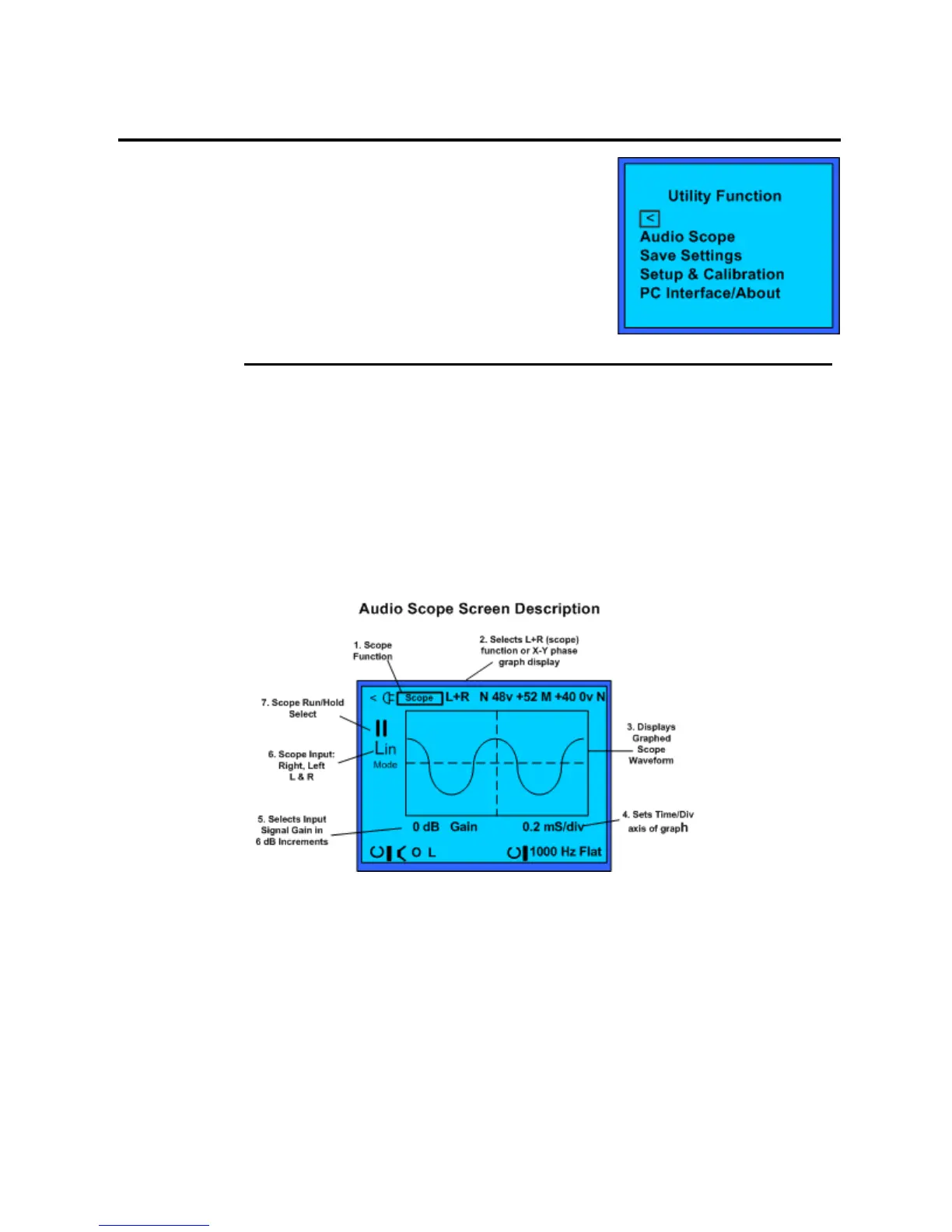
The SP395 Utility Function menu has the following options:
Audio Scope
Save Settings
Setup & Calibration
PC Interface/About
Audio Scope
The Audio Scope works with either or both of the inputs. The Audio scope is an audio-
bandwidth digital oscilloscope. It has a sample rate of 48 kHz, meaning that it is useful for
viewing signals up to 10 kHz. It provides AC only input coupling to 3 Hz for viewing AC only
component of the waveform.
Use the Audio Scope to look for audio waveforms, identify audio distortion, clipping, polarity
problems and the like. It provides a good graphical representation of the audio wave shape.
The Audio Scope auto-triggers on repeating waveforms with a trigger level set to 1/256
th
of the
selected scale. The display is refreshed approximately every ½ second.
The Audio scope is an audio-bandwidth digital oscilloscope.
1. Scope Function: Indicates the Audio Scope function as the active test.
2. Scope Mode: This sub-menu field selects L + R or X-Y modes. The L+R mode is an
oscilloscope mode for viewing audio waveforms graphed voltage vs. time. The X-Y mode
is a graphical phase comparator of two audio inputs of the same frequency. The X-Y
(phase) requires both a left and right input from a stereo source, to observe program
material phase. For example, an audio signal generator and the output from an analog tape
machine when adjusting the azimuth of a tape head.
3. Graphed waveform: Graphed audio waveform or phase display for viewing.



 To Next Page