SP395 SoundPro Audio Integrator Form7492 Operation Manual
44
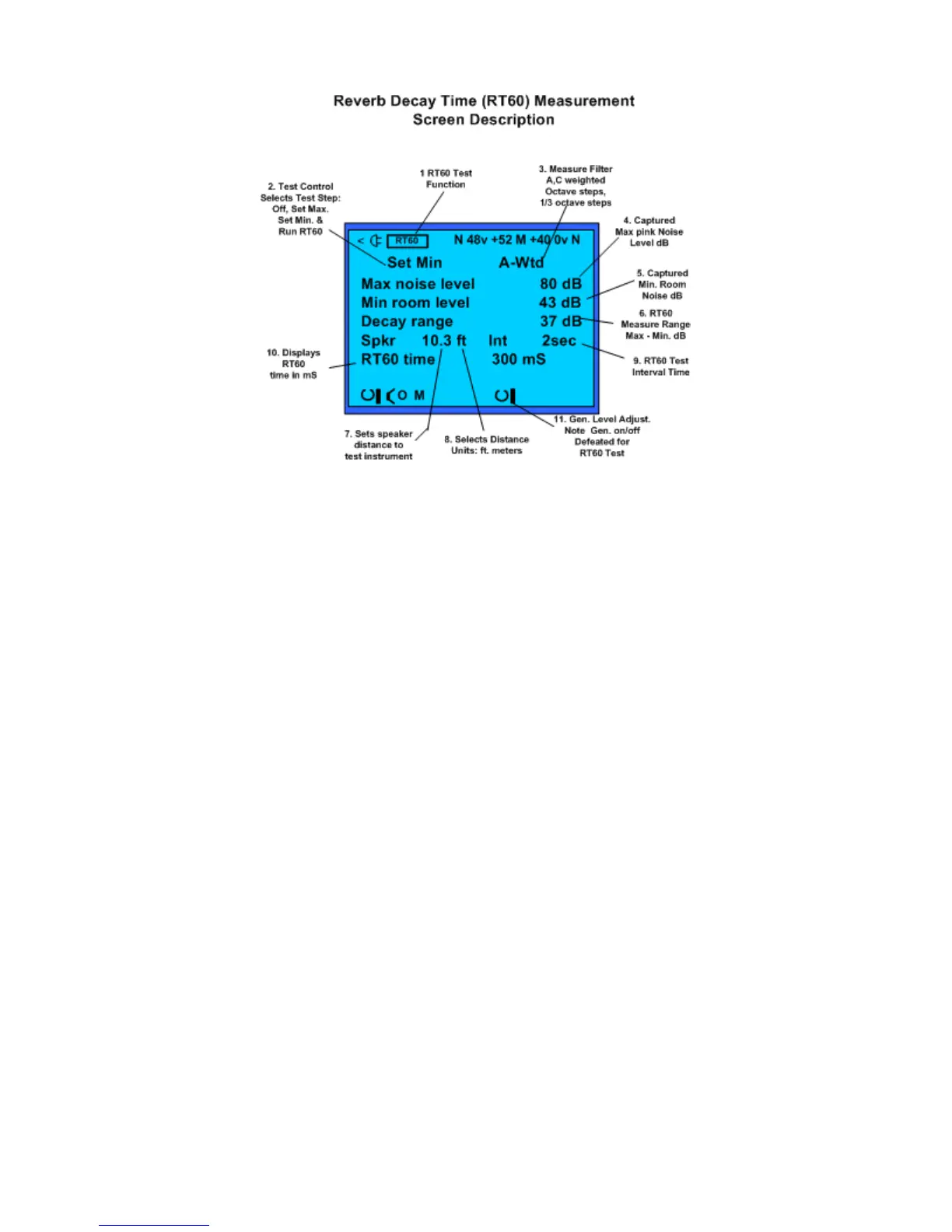
The Reverb Decay Time (RT
60
) Measurement Screen.
Reverb Decay Time Test Screen and Control Fields:
1. RT60 Test – indicates the selected test function or screen.
2. Test Control – The Reverb Decay function requires setting the ambient noise and the
maximum sound (pink noise on) levels to determine the Decay range dB. The Test
Control field allows the operator to set these levels and to control the test. Highlight and
click this field until it displays "Set Min". Then click the control knob to store the
ambient noise level. The field then changes to "Set Max" and the pink noise test signal
turns on. Adjust the generator output, or the amplifier volume, to adjust the “Max noise
level” to be at least 26 dB higher than the “Min noise level.” Click to store the maximum
noise level. The field now changes to "Run RT60" and the test begins. Click again to stop
the test. When the field displays "Off", clicking again repeats the setup sequence. Turning
the test "Off" holds the currently displayed readings.
3. Weighting – Any of 36 weighting filters are available, including unweighted (Flat); A-
weighted; C-weighted; ten ANSI Class 1 octave band filters– 31, 63, 125, 250, 500, 1k,
2k, 4k, 8k, 16 kHz; or 30 ANSI Class 1 1/3 octave band filters. A-weighting will roll off
most of the low frequencies. If in doubt about which filter to use, we recommend using A-
weighting.
4. Captured Max Noise Level – This is the maximum sound energy in the room with the
pink noise test signal applied. Adjust the amplifier's volume and/or SP395 generator
output to increase the sound level to approximately 75-85 dB. At this level the Max Noise
reading should be at least 26 dB higher than the Min Room level reading (number in the
Decay Range field). To store the Max Noise level, set the Test Control field to "Set Max"
and click the Test Control field.
5. Min Room Level – This is the level of the ambient room noise. The minimum room noise
level must be at least 26 dB lower (indicated by a number display in the Decay Range
field) than the Max Noise Level reading. If the Min Room level is greater than 50 dB, you
need to lower the ambient noise for best test results. To store the Min Room level, set the
Test Control field to "Set Min," then click the Test Control field.



 To Next Page