SP395 SoundPro Audio Integrator Form7492 Operation Manual
83
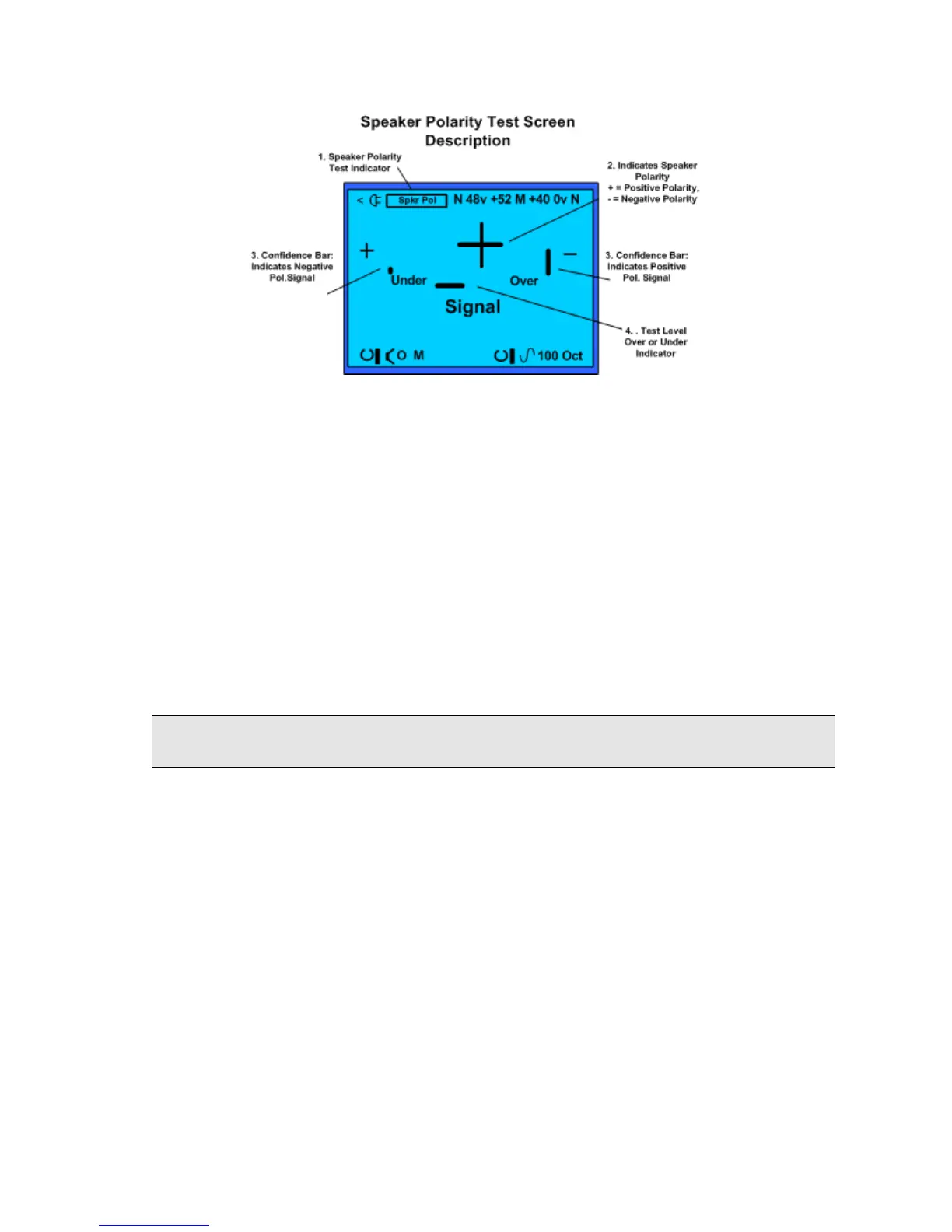
Speaker Polarity Test screen and field descriptions.
Polarity Test Screen and Control Fields Description:
1. Test Function – Identifies Speaker Polarity (Spkr Pol.) as the selected function and
measurement screen.
2. Speaker Polarity Indicator – Shows the test result or polarity of the speaker.
3. Confidence Bars – Indicates when a good level is being sensed by the SP395 and you
can be confident in the measurement result.
4. Test Level – indicates when the level of the received signal is under or over the level
required by the SP395 to perform the speaker polarity test.
Speaker Polarity Test Operation:
1. Connect microphone. Connect a measurement microphone to the left SP395 input, turn
on phantom power (if required), and set the left input gain to an appropriate value (try +34
or +40).
Note: there is a chance that you will get incorrect results if you are using any untested
microphone. Microphones supplied by TerraSonde are tested for correct polarity.
2. Set up output. Plug any SP395 audio output into the amplifier and speaker. Turn the level
down at the amplifier!
3. Generator On / Off. Turn on the generator to send the polarity signal to the speaker.
Make sure that only one speaker is playing, or that the microphone is at least 1 foot (0.5
meters) closer to one speaker than the other. Make sure that there is a direct audio path
from the speaker driver to the SP395’s microphone.
4. Position Microphone. Point the microphone directly at the center of the loudspeaker
driver. To best pick up the signal from just one driver, position the microphone directly in
front of the driver, about 1-2 times the diameter of the driver away from the driver face
(e.g. about 8-16 inches in front of an 8 inch woofer).
5. Generator Level. Carefully turn up the amplifier level until the Input Level bar graph
shows a mid-scale reading. If required, change the Input gain field or adjust the system
volume level to get a mid-scale reading. If the level is too high, reduce the input gain
setting.
6. Confidence Indicators. Observe the + and – confidence meters to see that the SP395 is
getting good information from the speaker. Only one bar should be tall. If both bars are
tall or if both bars are low, then there may be excessive background noise in the room.



 To Next Page