3 Maintenance/Safety & Functionality Tests
SenTec Digital Monitoring System
3.5 Opening the Membrane Changer
If the sensor is blocked within the Membrane Changer at any position, it can be opened
as follows:
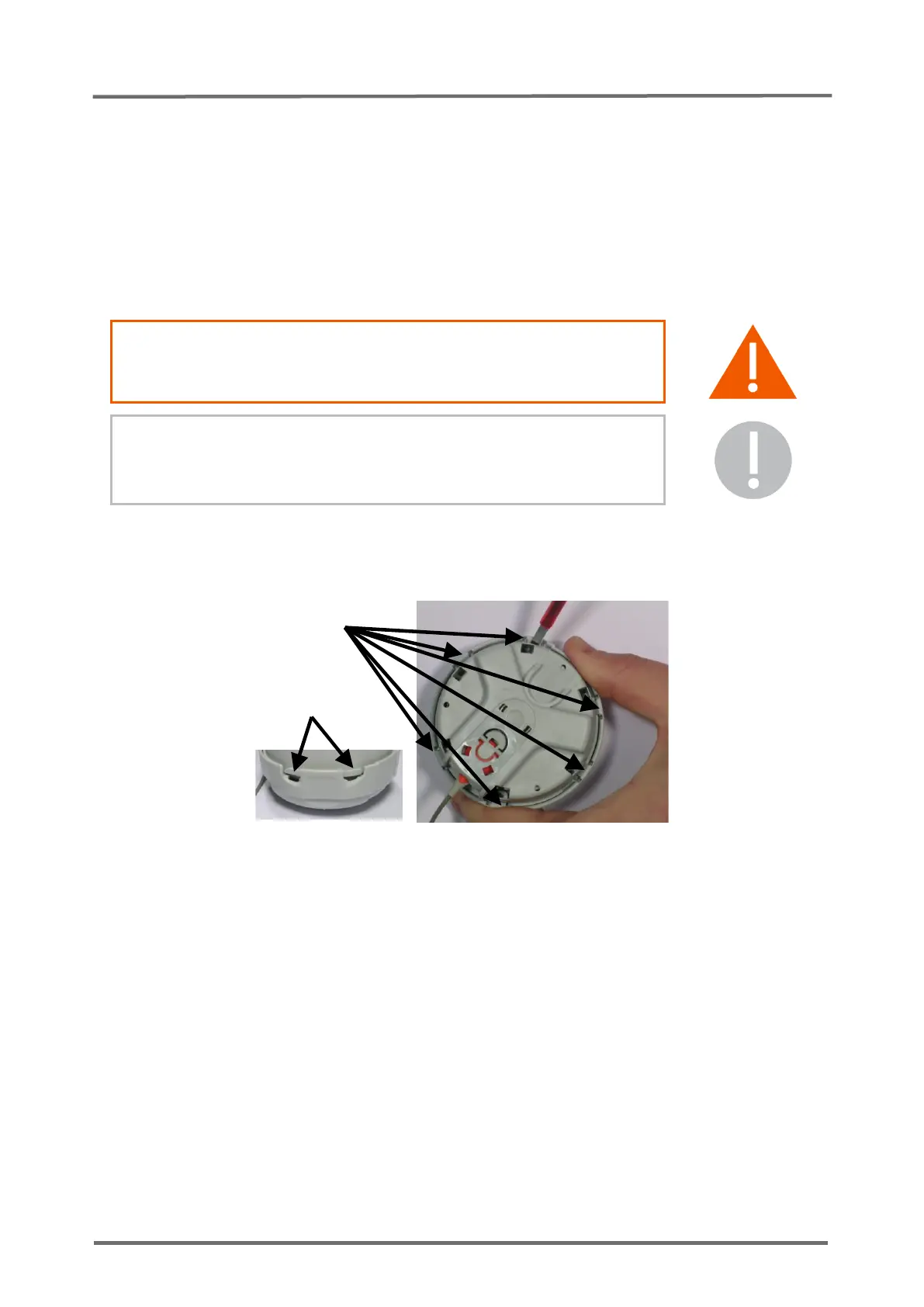
Identify the 6 latches holding together top and bottom part of the Membrane Changer
together (see Figure 11 Opening the Membrane Changer). Insert a screwdriver
behind the latches and use it as leverage to break out the 6 latches.
WARNING: Wear protective goggles while breaking out the 6
latches.
CAUTION: This procedure will irreversibly destroy the
Membrane Changer, but not harm the sensor if executed with
care.
Figure 11 Opening the Membrane Changer



 To Next Page