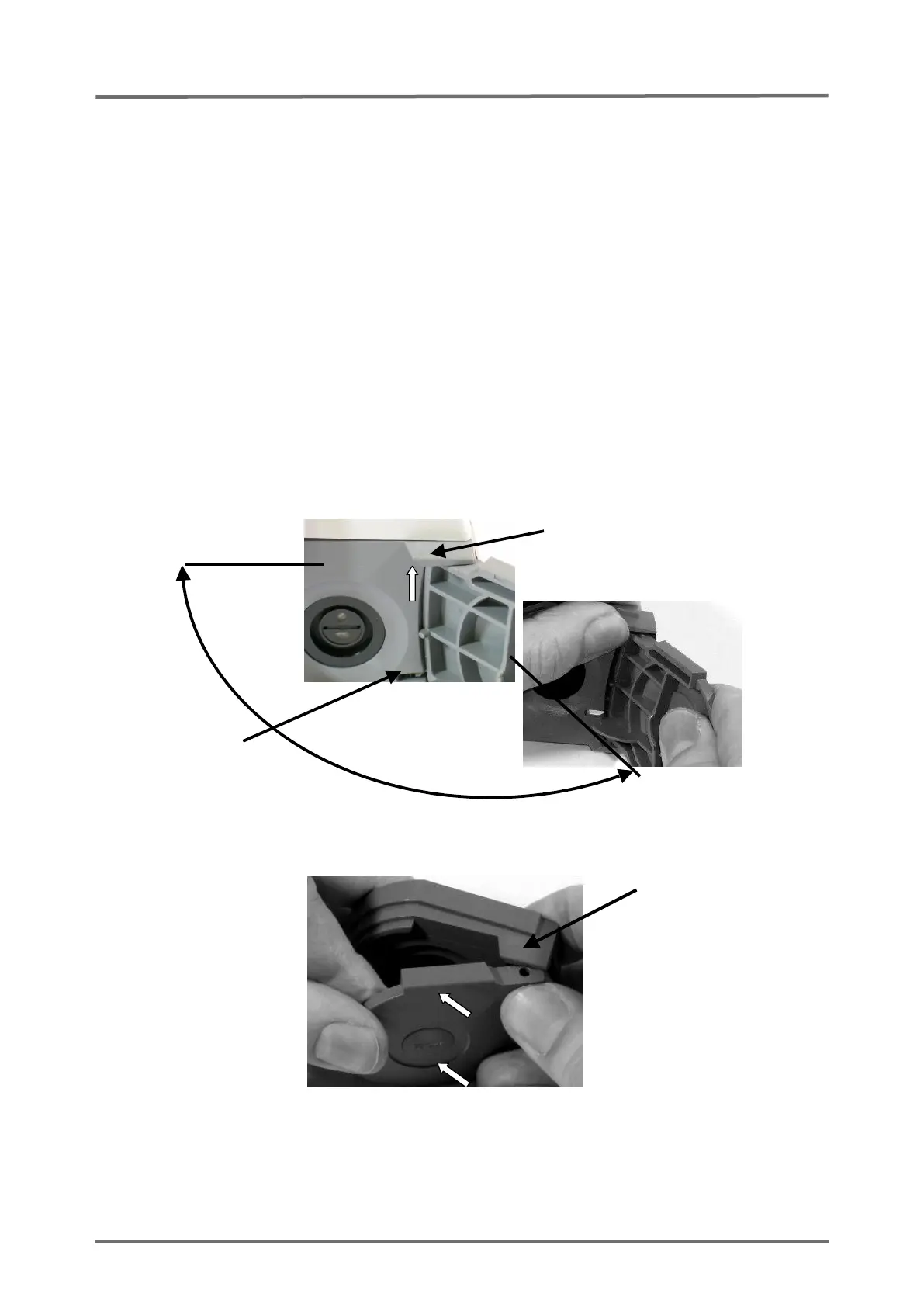
5.5 Replacement, Docking Station Door
1. Follow the procedure described in
section 5.1 "Prior to Repair"
.
2. Open the Docking Station Door (to an angle of approximately 120° (
see
Figure 15
Docking Station Door Insertion
).
3. Lift the mounting link for the hinge and remove the Docking Station Door by
pulling it out and pressing it down at the same time.
4. Insert the new Docking Station Door (parallel to the case) with an aperture angle
of the door of 45° (see
section 8.2 “Testing Accessories and Spare Parts”
). The
door must not be closed further, as this could damage the pressure spring. First
press on the bottom, then on the top of the door to insert the hinge into the
mounting link.
5. Switch on the monitor.
6. Put the sensor into the Docking Station to calibration the sensor. After calibration
wait 6 minutes to verify that the message `Gas leak in DS´ does not display.



 To Next Page