SERVOPRO NOx Analyzers Page
AUTO CALIBRATION PARAMETERS
→
→
→
→
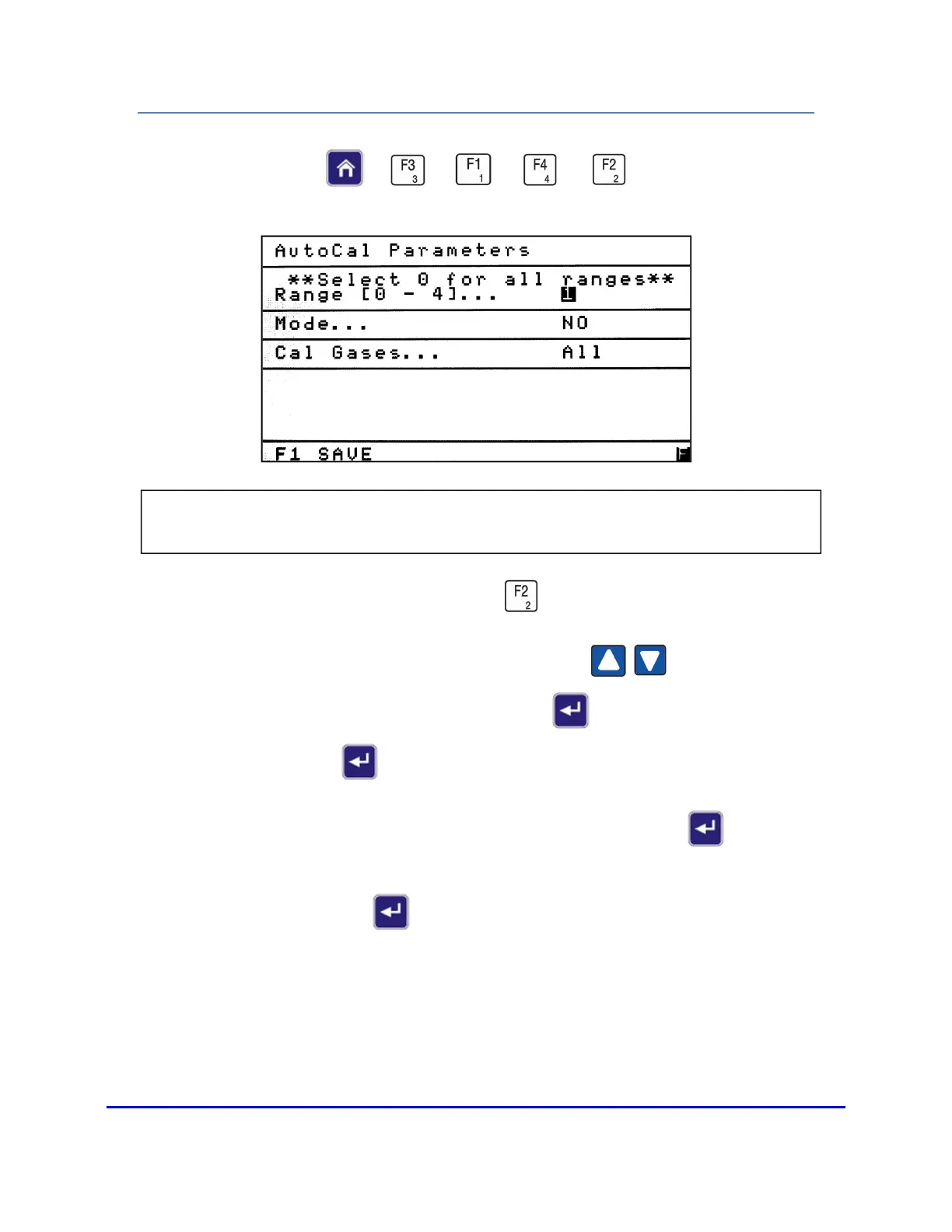
To access the AutoCal Parameters screen, press from the Calibration Setup menu.
To navigate between parameters, use the up or down arrow to move the
highlight to the field you intend to change. Press Enter to open the field and change
the parameter. Press Enter again to close the field after you have made your change.
The first changeable parameter is the Range to be calibrated. Press Enter to open
the field and change the range. Then select a range (from 1 – 4) for calibration. To select
all ranges, press 0. Press Enter to close the field.
NOTE: Auto Calibration Parameters allows the operator to select the range, mode and
choose between Zero and All calibration gases (both zero and














 To Next Page