20
Manual – MOVI-PLC® advanced DHE41B/DHF41B/DHR41B Controller
4
Installing the MOVI-PLC® advanced DHE41B controller
Mounting/Installation Instructions
4.3.5 Connecting the Ethernet 1 system bus (connector X36)
The Ethernet 1 interface (connector X36) is reserved for the system bus.
4.3.6 Connection of the Ethernet 2 interface (connector X37)
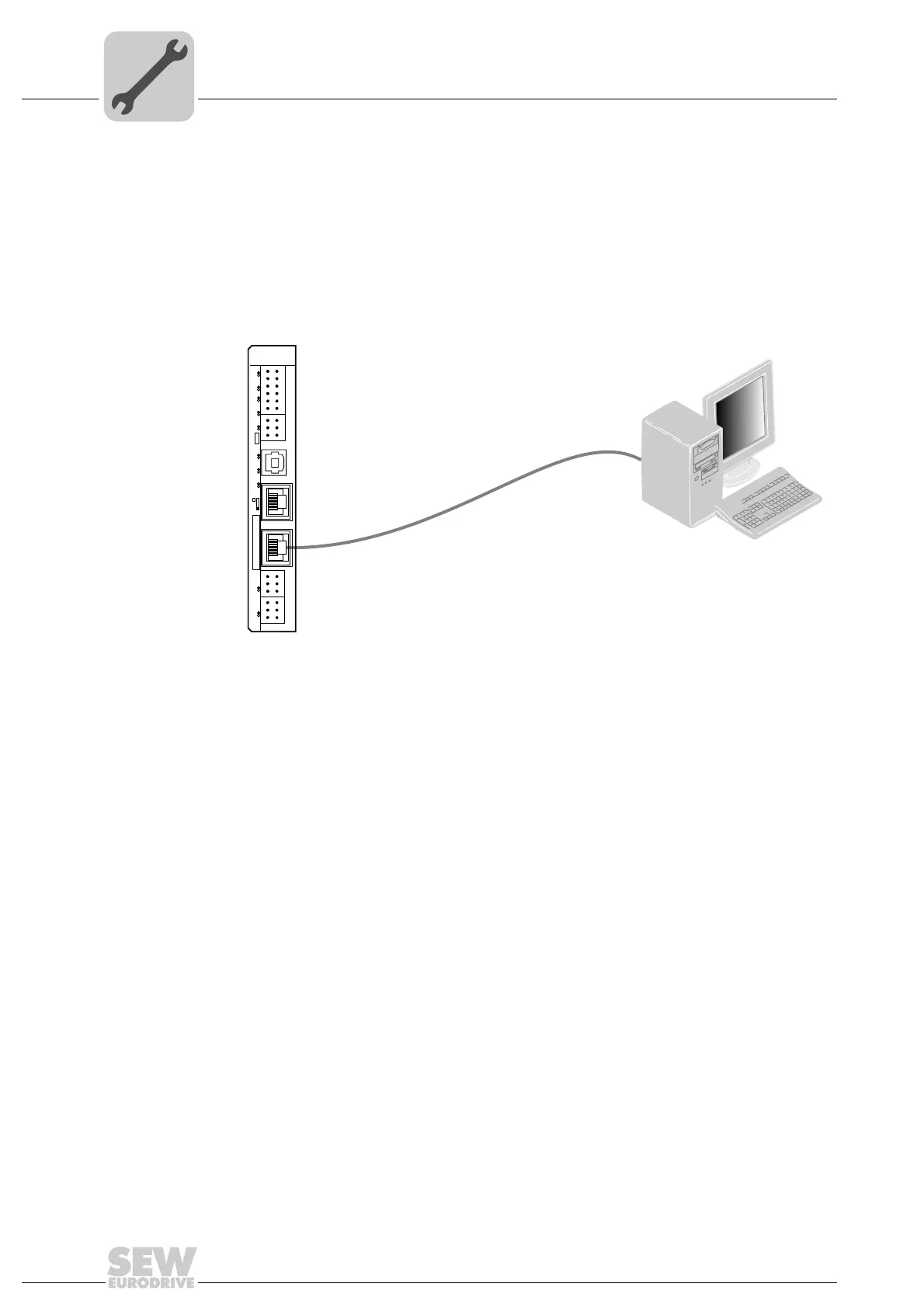
You can connect an engineering PC to the Ethernet 2 interface (connector X37).
Using the Ethernet 2 interface, the MOVI-PLC
®
advanced DHE41B controller can also
exchange data via UDP/TCP with another controller.
61522AXX
Figure 6: Example: Connecting an engineering PC via the Ethernet 2 interface to X37
PC COM
X35
X36
X37
2
4
6
1
3
5
X34
DHE41B
1
2
3
1
3
4
2
1
2
3
1
2
3
1
2
3
X32X33
2
4
6
1
3
5
8
10
12
7
9
11
X31
T1
S1
L1 L2 L3 L5XM L6 L7 L8 L9L4 L10


 To Next Page