Manual – MOVI-PLC® advanced DHE41B/DHF41B/DHR41B Controller
39
4
Installing the MOVI-PLC® advanced DHR41B controller
Mounting/Installation Instructions
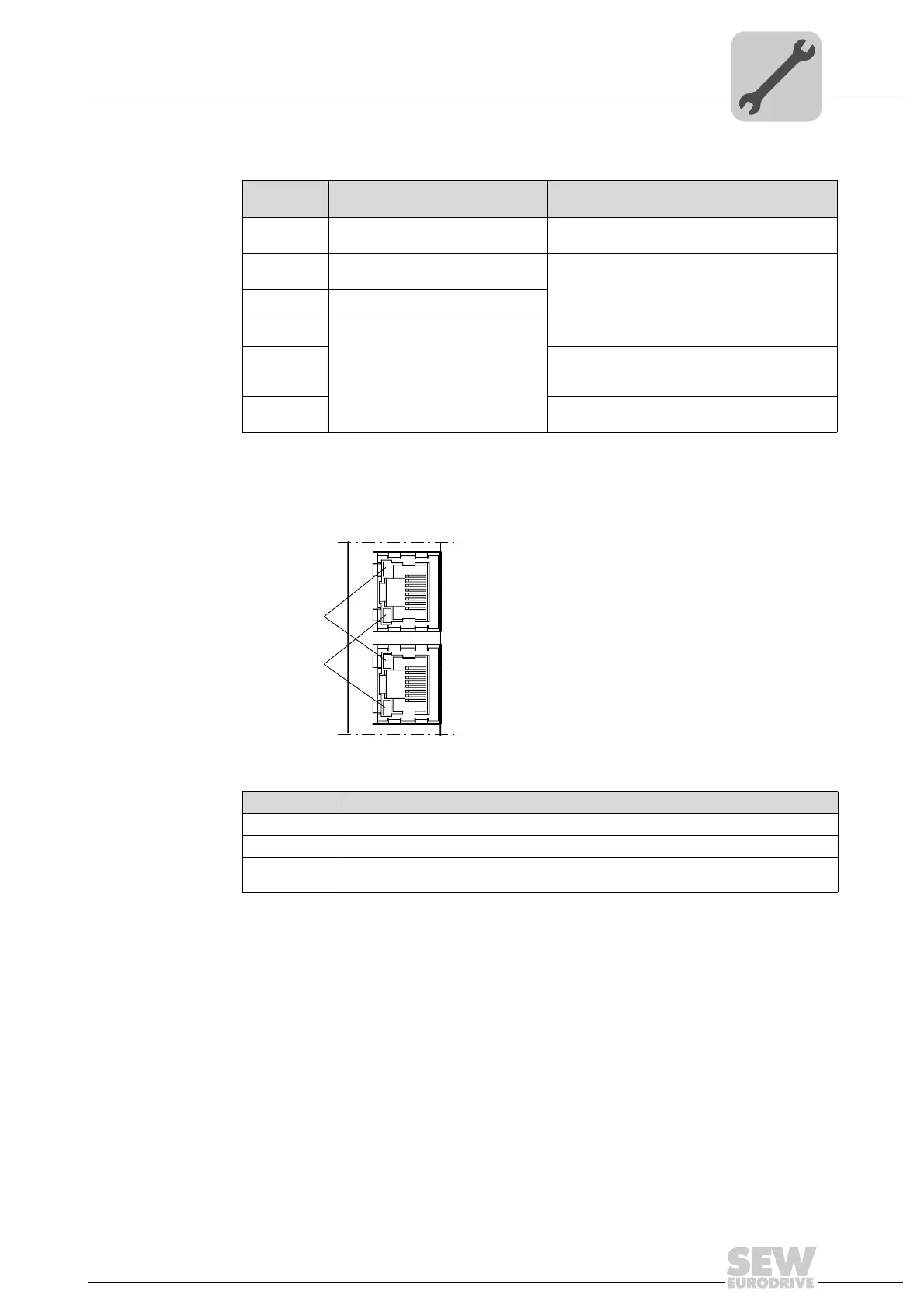
LED L14 (RUN) LED L14 (RUN) indicates that the bus electronics are operating correctly.
LED
Link / Activity
The two LEDs Link (green) and Activity (yellow), integrated in the RJ45 plug connec-
tors (X30-1, X30-2), display the status of the Ethernet connection.
Status of the
LED L14
Cause of error Troubleshooting
Green • DHR41B hardware OK.
• Proper operation
–
Off • DHR41B is not ready for opera-
tion.
• Switch the unit on again. Consult SEW Ser-
vice if the error occurs again.
Red • Error in the DHR41B hardware
Flashing
green
• Hardware of the DHR41B does
not boot up.
Flashing
yellow
• Switch the unit on again. Set default IP
addressparameter via DIP switch "S1". Con-
sult SEW service if the error occurs again.
Yellow • Switch the unit on again. Consult SEW Ser-
vice if the error occurs again.
63365AXX
LED / Status Meaning
Link / Green There is an Ethernet connection.
Link / Off There is no Ethernet connection.
Activity / Yel-
low
Data is currently being exchanged via Ethernet.
X30-1
X30-2
LED "Link"
LED "Activity"


 To Next Page